Our website is made possible by displaying online advertisements to our visitors.
Please consider supporting us by disabling your ad blocker.
Please consider supporting us by disabling your ad blocker.
OpenSimWorld is the directory of 3D Virtual Worlds based on OpenSimulator and connected through the HyperGrid. Learn More

New Members
RufusRippley, MaraWindsong, KalebDonovan, Leighlah, Mryork, Katiiis, Austin, JettZax, Ashen, EmmaLewis, Monluc2259 lucmon, Daisy, Daisys, Tinostl, Scorpyo, Uwe Furse, Corillastris, Alex3, LunaVirellia, MiguelAndrosLikes


JOIN US FOR BI-WEEKLY LIVE WORKSHOPS, WORK ALONG WITH US, ASK QUESTIONS, AND MEET NEW PEOPLE. WE ALSO PROVIDE VIDEO TUTORIALS, LEARN AT YOUR OWN PACE.
DOING BOTH IS BETTER! REPETITION STRENGTHENS YOUR MEMORY.
Join our discord channel https://discord.gg/VastzPswvF
Check out the first part of our Making Flowers in Blender Class.
Part 1
https://youtu.be/4m24gtYEeJ4?si=acwcXldeoiaKtpvU
Part 2
https://youtu.be/s0ov56Shjgk?si=xGJnRsV8XroaM3d2
DOING BOTH IS BETTER! REPETITION STRENGTHENS YOUR MEMORY.
Join our discord channel https://discord.gg/VastzPswvF
Check out the first part of our Making Flowers in Blender Class.
Part 1
https://youtu.be/4m24gtYEeJ4?si=acwcXldeoiaKtpvU
Part 2
https://youtu.be/s0ov56Shjgk?si=xGJnRsV8XroaM3d2

#event #banhamregion 1pm SLT on April 29/2026 Arkham Grid
✨ Grand Opening: OtherLife Fashion! ✨
Looking for a style that breaks away from the conventional? The wait is over. We are excited to announce the grand opening of OtherLife Fashion, your new style benchmark in the metaverse.
🌟 100% Exclusive Content
At OtherLife Fashion, we don't believe in the generic. Every garment, accessory, and texture has been designed from scratch with exceptional attention to detail. Our entire catalog is exclusive content, created by and for residents seeking a unique identity in their virtual life.
📍 Where to find us?
We are located in one of the most vibrant spots on the grid:
Grid: Virtual Life Grid
Region: Welcome
Destination: Click here to teleport hop://grid.virtualife-grid.it:8002/Welcome/99/173/22
👗 What will you find?
Seasonal collections with original designs.
High-definition textures optimized for grid performance.
Fashion that adapts to your personality, from urban to high couture.
Don't settle for the usual. Come visit the store that is redefining aesthetics in Virtual Life Grid.
We look forward to seeing you in the Welcome region to discover your other life with the best style!
OtherLife Fashion: Be Different, Be You.
Looking for a style that breaks away from the conventional? The wait is over. We are excited to announce the grand opening of OtherLife Fashion, your new style benchmark in the metaverse.
🌟 100% Exclusive Content
At OtherLife Fashion, we don't believe in the generic. Every garment, accessory, and texture has been designed from scratch with exceptional attention to detail. Our entire catalog is exclusive content, created by and for residents seeking a unique identity in their virtual life.
📍 Where to find us?
We are located in one of the most vibrant spots on the grid:
Grid: Virtual Life Grid
Region: Welcome
Destination: Click here to teleport hop://grid.virtualife-grid.it:8002/Welcome/99/173/22
👗 What will you find?
Seasonal collections with original designs.
High-definition textures optimized for grid performance.
Fashion that adapts to your personality, from urban to high couture.
Don't settle for the usual. Come visit the store that is redefining aesthetics in Virtual Life Grid.
We look forward to seeing you in the Welcome region to discover your other life with the best style!
OtherLife Fashion: Be Different, Be You.

more Stuff


NEW Release SN Rose Beach Dress
Reborn Single
Alltime Moneygiver inside Mainstore
~NO RESELL~
Coming to you at 6am PDT/SLT/OST/Grid Time, 2 hours of fun, laughter and banter, kicking off your Sunday with the Morning Breaskfast Show with a bang!, come one, come all, all are welcome to come and join in party and have fun! hop://alternatemetaverse.com:8002/Alternate%20Metaverse/36...
🎶 Join us at Spirit of the Wolf for a fantastic Track Party with Dj Annie! 🎶
🕛 Date: 26-04-12
🕛 Time: 12 PM - 2 PM
Get ready to dance and enjoy two hours filled with your favorite tunes! Dj Annie will be spinning all the hits and taking your requests and dedications, so come prepared to have fun and share some laughter with us. Don't miss out on this amazing event!
📍 Location: Spirit of the Wolf
See you there! 🎉
x-grid-info://digi/region/Spirit%20of%20the%20Wolf/45/65/910
hop://login.digiworldz.com:8002/Spirit%20of%20the%20Wolf/4...
http://login.digiworldz.com:8002/
🕛 Date: 26-04-12
🕛 Time: 12 PM - 2 PM
Get ready to dance and enjoy two hours filled with your favorite tunes! Dj Annie will be spinning all the hits and taking your requests and dedications, so come prepared to have fun and share some laughter with us. Don't miss out on this amazing event!
📍 Location: Spirit of the Wolf
See you there! 🎉
x-grid-info://digi/region/Spirit%20of%20the%20Wolf/45/65/910
hop://login.digiworldz.com:8002/Spirit%20of%20the%20Wolf/4...
http://login.digiworldz.com:8002/
The devil sent you to Carima
heya Djane Maryan ;)
habe ein bisschen Vorarbeit in meinem Producer-Studio gemacht und den Song generieren lassen , den ich letzt gewünscht hatte für das Hörer-Wunschkonzert bei der nexten Party ;)
https://carimasketchbook.blogspot.com/2026/04/the-devil-se...
habe ein bisschen Vorarbeit in meinem Producer-Studio gemacht und den Song generieren lassen , den ich letzt gewünscht hatte für das Hörer-Wunschkonzert bei der nexten Party ;)
https://carimasketchbook.blogspot.com/2026/04/the-devil-se...

Hristos Anesti

Season 2 of HG Safari is well under way with lots of great destinations coming up in the next few weeks!
If you missed the story so far, you can catch up here - plus a few other posts from around and about Opensim. And don't forget also that today at 11am you can also catch the latest episode of Inworld Review https://www.youtube.com/@inworldreview/streams
An interview with Opensim Oldbie GiMiSa
https://hgsafari.blogspot.com/2026/03/the-magic-of-gimisa....
A trip to Kitely
https://hgsafari.blogspot.com/2026/04/on-reef.html
An April Fool's cruise on Neverworld
https://hgsafari.blogspot.com/2026/04/rocking-on-redwood.h...
The upcoming festival on Pangea
https://hgsafari.blogspot.com/2026/04/pangea-festival-2026...
ArtDestiny's 5th anniversary - an interview with Loru
https://hgsafari.blogspot.com/2026/04/artdestiny-turns-fiv...
A wonderful roleplaying region for you to explore on Genesis RP grid
https://hgsafari.blogspot.com/2026/04/luscious-leshmor.htm...
and a trip to Venice
https://hgsafari.blogspot.com/2026/04/monicas-venice.html
If you would like to come with us on our travels, the HG Safari group is open to everyone, come to our clubhouse on HG Safari region just before 12 noon Grid time on Wednesday and be part of the adventure!
If you missed the story so far, you can catch up here - plus a few other posts from around and about Opensim. And don't forget also that today at 11am you can also catch the latest episode of Inworld Review https://www.youtube.com/@inworldreview/streams
An interview with Opensim Oldbie GiMiSa
https://hgsafari.blogspot.com/2026/03/the-magic-of-gimisa....
A trip to Kitely
https://hgsafari.blogspot.com/2026/04/on-reef.html
An April Fool's cruise on Neverworld
https://hgsafari.blogspot.com/2026/04/rocking-on-redwood.h...
The upcoming festival on Pangea
https://hgsafari.blogspot.com/2026/04/pangea-festival-2026...
ArtDestiny's 5th anniversary - an interview with Loru
https://hgsafari.blogspot.com/2026/04/artdestiny-turns-fiv...
A wonderful roleplaying region for you to explore on Genesis RP grid
https://hgsafari.blogspot.com/2026/04/luscious-leshmor.htm...
and a trip to Venice
https://hgsafari.blogspot.com/2026/04/monicas-venice.html
If you would like to come with us on our travels, the HG Safari group is open to everyone, come to our clubhouse on HG Safari region just before 12 noon Grid time on Wednesday and be part of the adventure!
NEW Release SN Rose Beach Dress
Legacy Single ( Reborn soon...)
Alltime Moneygiver inside Mainstore
~NO RESELL~
NEW Release SN Rose Beach Dress
LARA X Single (Legacy, Reborn soon...)
Alltime Moneygiver inside Mainstore
~NO RESELL~
✨ Grand Opening: OtherLife Fashion! ✨
Looking for a style that breaks away from the conventional? The wait is over. We are excited to announce the grand opening of OtherLife Fashion, your new style benchmark in the metaverse.
🌟 100% Exclusive Content
At OtherLife Fashion, we don't believe in the generic. Every garment, accessory, and texture has been designed from scratch with exceptional attention to detail. Our entire catalog is exclusive content, created by and for residents seeking a unique identity in their virtual life.
📍 Where to find us?
We are located in one of the most vibrant spots on the grid:
Grid: Virtual Life Grid
Region: Welcome
Destination: Click here to teleport hop://grid.virtualife-grid.it:8002/Welcome/99/173/22
👗 What will you find?
Seasonal collections with original designs.
High-definition textures optimized for grid performance.
Fashion that adapts to your personality, from urban to high couture.
Don't settle for the usual. Come visit the store that is redefining aesthetics in Virtual Life Grid.
We look forward to seeing you in the Welcome region to discover your other life with the best style!
OtherLife Fashion: Be Different, Be You.
Looking for a style that breaks away from the conventional? The wait is over. We are excited to announce the grand opening of OtherLife Fashion, your new style benchmark in the metaverse.
🌟 100% Exclusive Content
At OtherLife Fashion, we don't believe in the generic. Every garment, accessory, and texture has been designed from scratch with exceptional attention to detail. Our entire catalog is exclusive content, created by and for residents seeking a unique identity in their virtual life.
📍 Where to find us?
We are located in one of the most vibrant spots on the grid:
Grid: Virtual Life Grid
Region: Welcome
Destination: Click here to teleport hop://grid.virtualife-grid.it:8002/Welcome/99/173/22
👗 What will you find?
Seasonal collections with original designs.
High-definition textures optimized for grid performance.
Fashion that adapts to your personality, from urban to high couture.
Don't settle for the usual. Come visit the store that is redefining aesthetics in Virtual Life Grid.
We look forward to seeing you in the Welcome region to discover your other life with the best style!
OtherLife Fashion: Be Different, Be You.
DJ JEB @ SKINNY DIP 2-4am
Hey everyone, we have one fantastic DJ here at Skinny dip
Get ready to strip down and turn up.
Jeb will take you on a two-hour ear-gasmic music.
Bikinis, bare skin, and beats that don’t quit.
This is the night to break loose, own your freedom, and dance like nothing’s off-limits.
Be there, or hear about it later.
hop://alternatemetaverse.com:8002/Skinny%20Dip%20Beach/157...
Hey everyone, we have one fantastic DJ here at Skinny dip
Get ready to strip down and turn up.
Jeb will take you on a two-hour ear-gasmic music.
Bikinis, bare skin, and beats that don’t quit.
This is the night to break loose, own your freedom, and dance like nothing’s off-limits.
Be there, or hear about it later.
hop://alternatemetaverse.com:8002/Skinny%20Dip%20Beach/157...

https://hgsafari.blogspot.com/2026/04/luscious-leshmor.htm...
We had our HG Safari tour on Wednesday and it was a lot of fun. If you want to get to know more about the Opensim World and the wonderful things people are creating and building, you should join us on an HG Safari tour. The image shows Leshmor's Deragona Island home of the dragons.
We had our HG Safari tour on Wednesday and it was a lot of fun. If you want to get to know more about the Opensim World and the wonderful things people are creating and building, you should join us on an HG Safari tour. The image shows Leshmor's Deragona Island home of the dragons.

Saturday Night Chill...
Audienz
Robin Masters zeigte uns gestern Abend in einem OOC-Fachgespräch wie man einen Prompt schreiben muss damit das Porträt vom eigenen Avatar ein fotorealistisches Aussehen bekommt.
Rechts neben seinem generierten Bild hab ich zum Vergleichen ein Profilbild von ihm gestellt, das ich in meiner Sammlung für die Blogberichte habe.
https://lennardmonday.blogspot.com/2026/04/audienz.html
Rechts neben seinem generierten Bild hab ich zum Vergleichen ein Profilbild von ihm gestellt, das ich in meiner Sammlung für die Blogberichte habe.
https://lennardmonday.blogspot.com/2026/04/audienz.html


Premature on the Shoutcast Update. Pulled the message down and will relist when it's ready. Sorry about that.

Slip your inner viking lose and shake your battle axe to the best EDM.
(free viking battle makeup available)
hop://hg.osgrid.org:80/Misty%20Isles/591/893/23
♫ where the beat goes on ♫

ey Guys!!! Go to the Flowers in Blender tab in our Discord Channel - to download all of the flower texture maps. Join our Discord Channel https://discord.gg/uUcFz5cVH6

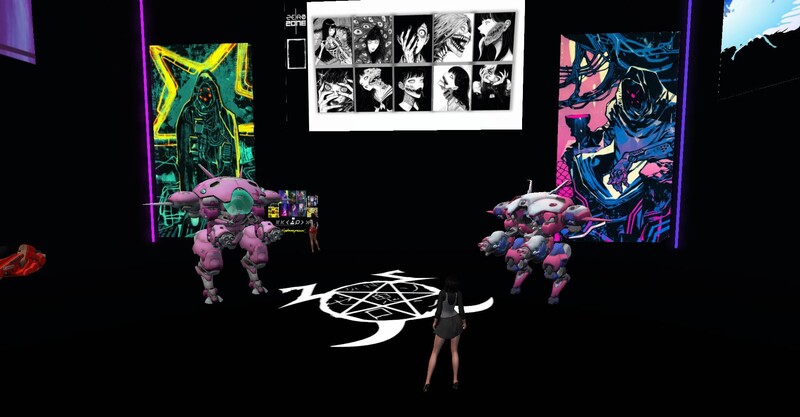
ZERO ZONE STORE CYBERPUNK TRIBUTE
use vendor
hop://stellar-grid.ddns.net:8002/zero/177/180/23
✨ Grand Opening: OtherLife Fashion! ✨
Looking for a style that breaks away from the conventional? The wait is over. We are excited to announce the grand opening of OtherLife Fashion, your new style benchmark in the metaverse.
🌟 100% Exclusive Content
At OtherLife Fashion, we don't believe in the generic. Every garment, accessory, and texture has been designed from scratch with exceptional attention to detail. Our entire catalog is exclusive content, created by and for residents seeking a unique identity in their virtual life.
📍 Where to find us?
We are located in one of the most vibrant spots on the grid:
Grid: Virtual Life Grid
Region: Welcome
Destination: Click here to teleport hop://grid.virtualife-grid.it:8002/Welcome/99/173/22
👗 What will you find?
Seasonal collections with original designs.
High-definition textures optimized for grid performance.
Fashion that adapts to your personality, from urban to high couture.
Don't settle for the usual. Come visit the store that is redefining aesthetics in Virtual Life Grid.
We look forward to seeing you in the Welcome region to discover your other life with the best style!
OtherLife Fashion: Be Different, Be You.
Looking for a style that breaks away from the conventional? The wait is over. We are excited to announce the grand opening of OtherLife Fashion, your new style benchmark in the metaverse.
🌟 100% Exclusive Content
At OtherLife Fashion, we don't believe in the generic. Every garment, accessory, and texture has been designed from scratch with exceptional attention to detail. Our entire catalog is exclusive content, created by and for residents seeking a unique identity in their virtual life.
📍 Where to find us?
We are located in one of the most vibrant spots on the grid:
Grid: Virtual Life Grid
Region: Welcome
Destination: Click here to teleport hop://grid.virtualife-grid.it:8002/Welcome/99/173/22
👗 What will you find?
Seasonal collections with original designs.
High-definition textures optimized for grid performance.
Fashion that adapts to your personality, from urban to high couture.
Don't settle for the usual. Come visit the store that is redefining aesthetics in Virtual Life Grid.
We look forward to seeing you in the Welcome region to discover your other life with the best style!
OtherLife Fashion: Be Different, Be You.

♪ Live at ARV Club ♪
Enter a world of desert winds, golden sands, and ancient rhythms.
♫ Hypnotic beats and sensual movement
♫ Oriental fusion, tribal energy, and dark elegance
♫ Music of mystery, fire, and feminine power
♪ 1 Hour Live Set
♪ Bellydance & oriental vibes
♪ Exotic, seductive, and immersive
✿ Where : hg.neverworldgrid.com:8002:ARV Music Club
✿ When: 8 AM
♪ Attire: Mystical and bright
✿ ARVI LIVE ✿
Enter a world of desert winds, golden sands, and ancient rhythms.
♫ Hypnotic beats and sensual movement
♫ Oriental fusion, tribal energy, and dark elegance
♫ Music of mystery, fire, and feminine power
♪ 1 Hour Live Set
♪ Bellydance & oriental vibes
♪ Exotic, seductive, and immersive
✿ Where : hg.neverworldgrid.com:8002:ARV Music Club
✿ When: 8 AM
♪ Attire: Mystical and bright
✿ ARVI LIVE ✿
#fullavataranime
new shopp
Kali Anastasi This is a gift created especially for all of you.

DJ TYLER - MOONLIGHT SHOW
Wake up the right way with DJ Tyler, serving a wild mix of Rock, and Blues tunes to kickstart your morning.
📅Moonlight Show
⏰ 2-4 AM
Join us for an unforgettable session at the New Landing Point in Alternate Metaverse Grid!
Bring your friends, your dance shoes, and your love for great music. Let’s start the day with rhythm, connection, and pure virtual joy.
Hypergrid enabled – everyone is welcome!
hop://alternatemetaverse.com:8002/Alternate%20Metaverse/35...
Wake up the right way with DJ Tyler, serving a wild mix of Rock, and Blues tunes to kickstart your morning.
📅Moonlight Show
⏰ 2-4 AM
Join us for an unforgettable session at the New Landing Point in Alternate Metaverse Grid!
Bring your friends, your dance shoes, and your love for great music. Let’s start the day with rhythm, connection, and pure virtual joy.
Hypergrid enabled – everyone is welcome!
hop://alternatemetaverse.com:8002/Alternate%20Metaverse/35...

Rock-House (Special) am 10.04.2026.
💚Wieder einmal ein toller Abend im Rockhouse, danke.💚
..............................................................................................................
Rock House (Special) on April 10, 2026.
💚Another great evening at Rock House, thank you!💚
💚Wieder einmal ein toller Abend im Rockhouse, danke.💚
..............................................................................................................
Rock House (Special) on April 10, 2026.
💚Another great evening at Rock House, thank you!💚
Hey Guys!!! Go to the Flowers in Blender tab in our Discord Channel - to download all of the flower texture maps. Join our Discord Channel https://discord.gg/uUcFz5cVH6

I just released an update...I added the ability in vs 3.3 to inject the material into the glb being uploaded. When one uploades the glb it comes textured, you drag the glb from contents into your inventory so that it hits the database proper! Looking for more bugs. Let me know if you find them enjoy!
This program will allow you to upload any mesh, rigged mesh, or not up to around 1 gigs about 20 files or so at once using an oar file! It auto chunks large meshes automatically. The items in the picture were over 2 million verts. It makes a sane physics map for you also . So despite the high verts, well the physics load is a lot lower than what you get with the viewer. It also will let you list all your oar contents in a text file...and well import it into blender with all the textures and placement just like in world!!! :-) Below is the help menu. and below that the download link.
FILE
Open OAR File: open a packaged .oar archive.
Open OAR Folder: open an extracted OAR working folder.
Convert Data: export the loaded OAR using the format from Tools > Output Format. It reads the existing OAR object XML and companion assets, then writes converted output files to disk.
Convert Data does not create a new LLMesh object or save a replacement object XML. The XML already exists in the loaded OAR and is used as export input.
FILE MENU COMPATIBILITY
The converter is only supported for OARs produced by the actual simulator. Repacked or reverse-injected OARs created by this program are not backward-compatible with the converter and may fail if reopened through File > Open OAR File or File > Open OAR Folder and then converted again.
IMPORT
Step One: create blank.oar and prepare an extracted working folder for injection.
Inject Mesh: add one .dae, .gltf, or .glb model into an extracted OAR. Set location, scale, physics, rigging, and LODs here.
Pack Oar: repack the extracted folder into a final .oar archive.
TOOLS
Objects List: browse objects in the loaded OAR and export selected objects through the normal OAR export pipeline.
Objects List > Export: export one or more selected OAR objects into an output folder. Depending on format, the app may write the main file under Solids or Phantoms and may also create companion folders such as Textures, MTL, or BIN.
Objects List > Export does not create a standalone mesh inventory object. It converts from the object's existing OAR XML and asset data.
Output Format: choose DAE, OBJ, GLTF, GLB, FBX, or STL for export.
Settings: set ranges, shifts, terrain options, and folder prefixes.
INJECT MESH DIALOG FIELDS
Source model: the .dae, .gltf, or .glb file to insert.
Location X/Y/Z: the final placement of the inserted object in the target OAR region.
Current dimensions: read-only size of the source model after analysis.
Scale: uniform size multiplier. 1.0 keeps original size.
Physics: choose how collision data is generated. File mode uses a separate physics model.
Rigged: treat the source as a rigged or avatar-style model.
Include Joint Positions: keep joint position data when rigged import needs it.
Strip Joint Data: remove rigging data and force a static-style result.
LOD High/Medium/Low/Lowest: control each generated LOD level.
Mode: choose how each LOD is derived.
Target Tris: desired triangle count for that LOD when the selected mode uses a target.
Vertices: read-only estimate of vertex count for each generated LOD.
WORKFLOW: OAR TO BLENDER USING GLB
1. Open Tools > Output Format and select GLB.
2. Open the source OAR with File > Open OAR File or Open OAR Folder.
3. Run File > Convert Data.
4. Import the generated .glb files into Blender with File > Import > glTF 2.0.
WORKFLOW: BUILD A REPACKED OAR WITH MULTIPLE MODELS
1. Run Import > Step One once to create a blank working OAR.
2. Run Import > Inject Mesh once for each model you want to add.
3. Source files can be .glb, .gltf, or .dae. Rigged avatar-style models can use the Rigged and joint options.
4. Repeat Inject Mesh until all assets are placed.
5. Run Import > Pack Oar to write the final repacked archive.
PLEASE DO ENJOY!!!!ONLY IN OPENSIM!Feel free to report bugs and or other worthy insights. I have written the original makers of it but not gotten any replies so I do no tknow if they are around or not. It is legal opensource though. THe list of contributors is there. If anyone knows them tell them to say hello...
https://maze.bz/OARConv.html
FILE
Open OAR File: open a packaged .oar archive.
Open OAR Folder: open an extracted OAR working folder.
Convert Data: export the loaded OAR using the format from Tools > Output Format. It reads the existing OAR object XML and companion assets, then writes converted output files to disk.
Convert Data does not create a new LLMesh object or save a replacement object XML. The XML already exists in the loaded OAR and is used as export input.
FILE MENU COMPATIBILITY
The converter is only supported for OARs produced by the actual simulator. Repacked or reverse-injected OARs created by this program are not backward-compatible with the converter and may fail if reopened through File > Open OAR File or File > Open OAR Folder and then converted again.
IMPORT
Step One: create blank.oar and prepare an extracted working folder for injection.
Inject Mesh: add one .dae, .gltf, or .glb model into an extracted OAR. Set location, scale, physics, rigging, and LODs here.
Pack Oar: repack the extracted folder into a final .oar archive.
TOOLS
Objects List: browse objects in the loaded OAR and export selected objects through the normal OAR export pipeline.
Objects List > Export: export one or more selected OAR objects into an output folder. Depending on format, the app may write the main file under Solids or Phantoms and may also create companion folders such as Textures, MTL, or BIN.
Objects List > Export does not create a standalone mesh inventory object. It converts from the object's existing OAR XML and asset data.
Output Format: choose DAE, OBJ, GLTF, GLB, FBX, or STL for export.
Settings: set ranges, shifts, terrain options, and folder prefixes.
INJECT MESH DIALOG FIELDS
Source model: the .dae, .gltf, or .glb file to insert.
Location X/Y/Z: the final placement of the inserted object in the target OAR region.
Current dimensions: read-only size of the source model after analysis.
Scale: uniform size multiplier. 1.0 keeps original size.
Physics: choose how collision data is generated. File mode uses a separate physics model.
Rigged: treat the source as a rigged or avatar-style model.
Include Joint Positions: keep joint position data when rigged import needs it.
Strip Joint Data: remove rigging data and force a static-style result.
LOD High/Medium/Low/Lowest: control each generated LOD level.
Mode: choose how each LOD is derived.
Target Tris: desired triangle count for that LOD when the selected mode uses a target.
Vertices: read-only estimate of vertex count for each generated LOD.
WORKFLOW: OAR TO BLENDER USING GLB
1. Open Tools > Output Format and select GLB.
2. Open the source OAR with File > Open OAR File or Open OAR Folder.
3. Run File > Convert Data.
4. Import the generated .glb files into Blender with File > Import > glTF 2.0.
WORKFLOW: BUILD A REPACKED OAR WITH MULTIPLE MODELS
1. Run Import > Step One once to create a blank working OAR.
2. Run Import > Inject Mesh once for each model you want to add.
3. Source files can be .glb, .gltf, or .dae. Rigged avatar-style models can use the Rigged and joint options.
4. Repeat Inject Mesh until all assets are placed.
5. Run Import > Pack Oar to write the final repacked archive.
PLEASE DO ENJOY!!!!ONLY IN OPENSIM!Feel free to report bugs and or other worthy insights. I have written the original makers of it but not gotten any replies so I do no tknow if they are around or not. It is legal opensource though. THe list of contributors is there. If anyone knows them tell them to say hello...
https://maze.bz/OARConv.html
👍👍👍
Prince Amor✦ ▸ Maze Grid Home 2 days ago
...
I am proud to announce my release of OarConv Reimagined. This program will allow you to upload any mesh, rigged mesh, or not up to around 1 gigs about 20 files or so at once using an oar file! It auto chunks large meshes automatically. The items in the picture were over 2 million verts. It makes a sane physics map for you also . So despite the high verts, well the physics load is a lot lower than what you get with the viewer. It also will let you list all your oar contents in a text file...and well import it into blender with all the textures and placement just like in world!!! :-) Below is the help menu. and below that the download link.
FILE
Open OAR File: open a packaged .oar archive.
Open OAR Folder: open an extracted OAR working folder.
Convert Data: export the loaded OAR using the format from Tools > Output Format. It reads the existing OAR object XML and companion assets, then writes converted output files to disk.
Convert Data does not create a new LLMesh object or save a replacement object XML. The XML already exists in the loaded OAR and is used as export input.
FILE MENU COMPATIBILITY
The converter is only supported for OARs produced by the actual simulator. Repacked or reverse-injected OARs created by this program are not backward-compatible with the converter and may fail if reopened through File > Open OAR File or File > Open OAR Folder and then converted again.
IMPORT
Step One: create blank.oar and prepare an extracted working folder for injection.
Inject Mesh: add one .dae, .gltf, or .glb model into an extracted OAR. Set location, scale, physics, rigging, and LODs here.
Pack Oar: repack the extracted folder into a final .oar archive.
TOOLS
Objects List: browse objects in the loaded OAR and export selected objects through the normal OAR export pipeline.
Objects List > Export: export one or more selected OAR objects into an output folder. Depending on format, the app may write the main file under Solids or Phantoms and may also create companion folders such as Textures, MTL, or BIN.
Objects List > Export does not create a standalone mesh inventory object. It converts from the object's existing OAR XML and asset data.
Output Format: choose DAE, OBJ, GLTF, GLB, FBX, or STL for export.
Settings: set ranges, shifts, terrain options, and folder prefixes.
INJECT MESH DIALOG FIELDS
Source model: the .dae, .gltf, or .glb file to insert.
Location X/Y/Z: the final placement of the inserted object in the target OAR region.
Current dimensions: read-only size of the source model after analysis.
Scale: uniform size multiplier. 1.0 keeps original size.
Physics: choose how collision data is generated. File mode uses a separate physics model.
Rigged: treat the source as a rigged or avatar-style model.
Include Joint Positions: keep joint position data when rigged import needs it.
Strip Joint Data: remove rigging data and force a static-style result.
LOD High/Medium/Low/Lowest: control each generated LOD level.
Mode: choose how each LOD is derived.
Target Tris: desired triangle count for that LOD when the selected mode uses a target.
Vertices: read-only estimate of vertex count for each generated LOD.
WORKFLOW: OAR TO BLENDER USING GLB
1. Open Tools > Output Format and select GLB.
2. Open the source OAR with File > Open OAR File or Open OAR Folder.
3. Run File > Convert Data.
4. Import the generated .glb files into Blender with File > Import > glTF 2.0.
WORKFLOW: BUILD A REPACKED OAR WITH MULTIPLE MODELS
1. Run Import > Step One once to create a blank working OAR.
2. Run Import > Inject Mesh once for each model you want to add.
3. Source files can be .glb, .gltf, or .dae. Rigged avatar-style models can use the Rigged and joint options.
4. Repeat Inject Mesh until all assets are placed.
5. Run Import > Pack Oar to write the final repacked archive.
PLEASE DO ENJOY!!!!ONLY IN OPENSIM!Feel free to report bugs and or other worthy insights. I have written the original makers of it but not gotten any replies so I do no tknow if they are around or not. It is legal opensource though. THe list of contributors is there. If anyone knows them tell them to say hello...
https://maze.bz/OARConv.html
This program will allow you to upload any mesh, rigged mesh, or not up to around 1 gigs about 20 files or so at once using an oar file! It auto chunks large meshes automatically. The items in the picture were over 2 million verts. It makes a sane physics map for you also . So despite the high verts, well the physics load is a lot lower than what you get with the viewer. It also will let you list all your oar contents in a text file...and well import it into blender with all the textures and placement just like in world!!! :-) Below is the help menu. and below that the download link.
FILE
Open OAR File: open a packaged .oar archive.
Open OAR Folder: open an extracted OAR working folder.
Convert Data: export the loaded OAR using the format from Tools > Output Format. It reads the existing OAR object XML and companion assets, then writes converted output files to disk.
Convert Data does not create a new LLMesh object or save a replacement object XML. The XML already exists in the loaded OAR and is used as export input.
FILE MENU COMPATIBILITY
The converter is only supported for OARs produced by the actual simulator. Repacked or reverse-injected OARs created by this program are not backward-compatible with the converter and may fail if reopened through File > Open OAR File or File > Open OAR Folder and then converted again.
IMPORT
Step One: create blank.oar and prepare an extracted working folder for injection.
Inject Mesh: add one .dae, .gltf, or .glb model into an extracted OAR. Set location, scale, physics, rigging, and LODs here.
Pack Oar: repack the extracted folder into a final .oar archive.
TOOLS
Objects List: browse objects in the loaded OAR and export selected objects through the normal OAR export pipeline.
Objects List > Export: export one or more selected OAR objects into an output folder. Depending on format, the app may write the main file under Solids or Phantoms and may also create companion folders such as Textures, MTL, or BIN.
Objects List > Export does not create a standalone mesh inventory object. It converts from the object's existing OAR XML and asset data.
Output Format: choose DAE, OBJ, GLTF, GLB, FBX, or STL for export.
Settings: set ranges, shifts, terrain options, and folder prefixes.
INJECT MESH DIALOG FIELDS
Source model: the .dae, .gltf, or .glb file to insert.
Location X/Y/Z: the final placement of the inserted object in the target OAR region.
Current dimensions: read-only size of the source model after analysis.
Scale: uniform size multiplier. 1.0 keeps original size.
Physics: choose how collision data is generated. File mode uses a separate physics model.
Rigged: treat the source as a rigged or avatar-style model.
Include Joint Positions: keep joint position data when rigged import needs it.
Strip Joint Data: remove rigging data and force a static-style result.
LOD High/Medium/Low/Lowest: control each generated LOD level.
Mode: choose how each LOD is derived.
Target Tris: desired triangle count for that LOD when the selected mode uses a target.
Vertices: read-only estimate of vertex count for each generated LOD.
WORKFLOW: OAR TO BLENDER USING GLB
1. Open Tools > Output Format and select GLB.
2. Open the source OAR with File > Open OAR File or Open OAR Folder.
3. Run File > Convert Data.
4. Import the generated .glb files into Blender with File > Import > glTF 2.0.
WORKFLOW: BUILD A REPACKED OAR WITH MULTIPLE MODELS
1. Run Import > Step One once to create a blank working OAR.
2. Run Import > Inject Mesh once for each model you want to add.
3. Source files can be .glb, .gltf, or .dae. Rigged avatar-style models can use the Rigged and joint options.
4. Repeat Inject Mesh until all assets are placed.
5. Run Import > Pack Oar to write the final repacked archive.
PLEASE DO ENJOY!!!!ONLY IN OPENSIM!Feel free to report bugs and or other worthy insights. I have written the original makers of it but not gotten any replies so I do no tknow if they are around or not. It is legal opensource though. THe list of contributors is there. If anyone knows them tell them to say hello...
https://maze.bz/OARConv.html
FILE
Open OAR File: open a packaged .oar archive.
Open OAR Folder: open an extracted OAR working folder.
Convert Data: export the loaded OAR using the format from Tools > Output Format. It reads the existing OAR object XML and companion assets, then writes converted output files to disk.
Convert Data does not create a new LLMesh object or save a replacement object XML. The XML already exists in the loaded OAR and is used as export input.
FILE MENU COMPATIBILITY
The converter is only supported for OARs produced by the actual simulator. Repacked or reverse-injected OARs created by this program are not backward-compatible with the converter and may fail if reopened through File > Open OAR File or File > Open OAR Folder and then converted again.
IMPORT
Step One: create blank.oar and prepare an extracted working folder for injection.
Inject Mesh: add one .dae, .gltf, or .glb model into an extracted OAR. Set location, scale, physics, rigging, and LODs here.
Pack Oar: repack the extracted folder into a final .oar archive.
TOOLS
Objects List: browse objects in the loaded OAR and export selected objects through the normal OAR export pipeline.
Objects List > Export: export one or more selected OAR objects into an output folder. Depending on format, the app may write the main file under Solids or Phantoms and may also create companion folders such as Textures, MTL, or BIN.
Objects List > Export does not create a standalone mesh inventory object. It converts from the object's existing OAR XML and asset data.
Output Format: choose DAE, OBJ, GLTF, GLB, FBX, or STL for export.
Settings: set ranges, shifts, terrain options, and folder prefixes.
INJECT MESH DIALOG FIELDS
Source model: the .dae, .gltf, or .glb file to insert.
Location X/Y/Z: the final placement of the inserted object in the target OAR region.
Current dimensions: read-only size of the source model after analysis.
Scale: uniform size multiplier. 1.0 keeps original size.
Physics: choose how collision data is generated. File mode uses a separate physics model.
Rigged: treat the source as a rigged or avatar-style model.
Include Joint Positions: keep joint position data when rigged import needs it.
Strip Joint Data: remove rigging data and force a static-style result.
LOD High/Medium/Low/Lowest: control each generated LOD level.
Mode: choose how each LOD is derived.
Target Tris: desired triangle count for that LOD when the selected mode uses a target.
Vertices: read-only estimate of vertex count for each generated LOD.
WORKFLOW: OAR TO BLENDER USING GLB
1. Open Tools > Output Format and select GLB.
2. Open the source OAR with File > Open OAR File or Open OAR Folder.
3. Run File > Convert Data.
4. Import the generated .glb files into Blender with File > Import > glTF 2.0.
WORKFLOW: BUILD A REPACKED OAR WITH MULTIPLE MODELS
1. Run Import > Step One once to create a blank working OAR.
2. Run Import > Inject Mesh once for each model you want to add.
3. Source files can be .glb, .gltf, or .dae. Rigged avatar-style models can use the Rigged and joint options.
4. Repeat Inject Mesh until all assets are placed.
5. Run Import > Pack Oar to write the final repacked archive.
PLEASE DO ENJOY!!!!ONLY IN OPENSIM!Feel free to report bugs and or other worthy insights. I have written the original makers of it but not gotten any replies so I do no tknow if they are around or not. It is legal opensource though. THe list of contributors is there. If anyone knows them tell them to say hello...
https://maze.bz/OARConv.html
👍👍👍
Prince Amor✦ ▸ Maze Grid Home 2 days ago
...
I am proud to announce my release of OarConv Reimagined. This program will allow you to upload any mesh, rigged mesh, or not up to around 1 gigs about 20 files or so at once using an oar file! It auto chunks large meshes automatically. The items in the picture were over 2 million verts. It makes a sane physics map for you also . So despite the high verts, well the physics load is a lot lower than what you get with the viewer. It also will let you list all your oar contents in a text file...and well import it into blender with all the textures and placement just like in world!!! :-) Below is the help menu. and below that the download link.
FILE
Open OAR File: open a packaged .oar archive.
Open OAR Folder: open an extracted OAR working folder.
Convert Data: export the loaded OAR using the format from Tools > Output Format. It reads the existing OAR object XML and companion assets, then writes converted output files to disk.
Convert Data does not create a new LLMesh object or save a replacement object XML. The XML already exists in the loaded OAR and is used as export input.
FILE MENU COMPATIBILITY
The converter is only supported for OARs produced by the actual simulator. Repacked or reverse-injected OARs created by this program are not backward-compatible with the converter and may fail if reopened through File > Open OAR File or File > Open OAR Folder and then converted again.
IMPORT
Step One: create blank.oar and prepare an extracted working folder for injection.
Inject Mesh: add one .dae, .gltf, or .glb model into an extracted OAR. Set location, scale, physics, rigging, and LODs here.
Pack Oar: repack the extracted folder into a final .oar archive.
TOOLS
Objects List: browse objects in the loaded OAR and export selected objects through the normal OAR export pipeline.
Objects List > Export: export one or more selected OAR objects into an output folder. Depending on format, the app may write the main file under Solids or Phantoms and may also create companion folders such as Textures, MTL, or BIN.
Objects List > Export does not create a standalone mesh inventory object. It converts from the object's existing OAR XML and asset data.
Output Format: choose DAE, OBJ, GLTF, GLB, FBX, or STL for export.
Settings: set ranges, shifts, terrain options, and folder prefixes.
INJECT MESH DIALOG FIELDS
Source model: the .dae, .gltf, or .glb file to insert.
Location X/Y/Z: the final placement of the inserted object in the target OAR region.
Current dimensions: read-only size of the source model after analysis.
Scale: uniform size multiplier. 1.0 keeps original size.
Physics: choose how collision data is generated. File mode uses a separate physics model.
Rigged: treat the source as a rigged or avatar-style model.
Include Joint Positions: keep joint position data when rigged import needs it.
Strip Joint Data: remove rigging data and force a static-style result.
LOD High/Medium/Low/Lowest: control each generated LOD level.
Mode: choose how each LOD is derived.
Target Tris: desired triangle count for that LOD when the selected mode uses a target.
Vertices: read-only estimate of vertex count for each generated LOD.
WORKFLOW: OAR TO BLENDER USING GLB
1. Open Tools > Output Format and select GLB.
2. Open the source OAR with File > Open OAR File or Open OAR Folder.
3. Run File > Convert Data.
4. Import the generated .glb files into Blender with File > Import > glTF 2.0.
WORKFLOW: BUILD A REPACKED OAR WITH MULTIPLE MODELS
1. Run Import > Step One once to create a blank working OAR.
2. Run Import > Inject Mesh once for each model you want to add.
3. Source files can be .glb, .gltf, or .dae. Rigged avatar-style models can use the Rigged and joint options.
4. Repeat Inject Mesh until all assets are placed.
5. Run Import > Pack Oar to write the final repacked archive.
PLEASE DO ENJOY!!!!ONLY IN OPENSIM!Feel free to report bugs and or other worthy insights. I have written the original makers of it but not gotten any replies so I do no tknow if they are around or not. It is legal opensource though. THe list of contributors is there. If anyone knows them tell them to say hello...
https://maze.bz/OARConv.html

Neverworld builders!! Our shops at Never Village are open!
Neverworld builders!! Our shops at Never Village are open!

Neverworld builders!! Our shops at Never Village are open!
Neverworld builders!! Our shops at Never Village are open! Haida stuff and Hawks!
Neverworld builders!! Our shops at Never Village are open! Smokes and Tresses
Neverworld builders!! Our shops at Never Village are open! Ares and Albas

Ready to grow your creativity?
Join us this Saturday, April 10 at 12 PM Grid Time for Cool School, where we’re turning pixels into petals! Learn how to create your very own flowers in Blender. No green thumb required.
Teleport in and let’s make something beautiful:
hop://grid.curiosityzone.us:8002/Cool%20School/154/30/23
Come for the skills and stay for the bloom!
Join us this Saturday, April 10 at 12 PM Grid Time for Cool School, where we’re turning pixels into petals! Learn how to create your very own flowers in Blender. No green thumb required.
Teleport in and let’s make something beautiful:
hop://grid.curiosityzone.us:8002/Cool%20School/154/30/23
Come for the skills and stay for the bloom!

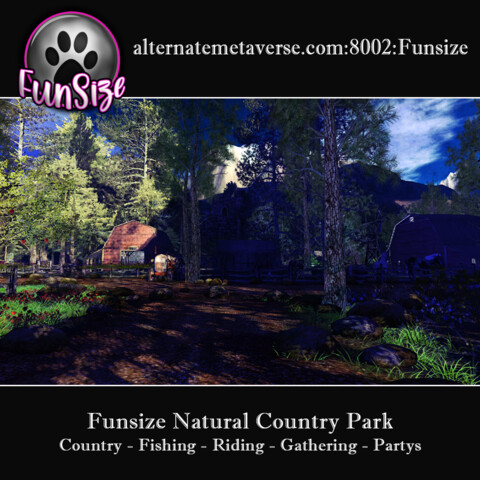
|
FUNSIZE EXPLORERS
2 members |

|
Wolf Territories Grid
5 members |

|
Society 3D
1 members |

|
GridList official group
1 members |

|
Deutsche Opensims Gemeinde
10 members |

|
HG Safari
21 members |

|
Clan's Clan
10 members |

|
Rev World
6 members |
|
Command Central Starfleet
3 members |