OpenSimWorld is the directory of 3D Virtual Worlds based on OpenSimulator and connected through the HyperGrid. Learn More
New Members
Yorkyashaa, Du23gd, James0339Ochs, TienNguyen, Ianleigh, ELIS2711, Moonaha, Damanera, Honeybeehotz, KirmesCreations, OXOTHUK, Raver, Clyde, Lunos, DenverPrice, Jaymosely, Moushou, JohnnyBellows, Tiggytox, LindatigerLikes

Ein Denkanstoß zum Abschied: Warum Opensimworld für mich keine Basis mehr bietet
Nach reiflicher Überlegung habe ich mich entschlossen, meine Präsenz auf Opensimworld zu beenden und meine Regionen von dieser Plattform abzuziehen. Dies ist keine Kurzschlussreaktion, sondern das Ergebnis einer Analyse von Zuständen, die ich nicht länger durch meine bloße Anwesenheit unterstützen möchte.
Ich schreibe diese Zeilen nicht, um den Betreiber zu einer Stellungnahme zu bewegen – dafür gab es in der Vergangenheit genug unbeantwortete Gelegenheiten. Ich schreibe dies als Denkanstoß für euch, die Community.
Die Fassade des Rankings
Hinter den Kulissen dieser Plattform herrscht eine massive Schieflage bei der Durchsetzung der eigenen Regeln:
Selektive Gerechtigkeit: Während meine Regionen wegen technischer Hilfsmittel (Corrade) konsequent aus dem Ranking entfernt wurden, verbleiben andere Akteure ungestört im Listing, obwohl sie nachweislich mit massenhaften Fake-Avataren und alternativen Viewern arbeiten, um ihre Popularität künstlich aufzublähen.
Waffe „Reporting“: Es gibt Hinweise aus der Community, dass das Meldesystem gezielt missbraucht wird, um unliebsame Konkurrenten auszuschalten und den eigenen Rang durch strategische Denunziation zu sichern. Ein System, das solche Manipulationen deckt oder ignoriert, ist als neutrales Verzeichnis wertlos.
Duldung von Extremismus: Ein Portal, das rechtsradikale Bilder und Beiträge trotz Hinweisen im Raum stehen lässt, verlässt den Boden eines respektvollen Miteinanders.
Ignoranz als Prinzip: Konstruktive Kritik – insbesondere wenn sie aus dem deutschsprachigen Raum kommt – versickert hier ungehört. Eine Plattform, die ganze Nutzergruppen durch Schweigen diskreditiert, hat keinen Anspruch auf die Position als „erste Wahl“.
Warum ich gehe
Ich möchte Teil eines Metaverses sein, das auf Transparenz, Fairness und Respekt basiert. Wenn eine Plattform zur Bühne für Manipulatoren wird und Moderation nach Sympathie statt nach Fakten erfolgt, ist sie für ehrliche Content-Ersteller und Regionen-Betreiber der falsche Ort.
Ich habe für mich die Entscheidung getroffen, meine Energie nicht länger in ein System zu stecken, das mich und meine Arbeit ungleich behandelt. Stattdessen werde ich meine Ressourcen nutzen, um eine eigene, faire Alternative aufzubauen – ein Projekt, in dem Regeln für alle gleichermaßen gelten und in dem kein Platz für Extremismus oder manipulative „Ranking-Mafia“ ist.
Ein Wort an euch
Ich möchte niemanden aktiv abwerben. Aber ich möchte euch bitten, einmal genauer hinzusehen:
Entspricht das Ranking, das ihr täglich seht, der Realität oder ist es das Ergebnis technischer Manipulation?
Wollt ihr eure Zeit und euren Content auf einer Plattform hosten, die bei Hassrede und Diskriminierung wegsieht?
Jeder Nutzer entscheidet durch seine Anwesenheit, welche Systeme er legitimiert. Ich ziehe hiermit meine Legitimation für Opensimworld zurück.
Man sieht sich im freien Metaverse.
Nach reiflicher Überlegung habe ich mich entschlossen, meine Präsenz auf Opensimworld zu beenden und meine Regionen von dieser Plattform abzuziehen. Dies ist keine Kurzschlussreaktion, sondern das Ergebnis einer Analyse von Zuständen, die ich nicht länger durch meine bloße Anwesenheit unterstützen möchte.
Ich schreibe diese Zeilen nicht, um den Betreiber zu einer Stellungnahme zu bewegen – dafür gab es in der Vergangenheit genug unbeantwortete Gelegenheiten. Ich schreibe dies als Denkanstoß für euch, die Community.
Die Fassade des Rankings
Hinter den Kulissen dieser Plattform herrscht eine massive Schieflage bei der Durchsetzung der eigenen Regeln:
Selektive Gerechtigkeit: Während meine Regionen wegen technischer Hilfsmittel (Corrade) konsequent aus dem Ranking entfernt wurden, verbleiben andere Akteure ungestört im Listing, obwohl sie nachweislich mit massenhaften Fake-Avataren und alternativen Viewern arbeiten, um ihre Popularität künstlich aufzublähen.
Waffe „Reporting“: Es gibt Hinweise aus der Community, dass das Meldesystem gezielt missbraucht wird, um unliebsame Konkurrenten auszuschalten und den eigenen Rang durch strategische Denunziation zu sichern. Ein System, das solche Manipulationen deckt oder ignoriert, ist als neutrales Verzeichnis wertlos.
Duldung von Extremismus: Ein Portal, das rechtsradikale Bilder und Beiträge trotz Hinweisen im Raum stehen lässt, verlässt den Boden eines respektvollen Miteinanders.
Ignoranz als Prinzip: Konstruktive Kritik – insbesondere wenn sie aus dem deutschsprachigen Raum kommt – versickert hier ungehört. Eine Plattform, die ganze Nutzergruppen durch Schweigen diskreditiert, hat keinen Anspruch auf die Position als „erste Wahl“.
Warum ich gehe
Ich möchte Teil eines Metaverses sein, das auf Transparenz, Fairness und Respekt basiert. Wenn eine Plattform zur Bühne für Manipulatoren wird und Moderation nach Sympathie statt nach Fakten erfolgt, ist sie für ehrliche Content-Ersteller und Regionen-Betreiber der falsche Ort.
Ich habe für mich die Entscheidung getroffen, meine Energie nicht länger in ein System zu stecken, das mich und meine Arbeit ungleich behandelt. Stattdessen werde ich meine Ressourcen nutzen, um eine eigene, faire Alternative aufzubauen – ein Projekt, in dem Regeln für alle gleichermaßen gelten und in dem kein Platz für Extremismus oder manipulative „Ranking-Mafia“ ist.
Ein Wort an euch
Ich möchte niemanden aktiv abwerben. Aber ich möchte euch bitten, einmal genauer hinzusehen:
Entspricht das Ranking, das ihr täglich seht, der Realität oder ist es das Ergebnis technischer Manipulation?
Wollt ihr eure Zeit und euren Content auf einer Plattform hosten, die bei Hassrede und Diskriminierung wegsieht?
Jeder Nutzer entscheidet durch seine Anwesenheit, welche Systeme er legitimiert. Ich ziehe hiermit meine Legitimation für Opensimworld zurück.
Man sieht sich im freien Metaverse.
 | Dorena Verne: @Govani13 Adolf was a socialist, another poor, misguided fellow. The problem is that you and your ilk actually believe this nonsense. You won't get rid of me, and your historical revisionism and your ... 19 minutes ago |
TRIPTONGO — CLUB DE JUEGO
We’re opening the tables for R. Lion - Skip-Bo V1.0 (better known as Skippo) testing and we’re looking for players willing to test and submit reports.
⚠️ For this first phase, only one table will be available.
Bring your friends, your family, your group ... fill the table and play full games. The more players, the better the test.
What we need from you:
Play from start to finish
Try different table sizes and settings
Join games at the start and mid-game
Leave and rejoin to test stability
Submit reports only if the behavior is consistent
This is not just playing ... this is helping shape the final system.
If you’re willing to test properly and report, take a seat and play.
See you at the table.
hop://cavegrid.org:8002/iEchoes/120/160/28
We’re opening the tables for R. Lion - Skip-Bo V1.0 (better known as Skippo) testing and we’re looking for players willing to test and submit reports.
⚠️ For this first phase, only one table will be available.
Bring your friends, your family, your group ... fill the table and play full games. The more players, the better the test.
What we need from you:
Play from start to finish
Try different table sizes and settings
Join games at the start and mid-game
Leave and rejoin to test stability
Submit reports only if the behavior is consistent
This is not just playing ... this is helping shape the final system.
If you’re willing to test properly and report, take a seat and play.
See you at the table.
hop://cavegrid.org:8002/iEchoes/120/160/28
| | Mystic Moonlight: awesome!! was hoping to see this and hand and foot made in opensim ,,, hope you will offer this in your shops and to the testers when it is complete .. and will come give it a test!! 33 minutes ago |

▁ ▂ ▃ ▄ ▅ ▆ ▇ NEW RELEASE ▇ ▆ ▅ ▄ ▃ ▂ ▁
▶▷▶ Sound Waves Dance Store
***NEW RELEASE***
Female in the move – Club Dances Hud
CC-Club Female Dance moves Hud
Grooving Male Club Dances Hud
Male CC-Clubdances Hud
Taxi: hg.osgrid.org:80:CCClub
░░▒▓◙█◙█◙ Sound Waves Dance Store ◙█◙█◙▓▒░
▶▷▶ Sound Waves Dance Store
***NEW RELEASE***
Female in the move – Club Dances Hud
CC-Club Female Dance moves Hud
Grooving Male Club Dances Hud
Male CC-Clubdances Hud
Taxi: hg.osgrid.org:80:CCClub
░░▒▓◙█◙█◙ Sound Waves Dance Store ◙█◙█◙▓▒░

🌈 Phx Kids – bunt, frech, einfach zum Verlieben!
Die neuen Phx‑Outfits bringen Farbe, Fun und ganz viel „Awww“ in den Tag.
Ob Glitzer, Pastell oder Neon – diese Looks hüpfen direkt ins Herz.
Bequem zum Toben, süß zum Anschauen und perfekt für kleine Wirbelwinde,
die gerne genauso strahlen wie ihr Outfit.
Die neuen Phx‑Outfits bringen Farbe, Fun und ganz viel „Awww“ in den Tag.
Ob Glitzer, Pastell oder Neon – diese Looks hüpfen direkt ins Herz.
Bequem zum Toben, süß zum Anschauen und perfekt für kleine Wirbelwinde,
die gerne genauso strahlen wie ihr Outfit.
| | Zoey Cutey: To ease everyone's mind, there are plenty of Phnx shorts and undies, hoodies, sweaters, shirts to go with these, this picture is just the base example, sheesh! 2 hours ago |

testing Avatar Dehydration/Rehydration. We modified the teleporter code to speed up TPs especially cross-continental. should be live this evening if all goes well. The process is user teleports - > appears dehydrated and sent to IPFS -> minimal av appears on destination region -> appearance rehydrated -> yay
| | niki stuart: feed her, feed her!!!!!!!! 2 hours ago |

NEW Release SN Ruka Bodysuit
-LaraX
-Legacy
-Reborn
- Color Hud incl.
-unpacker incl.
Alltime Moneygiver inside Mainstore
~NO RESELL~

Miss Munk will be spinning her wheels of steel at 1 pm grid time, at The Piazza!
Bring your headphones and get on down here and listen to nonstop beat matching and full spectrum sound!
Plug the link into your map and we'll see you there.
http://bridgemere.outworldz.net:8002:Paradise Lagoon
Bring your headphones and get on down here and listen to nonstop beat matching and full spectrum sound!
Plug the link into your map and we'll see you there.
http://bridgemere.outworldz.net:8002:Paradise Lagoon

Dear friends,
we’re truly excited to share an important update with you: the renovation and expansion of our shopping center are *almost* complete. Yes, you read that right… *almost*! We’re not fully operational just yet, but we’re very close and we promise the wait will be worth it.
We carefully listened to your feedback. Many of you mentioned that, in the previous version, moving around the mall felt a bit too dispersive. For this reason, we completely rethought the layout: some spaces have been reduced and reorganized into clearly defined, themed areas, making your experience smoother, more intuitive, and far more enjoyable.
As soon as you arrive, in the central area our “landing point” you’ll find an elegant selection of formal wear designed for special occasions. Here you’ll discover options for both men and women:
* For men: outfits designed for Legacy bodies, with refined details and a sophisticated style
* For women: a wide and diverse selection compatible with Reborn, Legacy, Athena, and Lara X bodies, featuring elegant and carefully crafted designs
Of course, work is still ongoing and some areas are not yet active. We are dedicating time and attention to every detail to ensure a complete and high quality environment. In the coming phases, we will introduce:
* A Christmas-themed section with festive outfits
* A romantic Valentine’s collection
* A Halloween area with creative and original styles
* A lingerie section, elegant and sensual
* A dark-style area for those who love bold, atmospheric looks
* A BDSM-inspired section for a more daring and distinctive style
* And finally, a large Wedding area featuring beautiful formal outfits for both men and women
In the meantime, we’re happy to let you know that one area is already open: the section dedicated to men. Here you’ll find a wide range of Legacy outfits ready to be explored and worn. It’s just a preview of what’s to come!
We will continue to keep you updated as we move closer to the official opening of the New Life Italy Shopping Center. We can’t wait to welcome you and share this new experience with you.
Stay tuned… the best is yet to come!
Warm regards,
The NLI Staff
we’re truly excited to share an important update with you: the renovation and expansion of our shopping center are *almost* complete. Yes, you read that right… *almost*! We’re not fully operational just yet, but we’re very close and we promise the wait will be worth it.
We carefully listened to your feedback. Many of you mentioned that, in the previous version, moving around the mall felt a bit too dispersive. For this reason, we completely rethought the layout: some spaces have been reduced and reorganized into clearly defined, themed areas, making your experience smoother, more intuitive, and far more enjoyable.
As soon as you arrive, in the central area our “landing point” you’ll find an elegant selection of formal wear designed for special occasions. Here you’ll discover options for both men and women:
* For men: outfits designed for Legacy bodies, with refined details and a sophisticated style
* For women: a wide and diverse selection compatible with Reborn, Legacy, Athena, and Lara X bodies, featuring elegant and carefully crafted designs
Of course, work is still ongoing and some areas are not yet active. We are dedicating time and attention to every detail to ensure a complete and high quality environment. In the coming phases, we will introduce:
* A Christmas-themed section with festive outfits
* A romantic Valentine’s collection
* A Halloween area with creative and original styles
* A lingerie section, elegant and sensual
* A dark-style area for those who love bold, atmospheric looks
* A BDSM-inspired section for a more daring and distinctive style
* And finally, a large Wedding area featuring beautiful formal outfits for both men and women
In the meantime, we’re happy to let you know that one area is already open: the section dedicated to men. Here you’ll find a wide range of Legacy outfits ready to be explored and worn. It’s just a preview of what’s to come!
We will continue to keep you updated as we move closer to the official opening of the New Life Italy Shopping Center. We can’t wait to welcome you and share this new experience with you.
Stay tuned… the best is yet to come!
Warm regards,
The NLI Staff

Phew musky.....:
after a half eternity of brain bashing, my new zero-lag projekt is finally taking off.
You can grab a copy of the brandnew ZZuperZZwan, in my shop @ ZweetZurroundingZ
I can watch it swimming about endlessly without being bored.
mine is confined to a fairly small pond, but its lively behaviour works for me.
grab a copy, slamm it into your own water, do the menu fiddling and......
enjoy!
after a half eternity of brain bashing, my new zero-lag projekt is finally taking off.
You can grab a copy of the brandnew ZZuperZZwan, in my shop @ ZweetZurroundingZ
I can watch it swimming about endlessly without being bored.
mine is confined to a fairly small pond, but its lively behaviour works for me.
grab a copy, slamm it into your own water, do the menu fiddling and......
enjoy!
| | Kimm Starr: Love all of your creations!! 6 hours ago |
Coming to you at 6am PDT/SLT/OST/Grid Time, 2 hours of fun, laughter and banter, kicking off your Sunday with the Morning Breaskfast Show with a bang!, come one, come all, all are welcome to come and join in party and have fun! hop://alternatemetaverse.com:8002/Alternate%20Metaverse/36...

Come on over to Discord to OpenSim Connect! It's a great place to hang out, share, learn, and have some great conversations. We look forward to seeing you!
https://discord.gg/3HwanXvTfQ
or
bit.ly/osc-discord
https://discord.gg/3HwanXvTfQ
or
bit.ly/osc-discord


View from the sky to the region


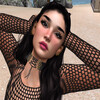
Skinny Dip Beach Party & DJ TYLER
2:00 AM to 4:00 AM
Location: Alternate MetaVerse Grid
Taxi; hop://alternatemetaverse.com:8002/Skinny%20Dip%20Beach/168...
Get ready to strip down and turn up.
TYLER will take you on a two-hour ride of high-energy beats.
Bikinis, bare skin, and beats that don’t quit.
This is the night to break loose, own your freedom, and dance like nothing’s off-limits.
Be there, or hear about it later.
2:00 AM to 4:00 AM
Location: Alternate MetaVerse Grid
Taxi; hop://alternatemetaverse.com:8002/Skinny%20Dip%20Beach/168...
Get ready to strip down and turn up.
TYLER will take you on a two-hour ride of high-energy beats.
Bikinis, bare skin, and beats that don’t quit.
This is the night to break loose, own your freedom, and dance like nothing’s off-limits.
Be there, or hear about it later.
Neko Onyx djing at 2pm slt 2hr set chill out till 4pm 27 / 04 / 26
hop://groovyverse.com:8002/Membertou%20Parish/320/603/56

One of Opensimulator's Longest continually running Dance Parties! 14 years and counting!! LIVE DJ and Dancing!! Music from the 60's to current day!
Tonight at 8pm Pacific!
Now on OSGrid!
HG: hg.osgrid.org:80:speakeasy
Tonight at 8pm Pacific!
Now on OSGrid!
HG: hg.osgrid.org:80:speakeasy

Learn how to create a daisy flower in Blender. It's easy peasy!
https://youtu.be/YHenFDUIN1I?si=fE11KA-NHLxDXPvY
https://youtu.be/rK7lJbgRsys?si=sOSD3NEOtAC3FbAK

A new Welcome
Hybrid Dance Machine V5.2 is now live.
This update focuses on stability, usability, and addressing real feedback from the community. NPC behavior has been improved, including a fix for the white ears issue (or at least I hope so -lol) and more reliable asset handling across grids. Non-owner users now have access to key options like NPC swap and height adjustments, making the experience smoother without needing constant owner intervention. General improvements have also been made to menu flow and overall reliability.
A special thank you to Mexico Lindo for their excellent avatars used in the NPC system. They have made a big difference in the overall look and feel of the experience.
Also, thank you to everyone in the community who shared feedback, reported issues, and took the time to test. This update is a direct result of those contributions.
Don't hesitate to share your thoughts. Feedback helps improve the system and keeps things moving forward. It also motivates continued development and better updates. It will never be taken the wrong way, so there is no need to hold back. Keep it coming.
Vendor note: there are now 2 vendors available. A timer has been added to prevent overload from repeated clicks. Please click once and wait. Grid-to-grid asset transfer takes its time, so avoid spamming the vendor to ensure smoother delivery for everyone.
Reminder: this system is intended for club owners and personal use. It's not for resale or redistribution.
This update focuses on stability, usability, and addressing real feedback from the community. NPC behavior has been improved, including a fix for the white ears issue (or at least I hope so -lol) and more reliable asset handling across grids. Non-owner users now have access to key options like NPC swap and height adjustments, making the experience smoother without needing constant owner intervention. General improvements have also been made to menu flow and overall reliability.
A special thank you to Mexico Lindo for their excellent avatars used in the NPC system. They have made a big difference in the overall look and feel of the experience.
Also, thank you to everyone in the community who shared feedback, reported issues, and took the time to test. This update is a direct result of those contributions.
Don't hesitate to share your thoughts. Feedback helps improve the system and keeps things moving forward. It also motivates continued development and better updates. It will never be taken the wrong way, so there is no need to hold back. Keep it coming.
Vendor note: there are now 2 vendors available. A timer has been added to prevent overload from repeated clicks. Please click once and wait. Grid-to-grid asset transfer takes its time, so avoid spamming the vendor to ensure smoother delivery for everyone.
Reminder: this system is intended for club owners and personal use. It's not for resale or redistribution.
| | Govani13: Danke 19 hours ago |

Hi everyone The Dewell mall will be open tomorrow evening.

Wishing everyone a Happy Saturday and a wonderful weekend. :)

Nothing fancy but Faith added a Full Perm Display Frame with Texture Maps, 4 Faces & 1Li. It's in the Building Emporium. Set to buy or take a copy. Here's the direct LM hop://hg.twiztidtimezgrid.com:8602/Building%20Emporium/387... You'll land in the mainlanding but WAIT until you load completely then hit the LM again and you should land right in front of it! Happy Creating!
zero-trust networking overlay designed to secure decentralized and federated virtual world environme
This paper introduces the Coat-Hanger Star Mesh (CHSM), a novel zero-trust networking overlay designed to secure decentralized and federated virtual world environments. Historically, platforms like OpenSimulator (OpenSim) have suffered from persistent privacy and security vulnerabilities, including cleartext UDP/TCP transit and the exposure of users' real-world IP addresses. CHSM addresses these deficiencies by decoupling network security from the application layer through a "Sidecar" architecture.
Utilizing ActivityPub as a decentralized signaling plane, CHSM enables Just-In-Time (JIT) WireGuard tunnel negotiation between independent nodes without reliance on a central authority. The architecture employs a "Coat-Hanger" metaphor: a user’s device acts as a "rack" supporting multiple, independent encrypted "hangers" to remote destinations, ensuring strict traffic isolation and multi-homing capability.
Sweet, Fiona, Coat-Hanger Star Mesh (CHSM): A Zero-Trust Federated Networking Architecture for Decentralized Virtual World Infrastructure (March 18, 2026). Available at SSRN: https://ssrn.com/abstract=6438420 or http://dx.doi.org/10.2139/ssrn.6438420
Utilizing ActivityPub as a decentralized signaling plane, CHSM enables Just-In-Time (JIT) WireGuard tunnel negotiation between independent nodes without reliance on a central authority. The architecture employs a "Coat-Hanger" metaphor: a user’s device acts as a "rack" supporting multiple, independent encrypted "hangers" to remote destinations, ensuring strict traffic isolation and multi-homing capability.
Sweet, Fiona, Coat-Hanger Star Mesh (CHSM): A Zero-Trust Federated Networking Architecture for Decentralized Virtual World Infrastructure (March 18, 2026). Available at SSRN: https://ssrn.com/abstract=6438420 or http://dx.doi.org/10.2139/ssrn.6438420

Come in and ride out
hg.cc-group.cc:8002:CCI Bikerworld
| | CCI Grid: Bikes and biker outfits are available as gifts at the starting point. 24 hours ago |

|
Hypergrid International Expo
3 members |
|
RevOfBlood Masquerade
7 members |

|
Belly Dance
2 members |

|
3D Life world
2 members |
|
OpenSim Military Community
2 members |

|
Drama
8 members |
|
|
Nude Life
32 members |
|
GridList official group
1 members |

|
92 Miles Grid
2 members |