OpenSimWorld is the directory of 3D Virtual Worlds based on OpenSimulator and connected through the HyperGrid. Learn More
New Members
Viviannv, RufusRippley, MaraWindsong, KalebDonovan, Leighlah, Mryork, Katiiis, Austin, JettZax, Ashen, EmmaLewis, Monluc2259 lucmon, Daisy, Daisys, Tinostl, Scorpyo, Uwe Furse, Corillastris, Alex3, LunaVirelliaLikes


Brownstone Apartments are here for you in many flavors Low Poly and with ubODE Physics, textures included for your mods, and few extra stuff for your urban projects as always FREE, PREMIUM and FULL PERMS to share with no mercy!!! Enjoy!!! :)
30 New Premium FREE and FULLPERMS Hairs for all grids and Freebie Shops!!!! Enjoy and Share! :-)

3 new outfits available complete with bustles to match

Coming back... and Searching a Free island somewhere ...
Hello Girls and Guys
I am back to the Grids .. but homeless for now .
so i search if a generous grid Owner .. have somewhere an old island that he can spare for free...
Thanks for reading
Best Regards
Lou Cypher
I am back to the Grids .. but homeless for now .
so i search if a generous grid Owner .. have somewhere an old island that he can spare for free...
Thanks for reading
Best Regards
Lou Cypher
New!!! 10 Hairstyles, 2 Color HUD's 91 Colors, from 1 to 3 sizes, Fitmesh, more than 900 possible combinations :) FREE and FULLPERMS to all freebie shops and grids!!! Enjoy and share :)

Linden Labs new Prices!!!

Can anyone help
Hi i am trying to solve a problem i have been wondering why my sim was not being visited for over a week now. I realised that when i try and teleport from my grid to others it keeps saying unable to verify identity. I'm not sure exactly what the problem seems to be but all ports are open that are meant to be i have been trying the obvious trying to change the MyWorld.ini and opensim.ini but nothing seems to be helping i can not hypergrid anywhere.
opensim in vps
we rent sim in vps.
we rent sim in vps.
Full control vps, 1 giga ram, 20 giga hd, opensim and webmin preinstallated.
Only 10 € month. Write ganicard@gmail.com
New!!! Pink Fitmesh Hair Premium Fatpack 98 Colors HUD, 4 Hairstyles HUD, 3 Sizes now Free and Full Perms Available to All Freebie Shops and to All Opensim Grids Enjoy and Share :)
Biker Outfits for Men?
Can someone please tell me where I may find biker outfits for men? Some place that possibly has more than just 1 or 2 outfits? I would really appreciate it! Free or purchase...either is ok! Thanks!
Stella Hair now FREE and FULLPERMS available in all Freebie Shops to all Opensim Grids, Enjoy and Share :)


Who made this?
In my many trips around the HG, I came across this beautiful sculpture. Does anyone know who the artist is? I would love to give them credit for this amazing piece of art.
In my many trips around the HG, I came across this beautiful sculpture. Does anyone know who the artist is? I would love to give them credit for this amazing piece of art.
Thanks!
Hi is this anything to be concerned about
Upon looking at my console i am seeing things like this appear.
15:43:12 - [SCENE OBJECT GROUP]: SavedScriptState element had no UUID in object OS Cloner 2 id: b0506626-db13-44a2-ba50-94b90cc6b30f
15:43:12 - [SCENE OBJECT GROUP]: SavedScriptState element had no UUID in object OS Cloner 2 id: b0506626-db13-44a2-ba50-94b90cc6b30f
15:43:12 - [SCENE OBJECT GROUP]: SavedScriptState element had no UUID in object OS Cloner 2 id: b0506626-db13-44a2-ba50-94b90cc6b30f
15:43:12 - [SCENE OBJECT GROUP]: SavedScriptState element had no UUID in object OS Cloner 2 id: b0506626-db13-44a2-ba50-94b90cc6b30f
15:43:12 - [SCENE OBJECT GROUP]: SavedScriptState element had no UUID in object OS Cloner 2 id: b0506626-db13-44a2-ba50-94b90cc6b30f
15:43:12 - [SCENE OBJECT GROUP]: SavedScriptState element had no UUID in object OS Cloner 2 id: b0506626-db13-44a2-ba50-94b90cc6b30f
15:43:12 - [SCENE OBJECT GROUP]: SavedScriptState element had no UUID in object OS Cloner 2 id: b0506626-db13-44a2-ba50-94b90cc6b30f
15:43:12 - [SCENE OBJECT GROUP]: SavedScriptState element had no UUID in object OS Cloner 2 id: b0506626-db13-44a2-ba50-94b90cc6b30f
15:43:12 - [SCENE OBJECT GROUP]: SavedScriptState element had no UUID in object OS Cloner 2 id: b0506626-db13-44a2-ba50-94b90cc6b30f
I don't know if it is something that needs to be concerned about or not. This keeps appearing when one avatar appears on my grid.
15:43:12 - [SCENE OBJECT GROUP]: SavedScriptState element had no UUID in object OS Cloner 2 id: b0506626-db13-44a2-ba50-94b90cc6b30f
15:43:12 - [SCENE OBJECT GROUP]: SavedScriptState element had no UUID in object OS Cloner 2 id: b0506626-db13-44a2-ba50-94b90cc6b30f
15:43:12 - [SCENE OBJECT GROUP]: SavedScriptState element had no UUID in object OS Cloner 2 id: b0506626-db13-44a2-ba50-94b90cc6b30f
15:43:12 - [SCENE OBJECT GROUP]: SavedScriptState element had no UUID in object OS Cloner 2 id: b0506626-db13-44a2-ba50-94b90cc6b30f
15:43:12 - [SCENE OBJECT GROUP]: SavedScriptState element had no UUID in object OS Cloner 2 id: b0506626-db13-44a2-ba50-94b90cc6b30f
15:43:12 - [SCENE OBJECT GROUP]: SavedScriptState element had no UUID in object OS Cloner 2 id: b0506626-db13-44a2-ba50-94b90cc6b30f
15:43:12 - [SCENE OBJECT GROUP]: SavedScriptState element had no UUID in object OS Cloner 2 id: b0506626-db13-44a2-ba50-94b90cc6b30f
15:43:12 - [SCENE OBJECT GROUP]: SavedScriptState element had no UUID in object OS Cloner 2 id: b0506626-db13-44a2-ba50-94b90cc6b30f
15:43:12 - [SCENE OBJECT GROUP]: SavedScriptState element had no UUID in object OS Cloner 2 id: b0506626-db13-44a2-ba50-94b90cc6b30f
I don't know if it is something that needs to be concerned about or not. This keeps appearing when one avatar appears on my grid.
Sorry we are down, This user Julie.Drake @hg.osgrid.org ec305872-21fa-4a29-83f3-c0977fe742e8 Crashed the Region we will be back ASP Ty!
Flyers HUD Rezzer 1.23 Boxed now FREE and FULLPERMS available to all Opensim Grids in all Freebie Sims and Shops enjoy and share!!! :)



request
Hello Everybody, NLGrid is now ready for visitors but i dont know if people can reach it, please visite and let me know if its reachable. Thank you.....secondlife:///app/teleport/nlgrid.outworldz.net:8002/Welcome


Some Buildings are set to "buy" just click the for sale sign and buy (for free)
SC Häüser
Weiß jemand auf welchen Grid die SC Häuser noch sind hab die Landmarke verloren



A note of caution using Simonastick
Be aware that making an OAR copy of your region that includes a live OSworld beacon can totally screw things up once you load and run it on your pc HD. The clone of mine knocked me offline for a day and even renamed the region on this website as maybe a few of you noticed. So do remember to switch it off before you make the OAR !

Missed - Lost - my registration key.
I got sidetracked. So my becon is sitting there waiting. but I dont have the key to unlock it. What do I do to get the key again?
Firestorm 5.0.11 53634
Came out today
Came out today
http://www.firestormviewer.org/firestorm-update-5-0-11-536...
http://www.firestormviewer.org/downloads/




Bored & looking for something to do? There's plenty of fun to be had at That Place Amusement Grid! Check out our Multi-Region Amusement Park, this grid has it all! Thrill Coasters, D*sneyland Rides, even a working Movie Theater! If you're looking for the cure to boredom, you've found it! Drop on by and tell 'em Micah sent you!


One More Time Ladies and Gentlemen.
DJ Azraella brings us another studio set from the Edge of Reality with J.W. Cooper.
Today its the Encore set
2 hours more of re-imagined Alice Cooper lyrics performed by J.W. And the Kaos Crew.
12p.m. till 2 p.m. @ Subterranea Club Advantis.
hop://hg.neverworldgrid.com:8002/Advantis/351/276/998
DJ Azraella brings us another studio set from the Edge of Reality with J.W. Cooper.
Today its the Encore set
2 hours more of re-imagined Alice Cooper lyrics performed by J.W. And the Kaos Crew.
12p.m. till 2 p.m. @ Subterranea Club Advantis.
hop://hg.neverworldgrid.com:8002/Advantis/351/276/998
 | Quint.Ardent: And we're off!...or is that on? Either way, stream is live!! Come get some more J.W. Cooper at Subteranea! 29 minutes ago |


SAVE THE DATE: April 14th 10:00 AM
🚨 WOLF TECH • THE LEARNING ZONE • VWEC 🚨
PRESENT:
THE ULTIMATE ANIMATED GIF WORKSHOP
✨ Spark Ideas. Ignite Creativity. Enhance Your Creations. ✨
Create eye-catching GIFs and discover bold, new ways to use them.
Hands-on. Creative. Fun.
Perfect for builders, artists, and creators of all levels
📍 Location: The Curiosity Zone: hop://grid.curiosityzone.us:8002/The%20Learning%20Zone/128...
📅 Date: Tuesday, April 14, 2026
⏰ Time: 10:00 – 11:30 AM Grid Time
https://youtu.be/lWvixFyaMu0?si=ommcrjFDEcwgOxY3
🚨 WOLF TECH • THE LEARNING ZONE • VWEC 🚨
PRESENT:
THE ULTIMATE ANIMATED GIF WORKSHOP
✨ Spark Ideas. Ignite Creativity. Enhance Your Creations. ✨
Create eye-catching GIFs and discover bold, new ways to use them.
Hands-on. Creative. Fun.
Perfect for builders, artists, and creators of all levels
📍 Location: The Curiosity Zone: hop://grid.curiosityzone.us:8002/The%20Learning%20Zone/128...
📅 Date: Tuesday, April 14, 2026
⏰ Time: 10:00 – 11:30 AM Grid Time
https://youtu.be/lWvixFyaMu0?si=ommcrjFDEcwgOxY3
| | Xenon Darrow: THAT VIDEO! Ok, when is the workshop where you are teaching all those apps?? 5 hours ago |

CLUB PARTY – The night that lights everything up!
Get ready for a unique experience full of music, energy, and incredible vibes
On the decks: DJ TOMMY & PARISTELLA
with an explosive mix of house mash-ups & remixes
Lights, atmosphere, and sound that will keep you dancing non-stop
Bring your crew and let yourself get carried away by the rhythm!
Don’t miss it… this isn’t just a party, it’s THE PARTY
Date: April 13, 2026
Starting at: 1:00 PM S.L.T. - 22:00 CET
hop://newlifeitaly.com:8002/NewLifeWelcome
Mach dich bereit für ein einzigartiges Erlebnis voller Musik, Energie und unglaublicher Stimmung
An den Plattentellern: DJ TOMMY & PARISTELLA
mit einem explosiven Mix aus House-Mashups und Remixes
Lichter, Atmosphäre und Sound, die dich nonstop tanzen lassen
Bring deine Crew mit und lass dich vom Rhythmus mitreißen!
Verpasst es nicht… das ist nicht nur eine Party, das ist DIE PARTY
Get ready for a unique experience full of music, energy, and incredible vibes
On the decks: DJ TOMMY & PARISTELLA
with an explosive mix of house mash-ups & remixes
Lights, atmosphere, and sound that will keep you dancing non-stop
Bring your crew and let yourself get carried away by the rhythm!
Don’t miss it… this isn’t just a party, it’s THE PARTY
Date: April 13, 2026
Starting at: 1:00 PM S.L.T. - 22:00 CET
hop://newlifeitaly.com:8002/NewLifeWelcome
Mach dich bereit für ein einzigartiges Erlebnis voller Musik, Energie und unglaublicher Stimmung
An den Plattentellern: DJ TOMMY & PARISTELLA
mit einem explosiven Mix aus House-Mashups und Remixes
Lichter, Atmosphäre und Sound, die dich nonstop tanzen lassen
Bring deine Crew mit und lass dich vom Rhythmus mitreißen!
Verpasst es nicht… das ist nicht nur eine Party, das ist DIE PARTY
| | ♫ тσммʏ ωнιтε ♫: Don’t miss it… this isn’t just a party, it’s THE PARTY See you later 3 hours ago |

I JUST RELEASED ANOTHER UPDATE...I added the ability in vs 3.5 to inject the material AND Blinn Phong Textures into the glb being uploaded. I also cleared up a bug that was causing a crash after one loads around 30 items in one upload. I believe it may be infinite. PROVE ME WRONG! When one uploades the glb it comes textured, you drag the glb from contents into your inventory so that it hits the database proper! Looking for more bugs. Let me know if you find them enjoy! Items will be on display HERE though construction is underway : hop://maze.bz:7002/Mesh%20Museum/128/128/28
This program will allow you to upload any mesh, rigged mesh, or not up to around 1 gigs about 20 files or so at once using an oar file! It auto chunks large meshes automatically. The items in the picture were over 2 million verts. It makes a sane physics map for you also . So despite the high verts, well the physics load is a lot lower than what you get with the viewer. It also will let you list all your oar contents in a text file...and well import it into blender with all the textures and placement just like in world!!! :-) Below is the help menu. and below that the download link.
FILE
Open OAR File: open a packaged .oar archive.
Open OAR Folder: open an extracted OAR working folder.
Convert Data: export the loaded OAR using the format from Tools > Output Format. It reads the existing OAR object XML and companion assets, then writes converted output files to disk.
Convert Data does not create a new LLMesh object or save a replacement object XML. The XML already exists in the loaded OAR and is used as export input.
FILE MENU COMPATIBILITY
The converter is only supported for OARs produced by the actual simulator. Repacked or reverse-injected OARs created by this program are not backward-compatible with the converter and may fail if reopened through File > Open OAR File or File > Open OAR Folder and then converted again.
IMPORT
Step One: create blank.oar and prepare an extracted working folder for injection.
Inject Mesh: add one .dae, .gltf, or .glb model into an extracted OAR. Set location, scale, physics, rigging, and LODs here.
Pack Oar: repack the extracted folder into a final .oar archive.
TOOLS
Objects List: browse objects in the loaded OAR and export selected objects through the normal OAR export pipeline.
Objects List > Export: export one or more selected OAR objects into an output folder. Depending on format, the app may write the main file under Solids or Phantoms and may also create companion folders such as Textures, MTL, or BIN.
Objects List > Export does not create a standalone mesh inventory object. It converts from the object's existing OAR XML and asset data.
Output Format: choose DAE, OBJ, GLTF, GLB, FBX, or STL for export.
Settings: set ranges, shifts, terrain options, and folder prefixes.
INJECT MESH DIALOG FIELDS
Source model: the .dae, .gltf, or .glb file to insert.
Location X/Y/Z: the final placement of the inserted object in the target OAR region.
Current dimensions: read-only size of the source model after analysis.
Scale: uniform size multiplier. 1.0 keeps original size.
Physics: choose how collision data is generated. File mode uses a separate physics model.
Rigged: treat the source as a rigged or avatar-style model.
Include Joint Positions: keep joint position data when rigged import needs it.
Strip Joint Data: remove rigging data and force a static-style result.
LOD High/Medium/Low/Lowest: control each generated LOD level.
Mode: choose how each LOD is derived.
Target Tris: desired triangle count for that LOD when the selected mode uses a target.
Vertices: read-only estimate of vertex count for each generated LOD.
WORKFLOW: OAR TO BLENDER USING GLB
1. Open Tools > Output Format and select GLB.
2. Open the source OAR with File > Open OAR File or Open OAR Folder.
3. Run File > Convert Data.
4. Import the generated .glb files into Blender with File > Import > glTF 2.0.
WORKFLOW: BUILD A REPACKED OAR WITH MULTIPLE MODELS
1. Run Import > Step One once to create a blank working OAR.
2. Run Import > Inject Mesh once for each model you want to add.
3. Source files can be .glb, .gltf, or .dae. Rigged avatar-style models can use the Rigged and joint options.
4. Repeat Inject Mesh until all assets are placed.
5. Run Import > Pack Oar to write the final repacked archive.
PLEASE DO ENJOY!!!!ONLY IN OPENSIM!Feel free to report bugs and or other worthy insights. I have written the original makers of it but not gotten any replies so I do no tknow if they are around or not. It is legal opensource though. THe list of contributors is there. If anyone knows them tell them to say hello...
https://maze.bz/OARConv.html
FILE
Open OAR File: open a packaged .oar archive.
Open OAR Folder: open an extracted OAR working folder.
Convert Data: export the loaded OAR using the format from Tools > Output Format. It reads the existing OAR object XML and companion assets, then writes converted output files to disk.
Convert Data does not create a new LLMesh object or save a replacement object XML. The XML already exists in the loaded OAR and is used as export input.
FILE MENU COMPATIBILITY
The converter is only supported for OARs produced by the actual simulator. Repacked or reverse-injected OARs created by this program are not backward-compatible with the converter and may fail if reopened through File > Open OAR File or File > Open OAR Folder and then converted again.
IMPORT
Step One: create blank.oar and prepare an extracted working folder for injection.
Inject Mesh: add one .dae, .gltf, or .glb model into an extracted OAR. Set location, scale, physics, rigging, and LODs here.
Pack Oar: repack the extracted folder into a final .oar archive.
TOOLS
Objects List: browse objects in the loaded OAR and export selected objects through the normal OAR export pipeline.
Objects List > Export: export one or more selected OAR objects into an output folder. Depending on format, the app may write the main file under Solids or Phantoms and may also create companion folders such as Textures, MTL, or BIN.
Objects List > Export does not create a standalone mesh inventory object. It converts from the object's existing OAR XML and asset data.
Output Format: choose DAE, OBJ, GLTF, GLB, FBX, or STL for export.
Settings: set ranges, shifts, terrain options, and folder prefixes.
INJECT MESH DIALOG FIELDS
Source model: the .dae, .gltf, or .glb file to insert.
Location X/Y/Z: the final placement of the inserted object in the target OAR region.
Current dimensions: read-only size of the source model after analysis.
Scale: uniform size multiplier. 1.0 keeps original size.
Physics: choose how collision data is generated. File mode uses a separate physics model.
Rigged: treat the source as a rigged or avatar-style model.
Include Joint Positions: keep joint position data when rigged import needs it.
Strip Joint Data: remove rigging data and force a static-style result.
LOD High/Medium/Low/Lowest: control each generated LOD level.
Mode: choose how each LOD is derived.
Target Tris: desired triangle count for that LOD when the selected mode uses a target.
Vertices: read-only estimate of vertex count for each generated LOD.
WORKFLOW: OAR TO BLENDER USING GLB
1. Open Tools > Output Format and select GLB.
2. Open the source OAR with File > Open OAR File or Open OAR Folder.
3. Run File > Convert Data.
4. Import the generated .glb files into Blender with File > Import > glTF 2.0.
WORKFLOW: BUILD A REPACKED OAR WITH MULTIPLE MODELS
1. Run Import > Step One once to create a blank working OAR.
2. Run Import > Inject Mesh once for each model you want to add.
3. Source files can be .glb, .gltf, or .dae. Rigged avatar-style models can use the Rigged and joint options.
4. Repeat Inject Mesh until all assets are placed.
5. Run Import > Pack Oar to write the final repacked archive.
PLEASE DO ENJOY!!!!ONLY IN OPENSIM!Feel free to report bugs and or other worthy insights. I have written the original makers of it but not gotten any replies so I do no tknow if they are around or not. It is legal opensource though. THe list of contributors is there. If anyone knows them tell them to say hello...
https://maze.bz/OARConv.html
👍👍👍
Prince Amor✦ ▸ Maze Grid Home 2 days ago
...
I am proud to announce my release of OarConv Reimagined. This program will allow you to upload any mesh, rigged mesh, or not up to around 1 gigs about 20 files or so at once using an oar file! It auto chunks large meshes automatically. The items in the picture were over 2 million verts. It makes a sane physics map for you also . So despite the high verts, well the physics load is a lot lower than what you get with the viewer. It also will let you list all your oar contents in a text file...and well import it into blender with all the textures and placement just like in world!!! :-) Below is the help menu. and below that the download link.
FILE
Open OAR File: open a packaged .oar archive.
Open OAR Folder: open an extracted OAR working folder.
Convert Data: export the loaded OAR using the format from Tools > Output Format. It reads the existing OAR object XML and companion assets, then writes converted output files to disk.
Convert Data does not create a new LLMesh object or save a replacement object XML. The XML already exists in the loaded OAR and is used as export input.
FILE MENU COMPATIBILITY
The converter is only supported for OARs produced by the actual simulator. Repacked or reverse-injected OARs created by this program are not backward-compatible with the converter and may fail if reopened through File > Open OAR File or File > Open OAR Folder and then converted again.
IMPORT
Step One: create blank.oar and prepare an extracted working folder for injection.
Inject Mesh: add one .dae, .gltf, or .glb model into an extracted OAR. Set location, scale, physics, rigging, and LODs here.
Pack Oar: repack the extracted folder into a final .oar archive.
TOOLS
Objects List: browse objects in the loaded OAR and export selected objects through the normal OAR export pipeline.
Objects List > Export: export one or more selected OAR objects into an output folder. Depending on format, the app may write the main file under Solids or Phantoms and may also create companion folders such as Textures, MTL, or BIN.
Objects List > Export does not create a standalone mesh inventory object. It converts from the object's existing OAR XML and asset data.
Output Format: choose DAE, OBJ, GLTF, GLB, FBX, or STL for export.
Settings: set ranges, shifts, terrain options, and folder prefixes.
INJECT MESH DIALOG FIELDS
Source model: the .dae, .gltf, or .glb file to insert.
Location X/Y/Z: the final placement of the inserted object in the target OAR region.
Current dimensions: read-only size of the source model after analysis.
Scale: uniform size multiplier. 1.0 keeps original size.
Physics: choose how collision data is generated. File mode uses a separate physics model.
Rigged: treat the source as a rigged or avatar-style model.
Include Joint Positions: keep joint position data when rigged import needs it.
Strip Joint Data: remove rigging data and force a static-style result.
LOD High/Medium/Low/Lowest: control each generated LOD level.
Mode: choose how each LOD is derived.
Target Tris: desired triangle count for that LOD when the selected mode uses a target.
Vertices: read-only estimate of vertex count for each generated LOD.
WORKFLOW: OAR TO BLENDER USING GLB
1. Open Tools > Output Format and select GLB.
2. Open the source OAR with File > Open OAR File or Open OAR Folder.
3. Run File > Convert Data.
4. Import the generated .glb files into Blender with File > Import > glTF 2.0.
WORKFLOW: BUILD A REPACKED OAR WITH MULTIPLE MODELS
1. Run Import > Step One once to create a blank working OAR.
2. Run Import > Inject Mesh once for each model you want to add.
3. Source files can be .glb, .gltf, or .dae. Rigged avatar-style models can use the Rigged and joint options.
4. Repeat Inject Mesh until all assets are placed.
5. Run Import > Pack Oar to write the final repacked archive.
PLEASE DO ENJOY!!!!ONLY IN OPENSIM!Feel free to report bugs and or other worthy insights. I have written the original makers of it but not gotten any replies so I do no tknow if they are around or not. It is legal opensource though. THe list of contributors is there. If anyone knows them tell them to say hello...
https://maze.bz/OARConv.html
This program will allow you to upload any mesh, rigged mesh, or not up to around 1 gigs about 20 files or so at once using an oar file! It auto chunks large meshes automatically. The items in the picture were over 2 million verts. It makes a sane physics map for you also . So despite the high verts, well the physics load is a lot lower than what you get with the viewer. It also will let you list all your oar contents in a text file...and well import it into blender with all the textures and placement just like in world!!! :-) Below is the help menu. and below that the download link.
FILE
Open OAR File: open a packaged .oar archive.
Open OAR Folder: open an extracted OAR working folder.
Convert Data: export the loaded OAR using the format from Tools > Output Format. It reads the existing OAR object XML and companion assets, then writes converted output files to disk.
Convert Data does not create a new LLMesh object or save a replacement object XML. The XML already exists in the loaded OAR and is used as export input.
FILE MENU COMPATIBILITY
The converter is only supported for OARs produced by the actual simulator. Repacked or reverse-injected OARs created by this program are not backward-compatible with the converter and may fail if reopened through File > Open OAR File or File > Open OAR Folder and then converted again.
IMPORT
Step One: create blank.oar and prepare an extracted working folder for injection.
Inject Mesh: add one .dae, .gltf, or .glb model into an extracted OAR. Set location, scale, physics, rigging, and LODs here.
Pack Oar: repack the extracted folder into a final .oar archive.
TOOLS
Objects List: browse objects in the loaded OAR and export selected objects through the normal OAR export pipeline.
Objects List > Export: export one or more selected OAR objects into an output folder. Depending on format, the app may write the main file under Solids or Phantoms and may also create companion folders such as Textures, MTL, or BIN.
Objects List > Export does not create a standalone mesh inventory object. It converts from the object's existing OAR XML and asset data.
Output Format: choose DAE, OBJ, GLTF, GLB, FBX, or STL for export.
Settings: set ranges, shifts, terrain options, and folder prefixes.
INJECT MESH DIALOG FIELDS
Source model: the .dae, .gltf, or .glb file to insert.
Location X/Y/Z: the final placement of the inserted object in the target OAR region.
Current dimensions: read-only size of the source model after analysis.
Scale: uniform size multiplier. 1.0 keeps original size.
Physics: choose how collision data is generated. File mode uses a separate physics model.
Rigged: treat the source as a rigged or avatar-style model.
Include Joint Positions: keep joint position data when rigged import needs it.
Strip Joint Data: remove rigging data and force a static-style result.
LOD High/Medium/Low/Lowest: control each generated LOD level.
Mode: choose how each LOD is derived.
Target Tris: desired triangle count for that LOD when the selected mode uses a target.
Vertices: read-only estimate of vertex count for each generated LOD.
WORKFLOW: OAR TO BLENDER USING GLB
1. Open Tools > Output Format and select GLB.
2. Open the source OAR with File > Open OAR File or Open OAR Folder.
3. Run File > Convert Data.
4. Import the generated .glb files into Blender with File > Import > glTF 2.0.
WORKFLOW: BUILD A REPACKED OAR WITH MULTIPLE MODELS
1. Run Import > Step One once to create a blank working OAR.
2. Run Import > Inject Mesh once for each model you want to add.
3. Source files can be .glb, .gltf, or .dae. Rigged avatar-style models can use the Rigged and joint options.
4. Repeat Inject Mesh until all assets are placed.
5. Run Import > Pack Oar to write the final repacked archive.
PLEASE DO ENJOY!!!!ONLY IN OPENSIM!Feel free to report bugs and or other worthy insights. I have written the original makers of it but not gotten any replies so I do no tknow if they are around or not. It is legal opensource though. THe list of contributors is there. If anyone knows them tell them to say hello...
https://maze.bz/OARConv.html
FILE
Open OAR File: open a packaged .oar archive.
Open OAR Folder: open an extracted OAR working folder.
Convert Data: export the loaded OAR using the format from Tools > Output Format. It reads the existing OAR object XML and companion assets, then writes converted output files to disk.
Convert Data does not create a new LLMesh object or save a replacement object XML. The XML already exists in the loaded OAR and is used as export input.
FILE MENU COMPATIBILITY
The converter is only supported for OARs produced by the actual simulator. Repacked or reverse-injected OARs created by this program are not backward-compatible with the converter and may fail if reopened through File > Open OAR File or File > Open OAR Folder and then converted again.
IMPORT
Step One: create blank.oar and prepare an extracted working folder for injection.
Inject Mesh: add one .dae, .gltf, or .glb model into an extracted OAR. Set location, scale, physics, rigging, and LODs here.
Pack Oar: repack the extracted folder into a final .oar archive.
TOOLS
Objects List: browse objects in the loaded OAR and export selected objects through the normal OAR export pipeline.
Objects List > Export: export one or more selected OAR objects into an output folder. Depending on format, the app may write the main file under Solids or Phantoms and may also create companion folders such as Textures, MTL, or BIN.
Objects List > Export does not create a standalone mesh inventory object. It converts from the object's existing OAR XML and asset data.
Output Format: choose DAE, OBJ, GLTF, GLB, FBX, or STL for export.
Settings: set ranges, shifts, terrain options, and folder prefixes.
INJECT MESH DIALOG FIELDS
Source model: the .dae, .gltf, or .glb file to insert.
Location X/Y/Z: the final placement of the inserted object in the target OAR region.
Current dimensions: read-only size of the source model after analysis.
Scale: uniform size multiplier. 1.0 keeps original size.
Physics: choose how collision data is generated. File mode uses a separate physics model.
Rigged: treat the source as a rigged or avatar-style model.
Include Joint Positions: keep joint position data when rigged import needs it.
Strip Joint Data: remove rigging data and force a static-style result.
LOD High/Medium/Low/Lowest: control each generated LOD level.
Mode: choose how each LOD is derived.
Target Tris: desired triangle count for that LOD when the selected mode uses a target.
Vertices: read-only estimate of vertex count for each generated LOD.
WORKFLOW: OAR TO BLENDER USING GLB
1. Open Tools > Output Format and select GLB.
2. Open the source OAR with File > Open OAR File or Open OAR Folder.
3. Run File > Convert Data.
4. Import the generated .glb files into Blender with File > Import > glTF 2.0.
WORKFLOW: BUILD A REPACKED OAR WITH MULTIPLE MODELS
1. Run Import > Step One once to create a blank working OAR.
2. Run Import > Inject Mesh once for each model you want to add.
3. Source files can be .glb, .gltf, or .dae. Rigged avatar-style models can use the Rigged and joint options.
4. Repeat Inject Mesh until all assets are placed.
5. Run Import > Pack Oar to write the final repacked archive.
PLEASE DO ENJOY!!!!ONLY IN OPENSIM!Feel free to report bugs and or other worthy insights. I have written the original makers of it but not gotten any replies so I do no tknow if they are around or not. It is legal opensource though. THe list of contributors is there. If anyone knows them tell them to say hello...
https://maze.bz/OARConv.html
👍👍👍
Prince Amor✦ ▸ Maze Grid Home 2 days ago
...
I am proud to announce my release of OarConv Reimagined. This program will allow you to upload any mesh, rigged mesh, or not up to around 1 gigs about 20 files or so at once using an oar file! It auto chunks large meshes automatically. The items in the picture were over 2 million verts. It makes a sane physics map for you also . So despite the high verts, well the physics load is a lot lower than what you get with the viewer. It also will let you list all your oar contents in a text file...and well import it into blender with all the textures and placement just like in world!!! :-) Below is the help menu. and below that the download link.
FILE
Open OAR File: open a packaged .oar archive.
Open OAR Folder: open an extracted OAR working folder.
Convert Data: export the loaded OAR using the format from Tools > Output Format. It reads the existing OAR object XML and companion assets, then writes converted output files to disk.
Convert Data does not create a new LLMesh object or save a replacement object XML. The XML already exists in the loaded OAR and is used as export input.
FILE MENU COMPATIBILITY
The converter is only supported for OARs produced by the actual simulator. Repacked or reverse-injected OARs created by this program are not backward-compatible with the converter and may fail if reopened through File > Open OAR File or File > Open OAR Folder and then converted again.
IMPORT
Step One: create blank.oar and prepare an extracted working folder for injection.
Inject Mesh: add one .dae, .gltf, or .glb model into an extracted OAR. Set location, scale, physics, rigging, and LODs here.
Pack Oar: repack the extracted folder into a final .oar archive.
TOOLS
Objects List: browse objects in the loaded OAR and export selected objects through the normal OAR export pipeline.
Objects List > Export: export one or more selected OAR objects into an output folder. Depending on format, the app may write the main file under Solids or Phantoms and may also create companion folders such as Textures, MTL, or BIN.
Objects List > Export does not create a standalone mesh inventory object. It converts from the object's existing OAR XML and asset data.
Output Format: choose DAE, OBJ, GLTF, GLB, FBX, or STL for export.
Settings: set ranges, shifts, terrain options, and folder prefixes.
INJECT MESH DIALOG FIELDS
Source model: the .dae, .gltf, or .glb file to insert.
Location X/Y/Z: the final placement of the inserted object in the target OAR region.
Current dimensions: read-only size of the source model after analysis.
Scale: uniform size multiplier. 1.0 keeps original size.
Physics: choose how collision data is generated. File mode uses a separate physics model.
Rigged: treat the source as a rigged or avatar-style model.
Include Joint Positions: keep joint position data when rigged import needs it.
Strip Joint Data: remove rigging data and force a static-style result.
LOD High/Medium/Low/Lowest: control each generated LOD level.
Mode: choose how each LOD is derived.
Target Tris: desired triangle count for that LOD when the selected mode uses a target.
Vertices: read-only estimate of vertex count for each generated LOD.
WORKFLOW: OAR TO BLENDER USING GLB
1. Open Tools > Output Format and select GLB.
2. Open the source OAR with File > Open OAR File or Open OAR Folder.
3. Run File > Convert Data.
4. Import the generated .glb files into Blender with File > Import > glTF 2.0.
WORKFLOW: BUILD A REPACKED OAR WITH MULTIPLE MODELS
1. Run Import > Step One once to create a blank working OAR.
2. Run Import > Inject Mesh once for each model you want to add.
3. Source files can be .glb, .gltf, or .dae. Rigged avatar-style models can use the Rigged and joint options.
4. Repeat Inject Mesh until all assets are placed.
5. Run Import > Pack Oar to write the final repacked archive.
PLEASE DO ENJOY!!!!ONLY IN OPENSIM!Feel free to report bugs and or other worthy insights. I have written the original makers of it but not gotten any replies so I do no tknow if they are around or not. It is legal opensource though. THe list of contributors is there. If anyone knows them tell them to say hello...
https://maze.bz/OARConv.html
| | Spax Orion: For those of you who want REPLACEMENT monsters for your IMAGE GAME MACHINE... THIS IS WHERE YOU GET THEM! Thanks Prince! 7 hours ago |

Hello! Kíl 'láa! This is our ( Rik Sullivan and Alba Puca) rendition of Haida Gwaii! It is nestled next to other Northwest Islands of Washington State US and Vancouver BC. We hope you enjoy!
| | Frankylam: yo cool island im gonna visit with da wifu kakakaa 20 hours ago |

|
Dj Pompom
2 members |

|
Funfair-Island
3 members |

|
Cards Against Humanity Lovers!
1 members |

|
Electronic Club Music
2 members |

|
Gallam Hispana
3 members |

|
The PurpleP lumbob Estates
1 members |
|
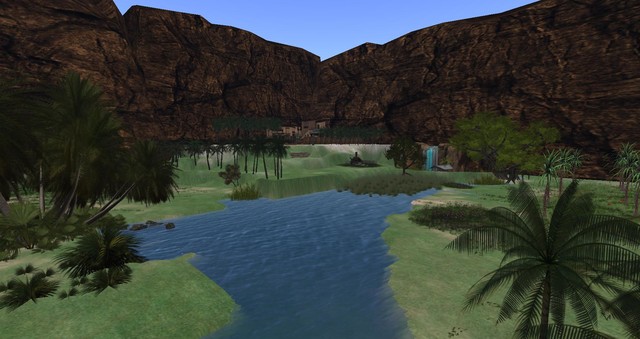
The Oasis of Four Palms Lovers
1 members |

|
Boys Town
4 members |

|
The Institute of Space Exploration
2 members |