OpenSimWorld is the directory of 3D Virtual Worlds based on OpenSimulator and connected through the HyperGrid. Learn More
New Members
NoStressGrid, Krystal Hide, Jamie, PolliBarsa, NayelisColomer, Zaine, SilasOS, SubayoFriends, CleuBoniVL, Noob Ubinu, CatireBello, Pvausasmm8965, Pvausasmm74, Vlbfree, RiverWild, PimVermeer, BiaANGELS, LukeSant, Seatips55, Dolce MelodyLikes

NEW !!!!

Roses, more flora for the garden, you just have to watch out for those thorns!

Find the marketplace and the story begins.
Finde den Marktplatz und die Geschichte beginnt.
Trouvez le marché et l'histoire commence.

At the end of a long day, it's a treat to gather around the fireplace with friends to swap stories. Maybe you'll stop by sometime and tell us yours?

Mood....

Hirst Style 'The voyage of fragility in a fleeting moment of a gossamer existence'
Emin Style 'I thought you loved me, but it was never real'
Pollock Style 'Boat and Butterfly wings No. 23'
Dali 'Art Factory Dream - Woman finds Butterfly wings in place of sails'

Shark City Region
#spring #summer #arkhamgrid

SFposer is an animation controller compatible with PMAC that packs the functionality offered by addons in a single script. It also provides many additional commands to enhance animations and communication between objects. SFposer offers:
- Fully Automated editing allowing you to create new notecards and poses for up to 99 avatars without any editing, and real-time experimentation with different animations
- Live adjustments for positions, as well as additional expressions / sync and more
- Built in support for LockGuard chains
- Built-in support for RLV
- Built-in support for Rezzing NPCs
- Built-in Object Giver
- Built-in rezzing of Props including temporary auto-attach props
- Built-in utilities such as sending chat channel messages, OSSL messages, attachment messages and more
- Online converter to convert notecards from AVsitter, MLP, as well as existing PMAC addons and CHAINDATA notecards (https://opensimworld.com/tools/avpos2pmac)
- A full set of short-code commands for powerful scripting without scripts.
- Custom buttons which execute custom commands
- Auto-upgrade mechanism to upgrade to future versions with a single button click
- Extensive configuration via the '.SFconfig' notecard which also support startup commands
- Small footprint: A single script for everything.
- Link_message and dataserver-APIs for fully remote operation. SFposer can thus become the animation-controlling part of another object such as a vehicle or a game
- Permission system for limiting access to menus.
- Snappy operation and uncluttered menu dialogs
Learn More here: https://opensimworld.com/sfposer

Where: AMV Events
When: 4 years ago [21 Jul 2022 11:00 SLT]
Joao Frazao sings in both Portuguese & English and plays beautiful, sensual Ukulele & Guitar music & Vocals live at ArtSpeak Cafe', Thursday, July 21st @ 11 am, AMV Events, Alternate Metaverse Grid. In Joao's Words: I have spent the last 25 years playing, recording and promoting Portuguese folk music all over the world, performing my own shows as well as a session musician for several main stream Portuguese artists.
In 2015 released my first solo CD " Ukulele Orgânico" followed by "Portal" in 2017. Original music played with Ukuleles ( 5 strings custom ukulele, Ukulele and cavaquinho ), also played all other instruments ( piano, drums, bass, percussion and guitars)."
Visit Joao's Website at http://www.joaofrazao.net
Map us : alternatemetaverse.com:8002:AMV Events


https://www.dailymotion.com/video/x7zqvav
New House update Reez Version V2.0 !!

Tropical Island/Romantic Getaway

Please try the TP via map with the link:
2.nymphgrid.com:8002:Nymph-Welcome
I had to install the grid from ZERO, and the old Landmarks don't work anymore.
Nobody is banned here.
Arkham Grid 2021
Arda Residential
Noodle's Garage Sale is back up .....



need something fun for halloween? Tired of the same ole stuff thats around? Steamland might be the answer. 3 new outfits (Mechanical Birdcage, Hells Demon, and Which Witch?)
Been Collecting stuff from my Fave opensim Artist since i Joined. Now, I have a museum dedicated just for her things. Who else Loves Cherry Manga's stuff?
NEW RELEASE!!! FASHIONISTAS GREEDY GAME TABLE ( tribute to @bettyfl) for up to 08 players! FREE and FULLPERM. Enjoy :)

yet another tedious job..:)
Store AO/Bento/Animation/Dance Arkham City


Toscanischer Flair , romantische Abende verbringen bei schöner Musik , Voicen in gemütlicher Runde mit netten Menschen ......komm auch du und sei dabei
Just Opened in Steamland. "Not MESHing Around" shop. Just a bunch of System (non Mesh) clothing I've collected over the years. Most in Original boxes (landmarks in boxes my no longer work!)
Sexy Steam and Steam Follies now at Steamland, Zetaworlds


New Space Port Hypergrid



A Simple Guide to ChatGPT, Tripo, and Ferd Frederix's New Mesh Uploader
Creating original 3D characters for OpenSimulator has become much easier. With ChatGPT for reference artwork, Tripo for 3D model creation and rigging, and Ferd Frederix's new GLTF/DAE/FBX Mesh Uploader, you can bring your creations into OpenSimulator without manually rigging them in Blender or Avastar.
This tutorial walks through the process, from your first character idea to seeing your creation in-world.
What You'll Need
- ChatGPT — To create your character reference image.
- Tripo — To turn your image into a 3D model, rig it, and preview animations.
- Fred's Mesh Uploader — To import your finished model into OpenSimulator.
- An OpenSimulator viewer — To inspect and test your creation.
You will also need access to a DreamGrid installation with the uploader enabled, either through its desktop interface or through authorized web uploading.
Step 1: Create Your Character in ChatGPT
Every character starts with an idea!
You might create a fantasy creature, a holiday character, a cartoon animal, or something entirely original.
For characters you intend to rig, the reference image is particularly important.
Ask ChatGPT to create a full-body character in a T-pose, facing directly forward.
Suggested ChatGPT prompt:
"Create an original full-body 3D character reference image, facing directly forward in a true T-pose. Arms extended horizontally, fingers separated, legs slightly apart with a clear gap between them, and both feet fully visible. Use a plain gray background. No props, scenery, text, or clothing connecting the legs."
A clean image helps Tripo distinguish the character's limbs and body proportions.
Tip: Avoid long skirts, hanging fabric, complicated accessories, and overlapping body parts. These can interfere with automatic rigging.
Step 2: Create Your 3D Model in Tripo
Once you are happy with your reference image:
Open Tripo and select its Image to 3D workflow.
Upload your ChatGPT character image.
Generate the 3D model.
Examine the character from several angles.
Check that the arms, hands, legs, and feet are properly separated.
If something looks wrong, correct the reference image and generate another model.
Do not rush into rigging a model with fused limbs or badly distorted geometry. Fixing the source is usually easier than trying to repair the finished result.
Step 3: Rig Your Character in Tripo
This is where your character comes to life!
Tripo provides automatic rigging capabilities for supported character models.
Open your generated model.
Select the available rigging or animation workflow.
Apply automatic rigging.
Preview an available animation.
Watch the shoulders, elbows, hands, hips, knees, and feet.
Look for unnatural bending, stretching, or distortion.
If the rigging is unsuccessful, try regenerating a cleaner model.
For wearable OpenSimulator characters, preserve a proper T-pose as the rig's reference pose. An action pose is not a suitable substitute.
Important: Tripo's interface and available features may change over time.
Step 4: Export Your Character as an FBX ZIP
Once your model is ready, use Tripo's FBX export option.
Select the appropriate FBX export.
Download the exported model and associated files.
Keep the supplied ZIP package intact, including any textures or supporting files.
Save a backup of your original character image and Tripo project.
For this tutorial, we use an FBX ZIP because Fred's uploader supports FBX files, including rigged characters, and ZIP packages containing models and their textures.
A static GLB and a rigged FBX are not interchangeable for every intended use. Choose the export that preserves the data you need.
Step 5: Open Fred's GLTF/DAE/FBX Mesh Uploader
Fred Frederix has developed a Mesh Uploader that can import several popular 3D formats directly into an OpenSimulator region.
Supported formats include:
- DAE (Collada)
- FBX
- GLTF
- GLB
- ZIP packages containing supported models and textures
For grid administrators using DreamGrid, open the main DreamGrid window, choose Content, and select Load DAE, GLB, GLTF, FBX.
The uploader opens with options to select your model, preview it, adjust scale, and choose its destination.
Select your FBX ZIP package using the file browser.
Preview your model before uploading. This can help you catch missing textures, incorrect sizing, and other problems.
Step 6: Choose Object, Clothing, or Avatar
Fred's uploader supports different kinds of mesh imports.
Object: Use this for decorative characters, statues, props, furniture, and other in-world objects. With both wearable options unchecked, an FBX armature is ignored and the model imports in its saved pose.
Clothing: Use this for supported rigged attachments intended to follow an avatar's movements.
Avatar: Use this for a complete wearable character body. The uploader can process supported rigs, skin weights, and joint positions for OpenSimulator.
For wearable characters, the uploader's automatic skeleton conversion requires a working Python installation on the DreamGrid computer. The Clothing and Avatar options will be unavailable if Python is not detected.
The model must also have a suitable armature and T-pose. Automatic conversion cannot guarantee that every unusual character or rig will work perfectly.
Note about animation: Importing a rigged model is not the same as importing and playing its original Tripo animation. A wearable character uses the OpenSimulator avatar animation system. Test animation behavior separately rather than assuming every animation embedded in an FBX will play in-world.
Step 7: Build and Load Your Character
In Fred's uploader:
Choose the source model or ZIP package.
Examine the model preview.
Adjust the scale if necessary.
Select a running destination region.
Set the desired placement coordinates, or use the online-avatar placement option.
Select the appropriate wearable option if needed.
Click Build & Load.
The uploader processes the model and builds an OpenSim Archive (OAR) behind the scenes, then loads the model into the chosen region.
When using avatar-based placement, the object can appear approximately two meters in front of your avatar.
Watch the uploader's status window for errors or warnings.
Step 8: Test Your Character in OpenSimulator
Once your character appears in-world, inspect it carefully.
For decorative objects, check the size, textures, orientation, geometry, and placement.
For wearable characters, right-click the imported object and select Take. Find it in your inventory and wear it.
Test several ordinary avatar animations to see whether the character bends and moves correctly.
Check the arms, knees, feet, and overall proportions. Some characters may require additional adjustments.
Before sharing your creation, also check permissions, texture quality, and rendering performance.
Tips for Better Results
Start simple. Characters with clean proportions and separated limbs are easier to rig.
Keep your models efficient. Highly detailed geometry can increase rendering costs and cause upload problems. Fred's uploader enforces a maximum of 65,535 vertices per material section.
Keep textures with the model. A ZIP package helps prevent supporting files from getting separated.
Use a proper T-pose for wearable characters. This is essential for correct avatar animation behavior.
Test before distributing. What looks good in Tripo may need adjustment once imported into OpenSimulator.
The Complete Workflow
Character idea → ChatGPT reference image → Tripo 3D generation → Tripo rigging → FBX ZIP export → Fred's Mesh Uploader → OpenSimulator testing
No manual Blender rigging. No Avastar workflow. Just a much more direct way to create and import original characters.
Thank You, Ferd!
This new uploader has saved an enormous amount of time in my creative workflow.
Instead of manually building and rigging characters through several different programs, I can create a character, generate and rig it in Tripo, export the FBX package, and bring the result into OpenSimulator using Fred's GUI.
Seeing something I imagined become a 3D character standing in-world is still a wonderful experience.
Thank you, Fred, for continuing to develop tools that make creating in OpenSimulator easier and more accessible to everyone!
Official documentation: https://outworldz.com/Outworldz_installer/Help/Mesh%20Uplo...
Tutorial note: The exact results depend on the model, its rigging, the chosen import mode, and the DreamGrid version. This guide covers mesh import and wearable character testing; it does not guarantee automatic playback of Tripo's exported animations.
If you need help please feel free to IM u/MariannaMonentes Thank you Adrian Moon for reaching out asking for a tutorial.
 | GAY_ASIA: Das Problem ist hierbei schon ChatGPT. Die Bilderstellung für Avatare, die man ggf. dann auch umkleiden könnte, scheitert schon im Ansatz. ChatGPT Es tut uns leid, aber das von uns erstellte Bild ve... 10 hours ago |

I'm kind of blown away that it finds it's way through all the narrow rivers and channels. This is pretty specific to GroovyVerse, because it uses our terrain height maps that are saved during our daily backup regimen. We will have a lot of automated boats and pods of dolphins and humpback whales wandering the grid at their own whimsy. lol
| | NightshadeCeres: i love to send some whales around! and dolphins. and ... a birds? do birds work also? yesterday |

https://youtu.be/CIyTnuoj4g0 WolfViewer and WolfStorm updates. Including have our native environment on your grid.
| | M1k3y: Cool viewer, but it says it has Fullscreen & VR mode? Where do i go to toggle, or for the VR settings? 15 hours ago |
Wolf Welcome, Huge Mountain and clouds by WolfViewer
https://wolf-grid.com

Well, come to Buds and find out! 😎
Koke has a fantastic selection of songs from Antonio Flores, Duncan Dhu, El Canto del Loco, Seguridad Social, Fito, Los Ronaldos, Maná, Melendi, La Guardia, Los Secretos, Miguel Ríos, The Cure, R.E.M., and more!
And here's something fun: some of those English-language classics get a Spanish twist. You might recognize the music before you recognize the words! 😂
If you grew up with any of these songs, you're going to love this. And if you've never heard them before, even better. Come discover something new!
📅 TODAY! Saturday, October 17, 2026
🕛 12 PM Grid Time
📍 Buds at Mosaic
Come on over. Koke has the songs, and we've got a place for you! 🎶❤️
HOP:
hop://grid.virtual-worlds.zone:8002/Mosaic4/83/10/25
| | Kashi Takeshi: Koke is giving a awesome show! 3 days ago |

hop://login.thezones.icu:8002/DayoftheDead/130/126/22
click below to watch video
https://youtu.be/Fk7R6JjESLc?si=wRgxIDtlc60_DQve
| | Kimm Starr: hop://login.thezones.icu:8002/DayoftheDead/130/126/22 4 days ago |

On 2nd November, we will celebrate five wonderful years since the Dinkies came to life in OpenSim at the Funsize Dinkies World Resort!
What an amazing journey it has been so far! Four years filled with fun, laughter, friendship, adventures, and so many beautiful memories. And, of course, many more wonderful years are still to come!
As most of you know, the Dinkies Resort has moved a couple of times over these past four years, always searching for the perfect place to call home.
And now, the Funsize Dinkies have finally found their special home on LinkUp Grid, where many Dinkies have already been enjoying their wonderful lives since the grid first opened.
We are so happy to see our little community continue to grow, welcome new faces, make new friends, and create even more unforgettable memories together.
A huge thank-you to everyone who has been part of our journey over these four amazing years. Whether you have been with us since the very beginning or joined us along the way, you are all part of what makes the Funsize Dinkies World Resort such a special place!
Here’s to more fun, more adventures, more friendships, and many, many more happy years together on LinkUp Grid!
Once a Dinkie, always a Dinkie!
| | CyberGlo CyberStar: I want to be the dinky in the hoody. A hacker dinky with a catastic computer system capable of toppling world governments and instigating coups to take over the WORLD !!! MWAHHH HA HA HA HA. Also ha... 6 days ago |

|
GridList official group
1 members |

|
Fire And Ice Grid
9 members |

|
Virtual Life Info Group
2 members |
|
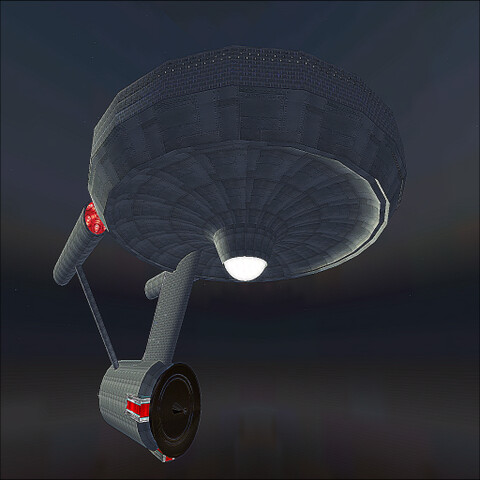
Command Central Starfleet
3 members |
|
Dream & Laugh group
1 members |

|
Ruth and Roth
15 members |
|
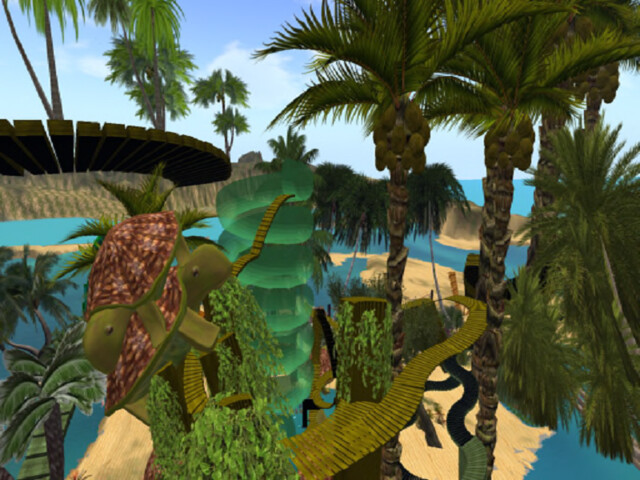
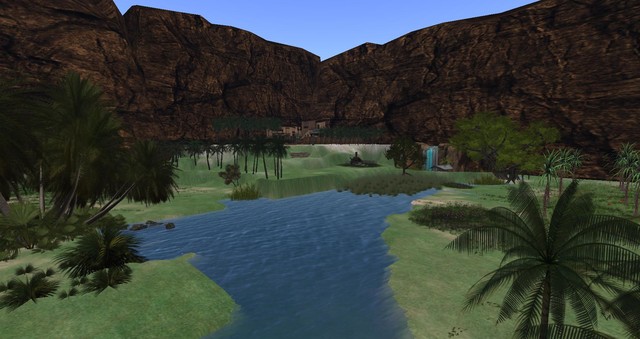
The Oasis of Four Palms Lovers
2 members |
|
That Place Amusements
2 members |
|
|
Testing
2 members |