OpenSimWorld is the directory of 3D Virtual Worlds based on OpenSimulator and connected through the HyperGrid. Learn More
New Members
NoStressGrid, Krystal Hide, Jamie, PolliBarsa, NayelisColomer, Zaine, SilasOS, SubayoFriends, CleuBoniVL, Noob Ubinu, CatireBello, Pvausasmm8965, Pvausasmm74, Vlbfree, RiverWild, PimVermeer, BiaANGELS, LukeSant, Seatips55, Dolce MelodyLikes
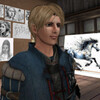
Lucius und sein Pizza-Abend in Elas Cafe
Die Veranstaltung von Lucius gestern, war gut besucht. Eine rührende Szene ist mit im Bild eingefangen, als die Jungfer Blue mit der kleinen Atalanta Lindberg ihre Pizza teilt.
https://lemondhousecafe.blogspot.com/2026/10/lucius-und-se...
https://lemondhousecafe.blogspot.com/2026/10/lucius-und-se...

Elven Window Benches.... awesome twin set for hallways bedrooms even on the porch! Anywhere is a great place for these lovelies. Found on the first floor middle. Animated as always. Enjoy!
 | MorningGlory: They are lovely 😍 🌸 39 minutes ago |

Creating an Original OpenSimulator Character
A Simple Guide to ChatGPT, Tripo, and Ferd Frederix's New Mesh Uploader
Creating original 3D characters for OpenSimulator has become much easier. With ChatGPT for reference artwork, Tripo for 3D model creation and rigging, and Ferd Frederix's new GLTF/DAE/FBX Mesh Uploader, you can bring your creations into OpenSimulator without manually rigging them in Blender or Avastar.
This tutorial walks through the process, from your first character idea to seeing your creation in-world.
What You'll Need
- ChatGPT — To create your character reference image.
- Tripo — To turn your image into a 3D model, rig it, and preview animations.
- Fred's Mesh Uploader — To import your finished model into OpenSimulator.
- An OpenSimulator viewer — To inspect and test your creation.
You will also need access to a DreamGrid installation with the uploader enabled, either through its desktop interface or through authorized web uploading.
Step 1: Create Your Character in ChatGPT
Every character starts with an idea!
You might create a fantasy creature, a holiday character, a cartoon animal, or something entirely original.
For characters you intend to rig, the reference image is particularly important.
Ask ChatGPT to create a full-body character in a T-pose, facing directly forward.
Suggested ChatGPT prompt:
"Create an original full-body 3D character reference image, facing directly forward in a true T-pose. Arms extended horizontally, fingers separated, legs slightly apart with a clear gap between them, and both feet fully visible. Use a plain gray background. No props, scenery, text, or clothing connecting the legs."
A clean image helps Tripo distinguish the character's limbs and body proportions.
Tip: Avoid long skirts, hanging fabric, complicated accessories, and overlapping body parts. These can interfere with automatic rigging.
Step 2: Create Your 3D Model in Tripo
Once you are happy with your reference image:
Open Tripo and select its Image to 3D workflow.
Upload your ChatGPT character image.
Generate the 3D model.
Examine the character from several angles.
Check that the arms, hands, legs, and feet are properly separated.
If something looks wrong, correct the reference image and generate another model.
Do not rush into rigging a model with fused limbs or badly distorted geometry. Fixing the source is usually easier than trying to repair the finished result.
Step 3: Rig Your Character in Tripo
This is where your character comes to life!
Tripo provides automatic rigging capabilities for supported character models.
Open your generated model.
Select the available rigging or animation workflow.
Apply automatic rigging.
Preview an available animation.
Watch the shoulders, elbows, hands, hips, knees, and feet.
Look for unnatural bending, stretching, or distortion.
If the rigging is unsuccessful, try regenerating a cleaner model.
For wearable OpenSimulator characters, preserve a proper T-pose as the rig's reference pose. An action pose is not a suitable substitute.
Important: Tripo's interface and available features may change over time.
Step 4: Export Your Character as an FBX ZIP
Once your model is ready, use Tripo's FBX export option.
Select the appropriate FBX export.
Download the exported model and associated files.
Keep the supplied ZIP package intact, including any textures or supporting files.
Save a backup of your original character image and Tripo project.
For this tutorial, we use an FBX ZIP because Fred's uploader supports FBX files, including rigged characters, and ZIP packages containing models and their textures.
A static GLB and a rigged FBX are not interchangeable for every intended use. Choose the export that preserves the data you need.
Step 5: Open Fred's GLTF/DAE/FBX Mesh Uploader
Fred Frederix has developed a Mesh Uploader that can import several popular 3D formats directly into an OpenSimulator region.
Supported formats include:
- DAE (Collada)
- FBX
- GLTF
- GLB
- ZIP packages containing supported models and textures
For grid administrators using DreamGrid, open the main DreamGrid window, choose Content, and select Load DAE, GLB, GLTF, FBX.
The uploader opens with options to select your model, preview it, adjust scale, and choose its destination.
Select your FBX ZIP package using the file browser.
Preview your model before uploading. This can help you catch missing textures, incorrect sizing, and other problems.
Step 6: Choose Object, Clothing, or Avatar
Fred's uploader supports different kinds of mesh imports.
Object: Use this for decorative characters, statues, props, furniture, and other in-world objects. With both wearable options unchecked, an FBX armature is ignored and the model imports in its saved pose.
Clothing: Use this for supported rigged attachments intended to follow an avatar's movements.
Avatar: Use this for a complete wearable character body. The uploader can process supported rigs, skin weights, and joint positions for OpenSimulator.
For wearable characters, the uploader's automatic skeleton conversion requires a working Python installation on the DreamGrid computer. The Clothing and Avatar options will be unavailable if Python is not detected.
The model must also have a suitable armature and T-pose. Automatic conversion cannot guarantee that every unusual character or rig will work perfectly.
Note about animation: Importing a rigged model is not the same as importing and playing its original Tripo animation. A wearable character uses the OpenSimulator avatar animation system. Test animation behavior separately rather than assuming every animation embedded in an FBX will play in-world.
Step 7: Build and Load Your Character
In Fred's uploader:
Choose the source model or ZIP package.
Examine the model preview.
Adjust the scale if necessary.
Select a running destination region.
Set the desired placement coordinates, or use the online-avatar placement option.
Select the appropriate wearable option if needed.
Click Build & Load.
The uploader processes the model and builds an OpenSim Archive (OAR) behind the scenes, then loads the model into the chosen region.
When using avatar-based placement, the object can appear approximately two meters in front of your avatar.
Watch the uploader's status window for errors or warnings.
Step 8: Test Your Character in OpenSimulator
Once your character appears in-world, inspect it carefully.
For decorative objects, check the size, textures, orientation, geometry, and placement.
For wearable characters, right-click the imported object and select Take. Find it in your inventory and wear it.
Test several ordinary avatar animations to see whether the character bends and moves correctly.
Check the arms, knees, feet, and overall proportions. Some characters may require additional adjustments.
Before sharing your creation, also check permissions, texture quality, and rendering performance.
Tips for Better Results
Start simple. Characters with clean proportions and separated limbs are easier to rig.
Keep your models efficient. Highly detailed geometry can increase rendering costs and cause upload problems. Fred's uploader enforces a maximum of 65,535 vertices per material section.
Keep textures with the model. A ZIP package helps prevent supporting files from getting separated.
Use a proper T-pose for wearable characters. This is essential for correct avatar animation behavior.
Test before distributing. What looks good in Tripo may need adjustment once imported into OpenSimulator.
The Complete Workflow
Character idea → ChatGPT reference image → Tripo 3D generation → Tripo rigging → FBX ZIP export → Fred's Mesh Uploader → OpenSimulator testing
No manual Blender rigging. No Avastar workflow. Just a much more direct way to create and import original characters.
Thank You, Ferd!
This new uploader has saved an enormous amount of time in my creative workflow.
Instead of manually building and rigging characters through several different programs, I can create a character, generate and rig it in Tripo, export the FBX package, and bring the result into OpenSimulator using Fred's GUI.
Seeing something I imagined become a 3D character standing in-world is still a wonderful experience.
Thank you, Fred, for continuing to develop tools that make creating in OpenSimulator easier and more accessible to everyone!
Official documentation: https://outworldz.com/Outworldz_installer/Help/Mesh%20Uplo...
Tutorial note: The exact results depend on the model, its rigging, the chosen import mode, and the DreamGrid version. This guide covers mesh import and wearable character testing; it does not guarantee automatic playback of Tripo's exported animations.
If you need help please feel free to IM u/MariannaMonentes Thank you Adrian Moon for reaching out asking for a tutorial.
A Simple Guide to ChatGPT, Tripo, and Ferd Frederix's New Mesh Uploader
Creating original 3D characters for OpenSimulator has become much easier. With ChatGPT for reference artwork, Tripo for 3D model creation and rigging, and Ferd Frederix's new GLTF/DAE/FBX Mesh Uploader, you can bring your creations into OpenSimulator without manually rigging them in Blender or Avastar.
This tutorial walks through the process, from your first character idea to seeing your creation in-world.
What You'll Need
- ChatGPT — To create your character reference image.
- Tripo — To turn your image into a 3D model, rig it, and preview animations.
- Fred's Mesh Uploader — To import your finished model into OpenSimulator.
- An OpenSimulator viewer — To inspect and test your creation.
You will also need access to a DreamGrid installation with the uploader enabled, either through its desktop interface or through authorized web uploading.
Step 1: Create Your Character in ChatGPT
Every character starts with an idea!
You might create a fantasy creature, a holiday character, a cartoon animal, or something entirely original.
For characters you intend to rig, the reference image is particularly important.
Ask ChatGPT to create a full-body character in a T-pose, facing directly forward.
Suggested ChatGPT prompt:
"Create an original full-body 3D character reference image, facing directly forward in a true T-pose. Arms extended horizontally, fingers separated, legs slightly apart with a clear gap between them, and both feet fully visible. Use a plain gray background. No props, scenery, text, or clothing connecting the legs."
A clean image helps Tripo distinguish the character's limbs and body proportions.
Tip: Avoid long skirts, hanging fabric, complicated accessories, and overlapping body parts. These can interfere with automatic rigging.
Step 2: Create Your 3D Model in Tripo
Once you are happy with your reference image:
Open Tripo and select its Image to 3D workflow.
Upload your ChatGPT character image.
Generate the 3D model.
Examine the character from several angles.
Check that the arms, hands, legs, and feet are properly separated.
If something looks wrong, correct the reference image and generate another model.
Do not rush into rigging a model with fused limbs or badly distorted geometry. Fixing the source is usually easier than trying to repair the finished result.
Step 3: Rig Your Character in Tripo
This is where your character comes to life!
Tripo provides automatic rigging capabilities for supported character models.
Open your generated model.
Select the available rigging or animation workflow.
Apply automatic rigging.
Preview an available animation.
Watch the shoulders, elbows, hands, hips, knees, and feet.
Look for unnatural bending, stretching, or distortion.
If the rigging is unsuccessful, try regenerating a cleaner model.
For wearable OpenSimulator characters, preserve a proper T-pose as the rig's reference pose. An action pose is not a suitable substitute.
Important: Tripo's interface and available features may change over time.
Step 4: Export Your Character as an FBX ZIP
Once your model is ready, use Tripo's FBX export option.
Select the appropriate FBX export.
Download the exported model and associated files.
Keep the supplied ZIP package intact, including any textures or supporting files.
Save a backup of your original character image and Tripo project.
For this tutorial, we use an FBX ZIP because Fred's uploader supports FBX files, including rigged characters, and ZIP packages containing models and their textures.
A static GLB and a rigged FBX are not interchangeable for every intended use. Choose the export that preserves the data you need.
Step 5: Open Fred's GLTF/DAE/FBX Mesh Uploader
Fred Frederix has developed a Mesh Uploader that can import several popular 3D formats directly into an OpenSimulator region.
Supported formats include:
- DAE (Collada)
- FBX
- GLTF
- GLB
- ZIP packages containing supported models and textures
For grid administrators using DreamGrid, open the main DreamGrid window, choose Content, and select Load DAE, GLB, GLTF, FBX.
The uploader opens with options to select your model, preview it, adjust scale, and choose its destination.
Select your FBX ZIP package using the file browser.
Preview your model before uploading. This can help you catch missing textures, incorrect sizing, and other problems.
Step 6: Choose Object, Clothing, or Avatar
Fred's uploader supports different kinds of mesh imports.
Object: Use this for decorative characters, statues, props, furniture, and other in-world objects. With both wearable options unchecked, an FBX armature is ignored and the model imports in its saved pose.
Clothing: Use this for supported rigged attachments intended to follow an avatar's movements.
Avatar: Use this for a complete wearable character body. The uploader can process supported rigs, skin weights, and joint positions for OpenSimulator.
For wearable characters, the uploader's automatic skeleton conversion requires a working Python installation on the DreamGrid computer. The Clothing and Avatar options will be unavailable if Python is not detected.
The model must also have a suitable armature and T-pose. Automatic conversion cannot guarantee that every unusual character or rig will work perfectly.
Note about animation: Importing a rigged model is not the same as importing and playing its original Tripo animation. A wearable character uses the OpenSimulator avatar animation system. Test animation behavior separately rather than assuming every animation embedded in an FBX will play in-world.
Step 7: Build and Load Your Character
In Fred's uploader:
Choose the source model or ZIP package.
Examine the model preview.
Adjust the scale if necessary.
Select a running destination region.
Set the desired placement coordinates, or use the online-avatar placement option.
Select the appropriate wearable option if needed.
Click Build & Load.
The uploader processes the model and builds an OpenSim Archive (OAR) behind the scenes, then loads the model into the chosen region.
When using avatar-based placement, the object can appear approximately two meters in front of your avatar.
Watch the uploader's status window for errors or warnings.
Step 8: Test Your Character in OpenSimulator
Once your character appears in-world, inspect it carefully.
For decorative objects, check the size, textures, orientation, geometry, and placement.
For wearable characters, right-click the imported object and select Take. Find it in your inventory and wear it.
Test several ordinary avatar animations to see whether the character bends and moves correctly.
Check the arms, knees, feet, and overall proportions. Some characters may require additional adjustments.
Before sharing your creation, also check permissions, texture quality, and rendering performance.
Tips for Better Results
Start simple. Characters with clean proportions and separated limbs are easier to rig.
Keep your models efficient. Highly detailed geometry can increase rendering costs and cause upload problems. Fred's uploader enforces a maximum of 65,535 vertices per material section.
Keep textures with the model. A ZIP package helps prevent supporting files from getting separated.
Use a proper T-pose for wearable characters. This is essential for correct avatar animation behavior.
Test before distributing. What looks good in Tripo may need adjustment once imported into OpenSimulator.
The Complete Workflow
Character idea → ChatGPT reference image → Tripo 3D generation → Tripo rigging → FBX ZIP export → Fred's Mesh Uploader → OpenSimulator testing
No manual Blender rigging. No Avastar workflow. Just a much more direct way to create and import original characters.
Thank You, Ferd!
This new uploader has saved an enormous amount of time in my creative workflow.
Instead of manually building and rigging characters through several different programs, I can create a character, generate and rig it in Tripo, export the FBX package, and bring the result into OpenSimulator using Fred's GUI.
Seeing something I imagined become a 3D character standing in-world is still a wonderful experience.
Thank you, Fred, for continuing to develop tools that make creating in OpenSimulator easier and more accessible to everyone!
Official documentation: https://outworldz.com/Outworldz_installer/Help/Mesh%20Uplo...
Tutorial note: The exact results depend on the model, its rigging, the chosen import mode, and the DreamGrid version. This guide covers mesh import and wearable character testing; it does not guarantee automatic playback of Tripo's exported animations.
If you need help please feel free to IM u/MariannaMonentes Thank you Adrian Moon for reaching out asking for a tutorial.
| | MorningGlory: I'll give this a try thank you 4 sharing this post 🌸✨️👍 1 hour ago |

Making AI images is fun, but at what cost?
We’ve all seen the funny, beautiful, and creative pictures generated by AI. But have you ever stopped to think about the environmental cost of creating them? I see them on this website daily! I have made hundreds of Ai images!
But, did you know? Every AI-generated image requires computing power. That means electricity, water to help cool data centers, and powerful computer equipment that requires mining and manufacturing.
And every time we ask AI to create a picture, fix a mistake, or generate another version, we use even more resources.
One image may not seem like much, but multiply that by millions of people generating millions of images every day.
More energy consumption. More water demand. More carbon emissions. More electronic waste.
We talk about protecting our planet, reducing waste, and conserving natural resources. Yet we're embracing a technology without always considering its environmental footprint.
I'm not saying AI doesn't have valuable uses. It absolutely does. But do we really need to generate endless pictures just because we can?
Making AI images is fun. But is the environmental cost worth it?
Something to think about before clicking "generate" again.
We’ve all seen the funny, beautiful, and creative pictures generated by AI. But have you ever stopped to think about the environmental cost of creating them? I see them on this website daily! I have made hundreds of Ai images!
But, did you know? Every AI-generated image requires computing power. That means electricity, water to help cool data centers, and powerful computer equipment that requires mining and manufacturing.
And every time we ask AI to create a picture, fix a mistake, or generate another version, we use even more resources.
One image may not seem like much, but multiply that by millions of people generating millions of images every day.
More energy consumption. More water demand. More carbon emissions. More electronic waste.
We talk about protecting our planet, reducing waste, and conserving natural resources. Yet we're embracing a technology without always considering its environmental footprint.
I'm not saying AI doesn't have valuable uses. It absolutely does. But do we really need to generate endless pictures just because we can?
Making AI images is fun. But is the environmental cost worth it?
Something to think about before clicking "generate" again.
| | Echo Moonfall: I agree with you, and I think we could take this argument even further. Just imagine how much energy and how many resources we could save by getting rid of advertising on the internet. Think about th... 1 hour ago |

We have been taking the GREED out of OPENSIM since 2015. Anyone who tells you that they sell regions to keep you safe, are just looking for sales. We NEVER pressure anyone to buy land, we have our self hosting package here: Sign up here https://neverworldgrid.com/self-host-regions-on-neverworld...
| | MorningGlory: Really happy with the Grid 💯 peaceful for creators and long term settling down. A safe anchor 4 me. 1 hour ago |

Introducing WolfChat and Avatar Creator, create avatars, clothes within the viewer with AI. Chat and connect your group chat to discord (Wolf Grid Only)
https://youtu.be/VtHDBompa-U
| | MorningGlory: wow 2 hours ago |


Another Safari tour this week to see a tree house, a mermaid's hangout, and Cinderella with a twist! Join the party if you can for some group hypergridding. Show up at the Clubhouse here on HG Safari region a little before 12:00 Grid time to get all the last minute details.
If you can't make it, you may enjoy these recent posts about opensim on the HG Safari blog
Three no-drama posts about the OSGrid saga...
https://hgsafari.blogspot.com/2026/10/see-you-on-osgrid.ht...
https://hgsafari.blogspot.com/2026/10/on-hurliman.html
https://hgsafari.blogspot.com/2026/10/osgrid-goes-on.html
and stories from our tours...
we went to see Star and Drew and flying cows (part of the OSFest event)
https://hgsafari.blogspot.com/2026/10/into-vortex.html
we did more flying at Karsten and Jason's airport
https://hgsafari.blogspot.com/2026/10/chute-case.html
then a mad, mazy dash after Cat
https://hgsafari.blogspot.com/2026/10/cats-labyrinth.html
and a foregleam of Spax Orion's Linda Kellie extravaganza on Dismayland
https://hgsafari.blogspot.com/2026/10/kellies-hero.html
If you can't make it, you may enjoy these recent posts about opensim on the HG Safari blog
Three no-drama posts about the OSGrid saga...
https://hgsafari.blogspot.com/2026/10/see-you-on-osgrid.ht...
https://hgsafari.blogspot.com/2026/10/on-hurliman.html
https://hgsafari.blogspot.com/2026/10/osgrid-goes-on.html
and stories from our tours...
we went to see Star and Drew and flying cows (part of the OSFest event)
https://hgsafari.blogspot.com/2026/10/into-vortex.html
we did more flying at Karsten and Jason's airport
https://hgsafari.blogspot.com/2026/10/chute-case.html
then a mad, mazy dash after Cat
https://hgsafari.blogspot.com/2026/10/cats-labyrinth.html
and a foregleam of Spax Orion's Linda Kellie extravaganza on Dismayland
https://hgsafari.blogspot.com/2026/10/kellies-hero.html

In Erinnerung an meinen geliebten Mann Anachron.
Freitag, den 23.10.2026, um 20:00 Uhr (11:00 Uhr SLT)
.......................................................................................................
In memory of my beloved husband, Anachron.
Friday, October 23, 2026, at 8:00 PM (11:00 AM SLT)
Freitag, den 23.10.2026, um 20:00 Uhr (11:00 Uhr SLT)
.......................................................................................................
In memory of my beloved husband, Anachron.
Friday, October 23, 2026, at 8:00 PM (11:00 AM SLT)
Gridtalkparty am 20.10.2026.
Ich bedanke mich für den schönen Abend mit euch.
..................................................................................................
Gridtalk party on October 20, 2026.
Thank you for the wonderful evening.
Ich bedanke mich für den schönen Abend mit euch.
..................................................................................................
Gridtalk party on October 20, 2026.
Thank you for the wonderful evening.

Exhibit presenters
* OSF_ Aphra Hendrix Exhibit
It's your OSFest! Make it fun everywhere
OSFest celebrates the creative talents of residents in the decentralized Hyperverse. We welcome merchants, exhibit presenters, and entertainment artists. For two full weeks, including weekends, we'll have music, dance, art, and merchant expos in one place - the OSFest Grid!
* OSF_ Aphra Hendrix Exhibit
It's your OSFest! Make it fun everywhere
OSFest celebrates the creative talents of residents in the decentralized Hyperverse. We welcome merchants, exhibit presenters, and entertainment artists. For two full weeks, including weekends, we'll have music, dance, art, and merchant expos in one place - the OSFest Grid!
| | Aphra Hendrix: Thank you so much for mentioning my Exhibit! I had a few slide shows that went offline with every region restart. I have a new slide show now that is not automatic, but you can browse yourself through... 7 hours ago |
Exhibit presenters
OSF_ Bridgemere Grid, HAIRY THOR
It's your OSFest! Make it fun everywhere
OSFest celebrates the creative talents of residents in the decentralized Hyperverse. We welcome merchants, exhibit presenters, and entertainment artists. For two full weeks, including weekends, we'll have music, dance, art, and merchant expos in one place - the OSFest Grid
OSF_ Bridgemere Grid, HAIRY THOR
It's your OSFest! Make it fun everywhere
OSFest celebrates the creative talents of residents in the decentralized Hyperverse. We welcome merchants, exhibit presenters, and entertainment artists. For two full weeks, including weekends, we'll have music, dance, art, and merchant expos in one place - the OSFest Grid
Exhibit presenters
OSF_ Relaxation, Beyond Zen Life
It's your OSFest! Make it fun everywhere
OSFest celebrates the creative talents of residents in the decentralized Hyperverse. We welcome merchants, exhibit presenters, and entertainment artists. For two full weeks, including weekends, we'll have music, dance, art, and merchant expos in one place - the OSFest Grid!
OSF_ Relaxation, Beyond Zen Life
It's your OSFest! Make it fun everywhere
OSFest celebrates the creative talents of residents in the decentralized Hyperverse. We welcome merchants, exhibit presenters, and entertainment artists. For two full weeks, including weekends, we'll have music, dance, art, and merchant expos in one place - the OSFest Grid!
Exhibit presenters
OSF_ Avacon
It's your OSFest! Make it fun everywhere
OSFest celebrates the creative talents of residents in the decentralized Hyperverse. We welcome merchants, exhibit presenters, and entertainment artists. For two full weeks, including weekends, we'll have music, dance, art, and merchant expos in one place - the OSFest Grid!
OSF_ Avacon
It's your OSFest! Make it fun everywhere
OSFest celebrates the creative talents of residents in the decentralized Hyperverse. We welcome merchants, exhibit presenters, and entertainment artists. For two full weeks, including weekends, we'll have music, dance, art, and merchant expos in one place - the OSFest Grid!
Exhibit presenters
OSF_ ISM International Spaceflight Museum ROSA ALEKSEEV
It's your OSFest! Make it fun everywhere
OSFest celebrates the creative talents of residents in the decentralized Hyperverse. We welcome merchants, exhibit presenters, and entertainment artists. For two full weeks, including weekends, we'll have music, dance, art, and merchant expos in one place - the OSFest Grid!
OSF_ ISM International Spaceflight Museum ROSA ALEKSEEV
It's your OSFest! Make it fun everywhere
OSFest celebrates the creative talents of residents in the decentralized Hyperverse. We welcome merchants, exhibit presenters, and entertainment artists. For two full weeks, including weekends, we'll have music, dance, art, and merchant expos in one place - the OSFest Grid!
Exhibit presenters
OSF_ Harmony's Haven Grid Sponsor Exhibit
It's your OSFest! Make it fun everywhere
OSFest celebrates the creative talents of residents in the decentralized Hyperverse. We welcome merchants, exhibit presenters, and entertainment artists. For two full weeks, including weekends, we'll have music, dance, art, and merchant expos in one place - the OSFest Grid!
OSF_ Harmony's Haven Grid Sponsor Exhibit
It's your OSFest! Make it fun everywhere
OSFest celebrates the creative talents of residents in the decentralized Hyperverse. We welcome merchants, exhibit presenters, and entertainment artists. For two full weeks, including weekends, we'll have music, dance, art, and merchant expos in one place - the OSFest Grid!
Exhibit presenters
OSF_ Kitely Grid Virtual Avatar's
OSFest celebrates the creative talents of residents in the decentralized Hyperverse. We welcome merchants, exhibit presenters, and entertainment artists. For two full weeks, including weekends, we'll have music, dance, art, and merchant expos in one place - the OSFest Grid!
OSF_ Kitely Grid Virtual Avatar's
OSFest celebrates the creative talents of residents in the decentralized Hyperverse. We welcome merchants, exhibit presenters, and entertainment artists. For two full weeks, including weekends, we'll have music, dance, art, and merchant expos in one place - the OSFest Grid!

---------------- I thought it good enough to share the post-----------------------
| | Xenon Darrow: Shades of TWD! 9 hours ago |
Just logged in to this. - WolfViewer works with any grid https://wolf-grid.com with real clouds and a completely rewritten shader engine.
| | Xenon Darrow: Most advanced grid in OS. Best peeps, best owner. Shut up, team up, cue up and get over here! We have COOKIES! 9 hours ago |
Exhibit presenters
OSF_ COOPER SWIZZLE LASCAUX CAVES Welcome
It's your OSFest! Make it fun everywhere
OSFest celebrates the creative talents of residents in the decentralized Hyperverse. We welcome merchants, exhibit presenters, and entertainment artists. For two full weeks, including weekends, we'll have music, dance, art, and merchant expos in one place - the OSFest Grid!
OSF_ COOPER SWIZZLE LASCAUX CAVES Welcome
It's your OSFest! Make it fun everywhere
OSFest celebrates the creative talents of residents in the decentralized Hyperverse. We welcome merchants, exhibit presenters, and entertainment artists. For two full weeks, including weekends, we'll have music, dance, art, and merchant expos in one place - the OSFest Grid!
| | Xenon Darrow: This is a fantastic exhibit! WTG Cooper and Kimm! 9 hours ago |

BLUES TONIGHT AT CHICAGO HOME OF BLUES!
DJ Dia will be spinning her blues starting at 6 PM Grid Time tonight (Tuesday). Come in and enjoy some classic blues tunes. Pardon our mess as we are still under construction, but come on in, join us, and let the music take over!
DJ Dia will be spinning her blues starting at 6 PM Grid Time tonight (Tuesday). Come in and enjoy some classic blues tunes. Pardon our mess as we are still under construction, but come on in, join us, and let the music take over!
Exhibit presenters
OSF_ NEW MEDIA ARTS by ROSA ALEKSEEV
It's your OSFest! Make it fun everywhere
OSFest celebrates the creative talents of residents in the decentralized Hyperverse. We welcome merchants, exhibit presenters, and entertainment artists. For two full weeks, including weekends, we'll have music, dance, art, and merchant expos in one place - the OSFest Grid!
OSF_ NEW MEDIA ARTS by ROSA ALEKSEEV
It's your OSFest! Make it fun everywhere
OSFest celebrates the creative talents of residents in the decentralized Hyperverse. We welcome merchants, exhibit presenters, and entertainment artists. For two full weeks, including weekends, we'll have music, dance, art, and merchant expos in one place - the OSFest Grid!
Exhibit presenters
OSF_ mmigrant roots of Brazilian Music and Dance by Rosa Alekseev
It's your OSFest! Make it fun everywhere
OSFest celebrates the creative talents of residents in the decentralized Hyperverse. We welcome merchants, exhibit presenters, and entertainment artists. For two full weeks, including weekends, we'll have music, dance, art, and merchant expos in one place - the OSFest Grid!
OSF_ mmigrant roots of Brazilian Music and Dance by Rosa Alekseev
It's your OSFest! Make it fun everywhere
OSFest celebrates the creative talents of residents in the decentralized Hyperverse. We welcome merchants, exhibit presenters, and entertainment artists. For two full weeks, including weekends, we'll have music, dance, art, and merchant expos in one place - the OSFest Grid!
Exhibit presenters
OSF_ Space Port
It's your OSFest! Make it fun everywhere
OSFest celebrates the creative talents of residents in the decentralized Hyperverse. We welcome merchants, exhibit presenters, and entertainment artists. For two full weeks, including weekends, we'll have music, dance, art, and merchant expos in one place - the OSFest Grid!
OSF_ Space Port
It's your OSFest! Make it fun everywhere
OSFest celebrates the creative talents of residents in the decentralized Hyperverse. We welcome merchants, exhibit presenters, and entertainment artists. For two full weeks, including weekends, we'll have music, dance, art, and merchant expos in one place - the OSFest Grid!

Zoree Jupiter Live
2-3:00pm SL Time
Club Fire
Gentle Fire Grid
Semi Casual attire
hop://gentlefire.opensim.fun:8002/Gentle%20Fire%20Grid/21/...

If you are interested in owning your own grid, grid hoster Josh Boam is available for a Q & A @OSFest right now till noon Gridtime
hop://grid.opensimfest.com:8022/OSF_N_Expo/321/23/464
| | JoshBoam: WOW Kimm Thats amazing!!!! 14 hours ago |
OSFest 2026 Presents: Hosting for OpenSim!
Thinking About Hosting Your Own OpenSim Grid?
Join Josh Boam of Hosting4OpenSim for an informative presentation exploring the world of OpenSim hosting!
Whether you're just getting started or looking to expand your virtual world, this is a great opportunity to learn about hosting options, ask questions, and discover new possibilities!
Wednesday October 21, 2026 & Thursday October 22, 2026
10 AM - 12 PM Grid Time Q & A Live with Josh (LIVE)
Location: OSFest - 2026 – OSF_N_Expo
Thinking About Hosting Your Own OpenSim Grid?
Join Josh Boam of Hosting4OpenSim for an informative presentation exploring the world of OpenSim hosting!
Whether you're just getting started or looking to expand your virtual world, this is a great opportunity to learn about hosting options, ask questions, and discover new possibilities!
Wednesday October 21, 2026 & Thursday October 22, 2026
10 AM - 12 PM Grid Time Q & A Live with Josh (LIVE)
Location: OSFest - 2026 – OSF_N_Expo
| | JoshBoam: Today was so much fun! Thank you to everyone who stopped by to visit us. We truly enjoyed seeing you all and look forward to another great discussion! 14 hours ago |
OSFest
Host: JoshPiper
10am - Noon Grid time
It's Hosting 4 OpenSim
Teleport: grid.opensimfest.com:8022
Join us for Questions and Answers
| | JoshBoam: Thank you for all that came today.. We will be doing this again Tomorrow October 21st at 10 AM slt to 12PM slt and again on October 22nd Same times.. For the next 2 days you have a chance to come as... 14 hours ago |

I’ll find you on any grid. From Oosmush to Metropolis._____________😈😈😈😈😈
👉hop://alternatemetaverse.com:8002/Sleepy%20Hollow/140/147/...
I’ll find you on any grid. From Oosmush to Metropolis.

If you are interested in owning your own grid, grid hoster Josh Boam is available for a Q & A @OSFest right now till noon Gridtime
hop://grid.opensimfest.com:8022/OSF_N_Expo/321/23/464

🎨❤️🖤 **OSFest 2026: FINAL GUIDED TOUR!** 🖤❤️🎨
Join **Star Ravenhurst and Drew Blood** for one last ride through *Neopop Art Ludic*, the vibrant, playful world of artist **Tina Bey**, featured on Imagination Island in the Le Beau Retrouvé Art Gallery Complex!
Grab your skateboard and come explore this colorful, surreal landscape where pop art and imagination collide. This is your final opportunity to experience the exhibit before the 2×2 region is cleared for the next artistic adventure!
📅 **Oct 22, 2026 11 AM – 12 PM Grid Time**
📍 **Imagination Island, Tenth Dimension Grid**
🚀 **Hop:** grid.tenthdimension.org:26002/Imagination Island/128/128/22
Come for the art, stay for the fun, and help us give this extraordinary exhibit a fabulous OSFest send-off! ✨🛹
Join **Star Ravenhurst and Drew Blood** for one last ride through *Neopop Art Ludic*, the vibrant, playful world of artist **Tina Bey**, featured on Imagination Island in the Le Beau Retrouvé Art Gallery Complex!
Grab your skateboard and come explore this colorful, surreal landscape where pop art and imagination collide. This is your final opportunity to experience the exhibit before the 2×2 region is cleared for the next artistic adventure!
📅 **Oct 22, 2026 11 AM – 12 PM Grid Time**
📍 **Imagination Island, Tenth Dimension Grid**
🚀 **Hop:** grid.tenthdimension.org:26002/Imagination Island/128/128/22
Come for the art, stay for the fun, and help us give this extraordinary exhibit a fabulous OSFest send-off! ✨🛹

🎙️ THE DAVE KING EXPERIENCE 🎙️
━━━━━━━━━━━━━━━━━━━━
👤 WHO: Dave King
🎶 WHAT: Singing Live & Taking Requests
📅 WHEN: Every Tuesday
11:00am - 12:00pm Noon Grid Time / PST
🕒 Time Note:
SLT = Second Life Time
PST = Pacific Standard Time
👕 HOW: Come As You Are, with all our bits properly covered
📍 WHERE: hop://login.twiztidtimez.com:8002/Bar-Bus-Bay/439/74/22
━━━━━━━━━━━━━━━━━━━━
📌 LANDMARK HERE:
🎁 INCLUDE A GIFT HERE: n/a
━━━━━━━━━━━━━━━━━━━━
Come enjoy great music, good company, and a fun hour with Dave King!
━━━━━━━━━━━━━━━━━━━━
👤 WHO: Dave King
🎶 WHAT: Singing Live & Taking Requests
📅 WHEN: Every Tuesday
11:00am - 12:00pm Noon Grid Time / PST
🕒 Time Note:
SLT = Second Life Time
PST = Pacific Standard Time
👕 HOW: Come As You Are, with all our bits properly covered
📍 WHERE: hop://login.twiztidtimez.com:8002/Bar-Bus-Bay/439/74/22
━━━━━━━━━━━━━━━━━━━━
📌 LANDMARK HERE:
🎁 INCLUDE A GIFT HERE: n/a
━━━━━━━━━━━━━━━━━━━━
Come enjoy great music, good company, and a fun hour with Dave King!

🎙️ THE DAVE KING EXPERIENCE 🎙️
━━━━━━━━━━━━━━━━━━━━
👤 WHO: Dave King
🎶 WHAT: Singing Live & Taking Requests
📅 WHEN: Every Tuesday
11:00am - 12:00pm Noon Grid Time / PST
🕒 Time Note:
SLT = Second Life Time
PST = Pacific Standard Time
👕 HOW: Come As You Are, with all our bits properly covered
📍 WHERE: hop://login.twiztidtimez.com:8002/Bar-Bus-Bay/439/74/22
━━━━━━━━━━━━━━━━━━━━
📌 LANDMARK HERE:
🎁 INCLUDE A GIFT HERE: n/a
━━━━━━━━━━━━━━━━━━━━
Come enjoy great music, good company, and a fun hour with Dave King!
━━━━━━━━━━━━━━━━━━━━
👤 WHO: Dave King
🎶 WHAT: Singing Live & Taking Requests
📅 WHEN: Every Tuesday
11:00am - 12:00pm Noon Grid Time / PST
🕒 Time Note:
SLT = Second Life Time
PST = Pacific Standard Time
👕 HOW: Come As You Are, with all our bits properly covered
📍 WHERE: hop://login.twiztidtimez.com:8002/Bar-Bus-Bay/439/74/22
━━━━━━━━━━━━━━━━━━━━
📌 LANDMARK HERE:
🎁 INCLUDE A GIFT HERE: n/a
━━━━━━━━━━━━━━━━━━━━
Come enjoy great music, good company, and a fun hour with Dave King!
Liebe Lagerfeuertänzer und Musikzuhörer,
morgen, 20. Oktober ab 20:00 Uhr (11:00 SLT) gibt es eine herbstliche Musikalische Rumpelkiste, eher mit sanftem Inhalt. Schon ab 19:30 gibts Vormusik - kommet zuhauf - wir freuen uns drauf.
-----------------------------------------------------------------------------
Dear campfire dancers and music lovers,
tomorrow, October 20th, starting at 8:00 PM (11:00 AM SLT), we'll be having an autumnal musical smorgasbord, with a rather gentle selection of tunes. There will be pre-show music starting at 7:30 PM - come one, come all - we're looking forward to it!
morgen, 20. Oktober ab 20:00 Uhr (11:00 SLT) gibt es eine herbstliche Musikalische Rumpelkiste, eher mit sanftem Inhalt. Schon ab 19:30 gibts Vormusik - kommet zuhauf - wir freuen uns drauf.
-----------------------------------------------------------------------------
Dear campfire dancers and music lovers,
tomorrow, October 20th, starting at 8:00 PM (11:00 AM SLT), we'll be having an autumnal musical smorgasbord, with a rather gentle selection of tunes. There will be pre-show music starting at 7:30 PM - come one, come all - we're looking forward to it!
| | Dorena Verne: The party starts at 8:00 PM (11:00 SLT). 16 hours ago |



Welcome to The Portal - the hypergrid gateway where you can browse and discover destinations.
Advertise your Store, Club or Service at The Portal - where visitors are teleported directly to your destination with a single click.
Find out how at
hop://hg.neverworldgrid.com:8002/ThePortal/128/128/21
Advertise your Store, Club or Service at The Portal - where visitors are teleported directly to your destination with a single click.
Find out how at
hop://hg.neverworldgrid.com:8002/ThePortal/128/128/21
GET READY FOR A SPLASH OF ADVENTURE! HG SAFARI IS HEADING TO MERMAID'S COVE!
We're soooo excited to announce that Hypergrid Safari is coming to Mermaid's Cove on Harmony's Haven Grid!
Wednesday, October 21, 2026
1:00 PM SLT (Grid Time)
Mermaid's Cove – Harmony's Haven Grid
PARADISE IS CALLING!
Join us for a magical afternoon of exploration, friendship, music, and fun in the sun!
Mermaid's Cove is a beautiful, friendly, laid-back tropical paradise where there's something for everyone!
Explore this amazing tropical destination!
Shop and discover hidden treasures!
Play at the carnival and enjoy the attractions!
Swim in the beautiful lagoon and unleash your inner mermaid or merman!
Dance to the fabulous sounds of DJ Lavia Lavine, providing the music for our tropical adventure!
FREE MERMAID & MERMAN COSTUMES!
Come early and visit the Swim Shop at the landing area to pick up your FREE mermaid or merman costume. And don't forget your Mermaid AO so you can swim in style!
That's what Hypergrid Safari is all about — exploring new grids, discovering amazing places, making new friends, and celebrating the wonderful creativity of our OpenSim community!
YOUR DESTINATION:
login.harmonyshaven.com:8002:Mermaids Cove
Whether you're a seasoned Hypergrid explorer or joining us for the very first time, EVERYONE IS WELCOME!
So grab your fins, bring your friends, and get ready to make a splash!
See you Wednesday at Mermaid's Cove!
#HypergridSafari #MermaidsCove #HarmonyHaven #OpenSim #Hypergrid #VirtualWorlds #ExploreConnectDiscover
We're soooo excited to announce that Hypergrid Safari is coming to Mermaid's Cove on Harmony's Haven Grid!
Wednesday, October 21, 2026
1:00 PM SLT (Grid Time)
Mermaid's Cove – Harmony's Haven Grid
PARADISE IS CALLING!
Join us for a magical afternoon of exploration, friendship, music, and fun in the sun!
Mermaid's Cove is a beautiful, friendly, laid-back tropical paradise where there's something for everyone!
Explore this amazing tropical destination!
Shop and discover hidden treasures!
Play at the carnival and enjoy the attractions!
Swim in the beautiful lagoon and unleash your inner mermaid or merman!
Dance to the fabulous sounds of DJ Lavia Lavine, providing the music for our tropical adventure!
FREE MERMAID & MERMAN COSTUMES!
Come early and visit the Swim Shop at the landing area to pick up your FREE mermaid or merman costume. And don't forget your Mermaid AO so you can swim in style!
That's what Hypergrid Safari is all about — exploring new grids, discovering amazing places, making new friends, and celebrating the wonderful creativity of our OpenSim community!
YOUR DESTINATION:
login.harmonyshaven.com:8002:Mermaids Cove
Whether you're a seasoned Hypergrid explorer or joining us for the very first time, EVERYONE IS WELCOME!
So grab your fins, bring your friends, and get ready to make a splash!
See you Wednesday at Mermaid's Cove!
#HypergridSafari #MermaidsCove #HarmonyHaven #OpenSim #Hypergrid #VirtualWorlds #ExploreConnectDiscover
Tromso, Norway, WolfViewer rendering https://wolf-grid.com this is not AI
🌴 PACK YOUR HOLIDAY FEELING AND COME VISIT US! ☀️🏝️
Welcome to our tropical island paradise, where relaxation, romance, and cozy moments are waiting for you!
Discover countless charming hideaways scattered across this region and throughout the entire tropical paradise. Whether you're looking for a secluded spot to cuddle, a peaceful beach retreat, a romantic sunset location, or a cozy corner to spend quality time with someone special, you'll find plenty of beautiful places to make yourself at home.
Imagine warm tropical breezes, the gentle sound of the ocean, swaying palm trees, golden sunsets, and those magical moments when time seems to stand still. Leave your everyday worries behind and let yourself be carried away by the relaxed island atmosphere.
💕 Looking for romance? Find a quiet place to enjoy an intimate moment together.
🌺 Need some relaxation? Unwind in one of our many cozy hideaways and let the tropical surroundings work their magic.
🌅 Love beautiful scenery? Explore the island, discover hidden gems, and enjoy breathtaking views from your favorite spots.
🥂 Want to spend time with friends? Meet up, chat, laugh, and create wonderful memories in a truly special setting.
There is so much to explore, so many places to discover, and countless opportunities to enjoy your own little escape from everyday life. Come alone, bring your partner, or invite your friends to share the experience.
Take a walk through our tropical landscape, find your personal favorite spot, and stay as long as you like. Whether you prefer peaceful solitude, romantic togetherness, or relaxed socializing, our island paradise offers something for every mood.
So, what are you waiting for?
Pack your virtual suitcase, bring your holiday spirit, and come explore!
🌴 Your tropical escape. Your cozy hideaway. Your island paradise.
Come for a visit — and stay for the feeling! ☀️💕
Welcome to our tropical island paradise, where relaxation, romance, and cozy moments are waiting for you!
Discover countless charming hideaways scattered across this region and throughout the entire tropical paradise. Whether you're looking for a secluded spot to cuddle, a peaceful beach retreat, a romantic sunset location, or a cozy corner to spend quality time with someone special, you'll find plenty of beautiful places to make yourself at home.
Imagine warm tropical breezes, the gentle sound of the ocean, swaying palm trees, golden sunsets, and those magical moments when time seems to stand still. Leave your everyday worries behind and let yourself be carried away by the relaxed island atmosphere.
💕 Looking for romance? Find a quiet place to enjoy an intimate moment together.
🌺 Need some relaxation? Unwind in one of our many cozy hideaways and let the tropical surroundings work their magic.
🌅 Love beautiful scenery? Explore the island, discover hidden gems, and enjoy breathtaking views from your favorite spots.
🥂 Want to spend time with friends? Meet up, chat, laugh, and create wonderful memories in a truly special setting.
There is so much to explore, so many places to discover, and countless opportunities to enjoy your own little escape from everyday life. Come alone, bring your partner, or invite your friends to share the experience.
Take a walk through our tropical landscape, find your personal favorite spot, and stay as long as you like. Whether you prefer peaceful solitude, romantic togetherness, or relaxed socializing, our island paradise offers something for every mood.
So, what are you waiting for?
Pack your virtual suitcase, bring your holiday spirit, and come explore!
🌴 Your tropical escape. Your cozy hideaway. Your island paradise.
Come for a visit — and stay for the feeling! ☀️💕

🎃 10am - 12pm Trick or Treat Competition with DJ Tyler 🎃
Enter the spooky streets of Sleepy Hollow for a thrilling Halloween Trick or Treat adventure!
👻 Grab your Bucket & HUD at the TP point.
🏃 Run through the haunted streets and knock on doors to collect candy.
🍬 Fill your bucket and deposit your candy into the cauldron.
🚪 Keep knocking, keep collecting, and climb the leaderboard!
🏆 The top candy collector wins the daily prize.
Do you dare knock on the next door?
Good luck, and watch out for the things that go bump in the night! 🎃👻🕸️
hop://alternatemetaverse.com:8002/Sleepy%20Hollow/131/154/...
Enter the spooky streets of Sleepy Hollow for a thrilling Halloween Trick or Treat adventure!
👻 Grab your Bucket & HUD at the TP point.
🏃 Run through the haunted streets and knock on doors to collect candy.
🍬 Fill your bucket and deposit your candy into the cauldron.
🚪 Keep knocking, keep collecting, and climb the leaderboard!
🏆 The top candy collector wins the daily prize.
Do you dare knock on the next door?
Good luck, and watch out for the things that go bump in the night! 🎃👻🕸️
hop://alternatemetaverse.com:8002/Sleepy%20Hollow/131/154/...

|
City life Virtual
1 members |

|
Ruth and Roth
15 members |

|
The PurpleP lumbob Estates
1 members |

|
Flat Earth Group (FEG)
2 members |

|
NightWalker Fashion Depo
2 members |
|
RevOfBlood Masquerade
7 members |
|
|
Testing
2 members |

|
OpenSimulator
5 members |

|
HG Safari
21 members |