OpenSimWorld is the directory of 3D Virtual Worlds based on OpenSimulator and connected through the HyperGrid. Learn More
New Members
Btendaanderson, Marinasummers, Amiliastarr, Andres_cat, Sashaa, Dossomos, Minou, Tyler05, Drakko, LunaSerena, Eric57, Tyronmillar, Ts123, SandraHening, BeatriceEgli, Laiss, ChannellDavidov1, Berenymph, Gabriela, AliahiOrlokLikes
|
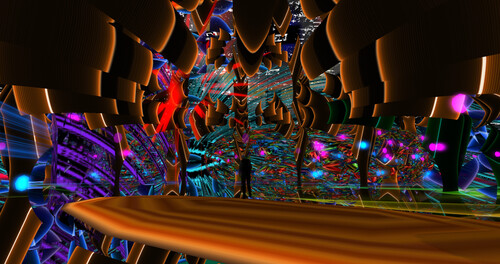
FEATURED Immersive 3 5 Users 3 0 A Nyx Breen Art EEP showcase experiences celebrates Pangea's 5th year of Arts and Culture
DJ Marlon Music Art tunes and people come experience
hop://pangeagrid.de:8002/Immersive%203/698/308/1 |

NEW Release SN Rose Beach Dress
Reborn Single
Alltime Moneygiver inside Mainstore
~NO RESELL~
NEW Release SN Rose Beach Dress
Legacy Single ( Reborn soon...)
Alltime Moneygiver inside Mainstore
~NO RESELL~

I just released an update...I added the ability in vs 3.3 to inject the material into the glb being uploaded. When one uploades the glb it comes textured, you drag the glb from contents into your inventory so that it hits the database proper! Looking for more bugs. Let me know if you find them enjoy!
This program will allow you to upload any mesh, rigged mesh, or not up to around 1 gigs about 20 files or so at once using an oar file! It auto chunks large meshes automatically. The items in the picture were over 2 million verts. It makes a sane physics map for you also . So despite the high verts, well the physics load is a lot lower than what you get with the viewer. It also will let you list all your oar contents in a text file...and well import it into blender with all the textures and placement just like in world!!! :-) Below is the help menu. and below that the download link.
FILE
Open OAR File: open a packaged .oar archive.
Open OAR Folder: open an extracted OAR working folder.
Convert Data: export the loaded OAR using the format from Tools > Output Format. It reads the existing OAR object XML and companion assets, then writes converted output files to disk.
Convert Data does not create a new LLMesh object or save a replacement object XML. The XML already exists in the loaded OAR and is used as export input.
FILE MENU COMPATIBILITY
The converter is only supported for OARs produced by the actual simulator. Repacked or reverse-injected OARs created by this program are not backward-compatible with the converter and may fail if reopened through File > Open OAR File or File > Open OAR Folder and then converted again.
IMPORT
Step One: create blank.oar and prepare an extracted working folder for injection.
Inject Mesh: add one .dae, .gltf, or .glb model into an extracted OAR. Set location, scale, physics, rigging, and LODs here.
Pack Oar: repack the extracted folder into a final .oar archive.
TOOLS
Objects List: browse objects in the loaded OAR and export selected objects through the normal OAR export pipeline.
Objects List > Export: export one or more selected OAR objects into an output folder. Depending on format, the app may write the main file under Solids or Phantoms and may also create companion folders such as Textures, MTL, or BIN.
Objects List > Export does not create a standalone mesh inventory object. It converts from the object's existing OAR XML and asset data.
Output Format: choose DAE, OBJ, GLTF, GLB, FBX, or STL for export.
Settings: set ranges, shifts, terrain options, and folder prefixes.
INJECT MESH DIALOG FIELDS
Source model: the .dae, .gltf, or .glb file to insert.
Location X/Y/Z: the final placement of the inserted object in the target OAR region.
Current dimensions: read-only size of the source model after analysis.
Scale: uniform size multiplier. 1.0 keeps original size.
Physics: choose how collision data is generated. File mode uses a separate physics model.
Rigged: treat the source as a rigged or avatar-style model.
Include Joint Positions: keep joint position data when rigged import needs it.
Strip Joint Data: remove rigging data and force a static-style result.
LOD High/Medium/Low/Lowest: control each generated LOD level.
Mode: choose how each LOD is derived.
Target Tris: desired triangle count for that LOD when the selected mode uses a target.
Vertices: read-only estimate of vertex count for each generated LOD.
WORKFLOW: OAR TO BLENDER USING GLB
1. Open Tools > Output Format and select GLB.
2. Open the source OAR with File > Open OAR File or Open OAR Folder.
3. Run File > Convert Data.
4. Import the generated .glb files into Blender with File > Import > glTF 2.0.
WORKFLOW: BUILD A REPACKED OAR WITH MULTIPLE MODELS
1. Run Import > Step One once to create a blank working OAR.
2. Run Import > Inject Mesh once for each model you want to add.
3. Source files can be .glb, .gltf, or .dae. Rigged avatar-style models can use the Rigged and joint options.
4. Repeat Inject Mesh until all assets are placed.
5. Run Import > Pack Oar to write the final repacked archive.
PLEASE DO ENJOY!!!!ONLY IN OPENSIM!Feel free to report bugs and or other worthy insights. I have written the original makers of it but not gotten any replies so I do no tknow if they are around or not. It is legal opensource though. THe list of contributors is there. If anyone knows them tell them to say hello...
https://maze.bz/OARConv.html
FILE
Open OAR File: open a packaged .oar archive.
Open OAR Folder: open an extracted OAR working folder.
Convert Data: export the loaded OAR using the format from Tools > Output Format. It reads the existing OAR object XML and companion assets, then writes converted output files to disk.
Convert Data does not create a new LLMesh object or save a replacement object XML. The XML already exists in the loaded OAR and is used as export input.
FILE MENU COMPATIBILITY
The converter is only supported for OARs produced by the actual simulator. Repacked or reverse-injected OARs created by this program are not backward-compatible with the converter and may fail if reopened through File > Open OAR File or File > Open OAR Folder and then converted again.
IMPORT
Step One: create blank.oar and prepare an extracted working folder for injection.
Inject Mesh: add one .dae, .gltf, or .glb model into an extracted OAR. Set location, scale, physics, rigging, and LODs here.
Pack Oar: repack the extracted folder into a final .oar archive.
TOOLS
Objects List: browse objects in the loaded OAR and export selected objects through the normal OAR export pipeline.
Objects List > Export: export one or more selected OAR objects into an output folder. Depending on format, the app may write the main file under Solids or Phantoms and may also create companion folders such as Textures, MTL, or BIN.
Objects List > Export does not create a standalone mesh inventory object. It converts from the object's existing OAR XML and asset data.
Output Format: choose DAE, OBJ, GLTF, GLB, FBX, or STL for export.
Settings: set ranges, shifts, terrain options, and folder prefixes.
INJECT MESH DIALOG FIELDS
Source model: the .dae, .gltf, or .glb file to insert.
Location X/Y/Z: the final placement of the inserted object in the target OAR region.
Current dimensions: read-only size of the source model after analysis.
Scale: uniform size multiplier. 1.0 keeps original size.
Physics: choose how collision data is generated. File mode uses a separate physics model.
Rigged: treat the source as a rigged or avatar-style model.
Include Joint Positions: keep joint position data when rigged import needs it.
Strip Joint Data: remove rigging data and force a static-style result.
LOD High/Medium/Low/Lowest: control each generated LOD level.
Mode: choose how each LOD is derived.
Target Tris: desired triangle count for that LOD when the selected mode uses a target.
Vertices: read-only estimate of vertex count for each generated LOD.
WORKFLOW: OAR TO BLENDER USING GLB
1. Open Tools > Output Format and select GLB.
2. Open the source OAR with File > Open OAR File or Open OAR Folder.
3. Run File > Convert Data.
4. Import the generated .glb files into Blender with File > Import > glTF 2.0.
WORKFLOW: BUILD A REPACKED OAR WITH MULTIPLE MODELS
1. Run Import > Step One once to create a blank working OAR.
2. Run Import > Inject Mesh once for each model you want to add.
3. Source files can be .glb, .gltf, or .dae. Rigged avatar-style models can use the Rigged and joint options.
4. Repeat Inject Mesh until all assets are placed.
5. Run Import > Pack Oar to write the final repacked archive.
PLEASE DO ENJOY!!!!ONLY IN OPENSIM!Feel free to report bugs and or other worthy insights. I have written the original makers of it but not gotten any replies so I do no tknow if they are around or not. It is legal opensource though. THe list of contributors is there. If anyone knows them tell them to say hello...
https://maze.bz/OARConv.html
👍👍👍
Prince Amor✦ ▸ Maze Grid Home 2 days ago
...
I am proud to announce my release of OarConv Reimagined. This program will allow you to upload any mesh, rigged mesh, or not up to around 1 gigs about 20 files or so at once using an oar file! It auto chunks large meshes automatically. The items in the picture were over 2 million verts. It makes a sane physics map for you also . So despite the high verts, well the physics load is a lot lower than what you get with the viewer. It also will let you list all your oar contents in a text file...and well import it into blender with all the textures and placement just like in world!!! :-) Below is the help menu. and below that the download link.
FILE
Open OAR File: open a packaged .oar archive.
Open OAR Folder: open an extracted OAR working folder.
Convert Data: export the loaded OAR using the format from Tools > Output Format. It reads the existing OAR object XML and companion assets, then writes converted output files to disk.
Convert Data does not create a new LLMesh object or save a replacement object XML. The XML already exists in the loaded OAR and is used as export input.
FILE MENU COMPATIBILITY
The converter is only supported for OARs produced by the actual simulator. Repacked or reverse-injected OARs created by this program are not backward-compatible with the converter and may fail if reopened through File > Open OAR File or File > Open OAR Folder and then converted again.
IMPORT
Step One: create blank.oar and prepare an extracted working folder for injection.
Inject Mesh: add one .dae, .gltf, or .glb model into an extracted OAR. Set location, scale, physics, rigging, and LODs here.
Pack Oar: repack the extracted folder into a final .oar archive.
TOOLS
Objects List: browse objects in the loaded OAR and export selected objects through the normal OAR export pipeline.
Objects List > Export: export one or more selected OAR objects into an output folder. Depending on format, the app may write the main file under Solids or Phantoms and may also create companion folders such as Textures, MTL, or BIN.
Objects List > Export does not create a standalone mesh inventory object. It converts from the object's existing OAR XML and asset data.
Output Format: choose DAE, OBJ, GLTF, GLB, FBX, or STL for export.
Settings: set ranges, shifts, terrain options, and folder prefixes.
INJECT MESH DIALOG FIELDS
Source model: the .dae, .gltf, or .glb file to insert.
Location X/Y/Z: the final placement of the inserted object in the target OAR region.
Current dimensions: read-only size of the source model after analysis.
Scale: uniform size multiplier. 1.0 keeps original size.
Physics: choose how collision data is generated. File mode uses a separate physics model.
Rigged: treat the source as a rigged or avatar-style model.
Include Joint Positions: keep joint position data when rigged import needs it.
Strip Joint Data: remove rigging data and force a static-style result.
LOD High/Medium/Low/Lowest: control each generated LOD level.
Mode: choose how each LOD is derived.
Target Tris: desired triangle count for that LOD when the selected mode uses a target.
Vertices: read-only estimate of vertex count for each generated LOD.
WORKFLOW: OAR TO BLENDER USING GLB
1. Open Tools > Output Format and select GLB.
2. Open the source OAR with File > Open OAR File or Open OAR Folder.
3. Run File > Convert Data.
4. Import the generated .glb files into Blender with File > Import > glTF 2.0.
WORKFLOW: BUILD A REPACKED OAR WITH MULTIPLE MODELS
1. Run Import > Step One once to create a blank working OAR.
2. Run Import > Inject Mesh once for each model you want to add.
3. Source files can be .glb, .gltf, or .dae. Rigged avatar-style models can use the Rigged and joint options.
4. Repeat Inject Mesh until all assets are placed.
5. Run Import > Pack Oar to write the final repacked archive.
PLEASE DO ENJOY!!!!ONLY IN OPENSIM!Feel free to report bugs and or other worthy insights. I have written the original makers of it but not gotten any replies so I do no tknow if they are around or not. It is legal opensource though. THe list of contributors is there. If anyone knows them tell them to say hello...
https://maze.bz/OARConv.html
This program will allow you to upload any mesh, rigged mesh, or not up to around 1 gigs about 20 files or so at once using an oar file! It auto chunks large meshes automatically. The items in the picture were over 2 million verts. It makes a sane physics map for you also . So despite the high verts, well the physics load is a lot lower than what you get with the viewer. It also will let you list all your oar contents in a text file...and well import it into blender with all the textures and placement just like in world!!! :-) Below is the help menu. and below that the download link.
FILE
Open OAR File: open a packaged .oar archive.
Open OAR Folder: open an extracted OAR working folder.
Convert Data: export the loaded OAR using the format from Tools > Output Format. It reads the existing OAR object XML and companion assets, then writes converted output files to disk.
Convert Data does not create a new LLMesh object or save a replacement object XML. The XML already exists in the loaded OAR and is used as export input.
FILE MENU COMPATIBILITY
The converter is only supported for OARs produced by the actual simulator. Repacked or reverse-injected OARs created by this program are not backward-compatible with the converter and may fail if reopened through File > Open OAR File or File > Open OAR Folder and then converted again.
IMPORT
Step One: create blank.oar and prepare an extracted working folder for injection.
Inject Mesh: add one .dae, .gltf, or .glb model into an extracted OAR. Set location, scale, physics, rigging, and LODs here.
Pack Oar: repack the extracted folder into a final .oar archive.
TOOLS
Objects List: browse objects in the loaded OAR and export selected objects through the normal OAR export pipeline.
Objects List > Export: export one or more selected OAR objects into an output folder. Depending on format, the app may write the main file under Solids or Phantoms and may also create companion folders such as Textures, MTL, or BIN.
Objects List > Export does not create a standalone mesh inventory object. It converts from the object's existing OAR XML and asset data.
Output Format: choose DAE, OBJ, GLTF, GLB, FBX, or STL for export.
Settings: set ranges, shifts, terrain options, and folder prefixes.
INJECT MESH DIALOG FIELDS
Source model: the .dae, .gltf, or .glb file to insert.
Location X/Y/Z: the final placement of the inserted object in the target OAR region.
Current dimensions: read-only size of the source model after analysis.
Scale: uniform size multiplier. 1.0 keeps original size.
Physics: choose how collision data is generated. File mode uses a separate physics model.
Rigged: treat the source as a rigged or avatar-style model.
Include Joint Positions: keep joint position data when rigged import needs it.
Strip Joint Data: remove rigging data and force a static-style result.
LOD High/Medium/Low/Lowest: control each generated LOD level.
Mode: choose how each LOD is derived.
Target Tris: desired triangle count for that LOD when the selected mode uses a target.
Vertices: read-only estimate of vertex count for each generated LOD.
WORKFLOW: OAR TO BLENDER USING GLB
1. Open Tools > Output Format and select GLB.
2. Open the source OAR with File > Open OAR File or Open OAR Folder.
3. Run File > Convert Data.
4. Import the generated .glb files into Blender with File > Import > glTF 2.0.
WORKFLOW: BUILD A REPACKED OAR WITH MULTIPLE MODELS
1. Run Import > Step One once to create a blank working OAR.
2. Run Import > Inject Mesh once for each model you want to add.
3. Source files can be .glb, .gltf, or .dae. Rigged avatar-style models can use the Rigged and joint options.
4. Repeat Inject Mesh until all assets are placed.
5. Run Import > Pack Oar to write the final repacked archive.
PLEASE DO ENJOY!!!!ONLY IN OPENSIM!Feel free to report bugs and or other worthy insights. I have written the original makers of it but not gotten any replies so I do no tknow if they are around or not. It is legal opensource though. THe list of contributors is there. If anyone knows them tell them to say hello...
https://maze.bz/OARConv.html
FILE
Open OAR File: open a packaged .oar archive.
Open OAR Folder: open an extracted OAR working folder.
Convert Data: export the loaded OAR using the format from Tools > Output Format. It reads the existing OAR object XML and companion assets, then writes converted output files to disk.
Convert Data does not create a new LLMesh object or save a replacement object XML. The XML already exists in the loaded OAR and is used as export input.
FILE MENU COMPATIBILITY
The converter is only supported for OARs produced by the actual simulator. Repacked or reverse-injected OARs created by this program are not backward-compatible with the converter and may fail if reopened through File > Open OAR File or File > Open OAR Folder and then converted again.
IMPORT
Step One: create blank.oar and prepare an extracted working folder for injection.
Inject Mesh: add one .dae, .gltf, or .glb model into an extracted OAR. Set location, scale, physics, rigging, and LODs here.
Pack Oar: repack the extracted folder into a final .oar archive.
TOOLS
Objects List: browse objects in the loaded OAR and export selected objects through the normal OAR export pipeline.
Objects List > Export: export one or more selected OAR objects into an output folder. Depending on format, the app may write the main file under Solids or Phantoms and may also create companion folders such as Textures, MTL, or BIN.
Objects List > Export does not create a standalone mesh inventory object. It converts from the object's existing OAR XML and asset data.
Output Format: choose DAE, OBJ, GLTF, GLB, FBX, or STL for export.
Settings: set ranges, shifts, terrain options, and folder prefixes.
INJECT MESH DIALOG FIELDS
Source model: the .dae, .gltf, or .glb file to insert.
Location X/Y/Z: the final placement of the inserted object in the target OAR region.
Current dimensions: read-only size of the source model after analysis.
Scale: uniform size multiplier. 1.0 keeps original size.
Physics: choose how collision data is generated. File mode uses a separate physics model.
Rigged: treat the source as a rigged or avatar-style model.
Include Joint Positions: keep joint position data when rigged import needs it.
Strip Joint Data: remove rigging data and force a static-style result.
LOD High/Medium/Low/Lowest: control each generated LOD level.
Mode: choose how each LOD is derived.
Target Tris: desired triangle count for that LOD when the selected mode uses a target.
Vertices: read-only estimate of vertex count for each generated LOD.
WORKFLOW: OAR TO BLENDER USING GLB
1. Open Tools > Output Format and select GLB.
2. Open the source OAR with File > Open OAR File or Open OAR Folder.
3. Run File > Convert Data.
4. Import the generated .glb files into Blender with File > Import > glTF 2.0.
WORKFLOW: BUILD A REPACKED OAR WITH MULTIPLE MODELS
1. Run Import > Step One once to create a blank working OAR.
2. Run Import > Inject Mesh once for each model you want to add.
3. Source files can be .glb, .gltf, or .dae. Rigged avatar-style models can use the Rigged and joint options.
4. Repeat Inject Mesh until all assets are placed.
5. Run Import > Pack Oar to write the final repacked archive.
PLEASE DO ENJOY!!!!ONLY IN OPENSIM!Feel free to report bugs and or other worthy insights. I have written the original makers of it but not gotten any replies so I do no tknow if they are around or not. It is legal opensource though. THe list of contributors is there. If anyone knows them tell them to say hello...
https://maze.bz/OARConv.html
👍👍👍
Prince Amor✦ ▸ Maze Grid Home 2 days ago
...
I am proud to announce my release of OarConv Reimagined. This program will allow you to upload any mesh, rigged mesh, or not up to around 1 gigs about 20 files or so at once using an oar file! It auto chunks large meshes automatically. The items in the picture were over 2 million verts. It makes a sane physics map for you also . So despite the high verts, well the physics load is a lot lower than what you get with the viewer. It also will let you list all your oar contents in a text file...and well import it into blender with all the textures and placement just like in world!!! :-) Below is the help menu. and below that the download link.
FILE
Open OAR File: open a packaged .oar archive.
Open OAR Folder: open an extracted OAR working folder.
Convert Data: export the loaded OAR using the format from Tools > Output Format. It reads the existing OAR object XML and companion assets, then writes converted output files to disk.
Convert Data does not create a new LLMesh object or save a replacement object XML. The XML already exists in the loaded OAR and is used as export input.
FILE MENU COMPATIBILITY
The converter is only supported for OARs produced by the actual simulator. Repacked or reverse-injected OARs created by this program are not backward-compatible with the converter and may fail if reopened through File > Open OAR File or File > Open OAR Folder and then converted again.
IMPORT
Step One: create blank.oar and prepare an extracted working folder for injection.
Inject Mesh: add one .dae, .gltf, or .glb model into an extracted OAR. Set location, scale, physics, rigging, and LODs here.
Pack Oar: repack the extracted folder into a final .oar archive.
TOOLS
Objects List: browse objects in the loaded OAR and export selected objects through the normal OAR export pipeline.
Objects List > Export: export one or more selected OAR objects into an output folder. Depending on format, the app may write the main file under Solids or Phantoms and may also create companion folders such as Textures, MTL, or BIN.
Objects List > Export does not create a standalone mesh inventory object. It converts from the object's existing OAR XML and asset data.
Output Format: choose DAE, OBJ, GLTF, GLB, FBX, or STL for export.
Settings: set ranges, shifts, terrain options, and folder prefixes.
INJECT MESH DIALOG FIELDS
Source model: the .dae, .gltf, or .glb file to insert.
Location X/Y/Z: the final placement of the inserted object in the target OAR region.
Current dimensions: read-only size of the source model after analysis.
Scale: uniform size multiplier. 1.0 keeps original size.
Physics: choose how collision data is generated. File mode uses a separate physics model.
Rigged: treat the source as a rigged or avatar-style model.
Include Joint Positions: keep joint position data when rigged import needs it.
Strip Joint Data: remove rigging data and force a static-style result.
LOD High/Medium/Low/Lowest: control each generated LOD level.
Mode: choose how each LOD is derived.
Target Tris: desired triangle count for that LOD when the selected mode uses a target.
Vertices: read-only estimate of vertex count for each generated LOD.
WORKFLOW: OAR TO BLENDER USING GLB
1. Open Tools > Output Format and select GLB.
2. Open the source OAR with File > Open OAR File or Open OAR Folder.
3. Run File > Convert Data.
4. Import the generated .glb files into Blender with File > Import > glTF 2.0.
WORKFLOW: BUILD A REPACKED OAR WITH MULTIPLE MODELS
1. Run Import > Step One once to create a blank working OAR.
2. Run Import > Inject Mesh once for each model you want to add.
3. Source files can be .glb, .gltf, or .dae. Rigged avatar-style models can use the Rigged and joint options.
4. Repeat Inject Mesh until all assets are placed.
5. Run Import > Pack Oar to write the final repacked archive.
PLEASE DO ENJOY!!!!ONLY IN OPENSIM!Feel free to report bugs and or other worthy insights. I have written the original makers of it but not gotten any replies so I do no tknow if they are around or not. It is legal opensource though. THe list of contributors is there. If anyone knows them tell them to say hello...
https://maze.bz/OARConv.html
I just released an update...I added the ability in vs 3.3 to inject the material into the glb being uploaded. When one uploades the glb it comes textured, you drag the glb from contents into your inventory so that it hits the database proper! Looking for more bugs. Let me know if you find them enjoy!
I am proud to announce my release of OarConv Reimagined. This program will allow you to upload any mesh, rigged mesh, or not up to around 1 gigs about 20 files or so at once using an oar file! It auto chunks large meshes automatically. The items in the picture were over 2 million verts. It makes a sane physics map for you also . So despite the high verts, well the physics load is a lot lower than what you get with the viewer. It also will let you list all your oar contents in a text file...and well import it into blender with all the textures and placement just like in world!!! :-) Below is the help menu. and below that the download link.
FILE
Open OAR File: open a packaged .oar archive.
Open OAR Folder: open an extracted OAR working folder.
Convert Data: export the loaded OAR using the format from Tools > Output Format. It reads the existing OAR object XML and companion assets, then writes converted output files to disk.
Convert Data does not create a new LLMesh object or save a replacement object XML. The XML already exists in the loaded OAR and is used as export input.
FILE MENU COMPATIBILITY
The converter is only supported for OARs produced by the actual simulator. Repacked or reverse-injected OARs created by this program are not backward-compatible with the converter and may fail if reopened through File > Open OAR File or File > Open OAR Folder and then converted again.
IMPORT
Step One: create blank.oar and prepare an extracted working folder for injection.
Inject Mesh: add one .dae, .gltf, or .glb model into an extracted OAR. Set location, scale, physics, rigging, and LODs here.
Pack Oar: repack the extracted folder into a final .oar archive.
TOOLS
Objects List: browse objects in the loaded OAR and export selected objects through the normal OAR export pipeline.
Objects List > Export: export one or more selected OAR objects into an output folder. Depending on format, the app may write the main file under Solids or Phantoms and may also create companion folders such as Textures, MTL, or BIN.
Objects List > Export does not create a standalone mesh inventory object. It converts from the object's existing OAR XML and asset data.
Output Format: choose DAE, OBJ, GLTF, GLB, FBX, or STL for export.
Settings: set ranges, shifts, terrain options, and folder prefixes.
INJECT MESH DIALOG FIELDS
Source model: the .dae, .gltf, or .glb file to insert.
Location X/Y/Z: the final placement of the inserted object in the target OAR region.
Current dimensions: read-only size of the source model after analysis.
Scale: uniform size multiplier. 1.0 keeps original size.
Physics: choose how collision data is generated. File mode uses a separate physics model.
Rigged: treat the source as a rigged or avatar-style model.
Include Joint Positions: keep joint position data when rigged import needs it.
Strip Joint Data: remove rigging data and force a static-style result.
LOD High/Medium/Low/Lowest: control each generated LOD level.
Mode: choose how each LOD is derived.
Target Tris: desired triangle count for that LOD when the selected mode uses a target.
Vertices: read-only estimate of vertex count for each generated LOD.
WORKFLOW: OAR TO BLENDER USING GLB
1. Open Tools > Output Format and select GLB.
2. Open the source OAR with File > Open OAR File or Open OAR Folder.
3. Run File > Convert Data.
4. Import the generated .glb files into Blender with File > Import > glTF 2.0.
WORKFLOW: BUILD A REPACKED OAR WITH MULTIPLE MODELS
1. Run Import > Step One once to create a blank working OAR.
2. Run Import > Inject Mesh once for each model you want to add.
3. Source files can be .glb, .gltf, or .dae. Rigged avatar-style models can use the Rigged and joint options.
4. Repeat Inject Mesh until all assets are placed.
5. Run Import > Pack Oar to write the final repacked archive.
PLEASE DO ENJOY!!!!ONLY IN OPENSIM!Feel free to report bugs and or other worthy insights. I have written the original makers of it but not gotten any replies so I do no tknow if they are around or not. It is legal opensource though. THe list of contributors is there. If anyone knows them tell them to say hello...
https://maze.bz/OARConv.html
I am proud to announce my release of OarConv Reimagined. This program will allow you to upload any mesh, rigged mesh, or not up to around 1 gigs about 20 files or so at once using an oar file! It auto chunks large meshes automatically. The items in the picture were over 2 million verts. It makes a sane physics map for you also . So despite the high verts, well the physics load is a lot lower than what you get with the viewer. It also will let you list all your oar contents in a text file...and well import it into blender with all the textures and placement just like in world!!! :-) Below is the help menu. and below that the download link.
FILE
Open OAR File: open a packaged .oar archive.
Open OAR Folder: open an extracted OAR working folder.
Convert Data: export the loaded OAR using the format from Tools > Output Format. It reads the existing OAR object XML and companion assets, then writes converted output files to disk.
Convert Data does not create a new LLMesh object or save a replacement object XML. The XML already exists in the loaded OAR and is used as export input.
FILE MENU COMPATIBILITY
The converter is only supported for OARs produced by the actual simulator. Repacked or reverse-injected OARs created by this program are not backward-compatible with the converter and may fail if reopened through File > Open OAR File or File > Open OAR Folder and then converted again.
IMPORT
Step One: create blank.oar and prepare an extracted working folder for injection.
Inject Mesh: add one .dae, .gltf, or .glb model into an extracted OAR. Set location, scale, physics, rigging, and LODs here.
Pack Oar: repack the extracted folder into a final .oar archive.
TOOLS
Objects List: browse objects in the loaded OAR and export selected objects through the normal OAR export pipeline.
Objects List > Export: export one or more selected OAR objects into an output folder. Depending on format, the app may write the main file under Solids or Phantoms and may also create companion folders such as Textures, MTL, or BIN.
Objects List > Export does not create a standalone mesh inventory object. It converts from the object's existing OAR XML and asset data.
Output Format: choose DAE, OBJ, GLTF, GLB, FBX, or STL for export.
Settings: set ranges, shifts, terrain options, and folder prefixes.
INJECT MESH DIALOG FIELDS
Source model: the .dae, .gltf, or .glb file to insert.
Location X/Y/Z: the final placement of the inserted object in the target OAR region.
Current dimensions: read-only size of the source model after analysis.
Scale: uniform size multiplier. 1.0 keeps original size.
Physics: choose how collision data is generated. File mode uses a separate physics model.
Rigged: treat the source as a rigged or avatar-style model.
Include Joint Positions: keep joint position data when rigged import needs it.
Strip Joint Data: remove rigging data and force a static-style result.
LOD High/Medium/Low/Lowest: control each generated LOD level.
Mode: choose how each LOD is derived.
Target Tris: desired triangle count for that LOD when the selected mode uses a target.
Vertices: read-only estimate of vertex count for each generated LOD.
WORKFLOW: OAR TO BLENDER USING GLB
1. Open Tools > Output Format and select GLB.
2. Open the source OAR with File > Open OAR File or Open OAR Folder.
3. Run File > Convert Data.
4. Import the generated .glb files into Blender with File > Import > glTF 2.0.
WORKFLOW: BUILD A REPACKED OAR WITH MULTIPLE MODELS
1. Run Import > Step One once to create a blank working OAR.
2. Run Import > Inject Mesh once for each model you want to add.
3. Source files can be .glb, .gltf, or .dae. Rigged avatar-style models can use the Rigged and joint options.
4. Repeat Inject Mesh until all assets are placed.
5. Run Import > Pack Oar to write the final repacked archive.
PLEASE DO ENJOY!!!!ONLY IN OPENSIM!Feel free to report bugs and or other worthy insights. I have written the original makers of it but not gotten any replies so I do no tknow if they are around or not. It is legal opensource though. THe list of contributors is there. If anyone knows them tell them to say hello...
https://maze.bz/OARConv.html

 | Michael Leo: Stronger than ever ♥♥♥ 1 month ago |


DJ TED, Morning Breakfast Show at 6 am grid time, At Alternatemetaverse, come join me and hit my box with your song request, or dedication , meet some awesome people , and lets have some FUN !!!
| | ZelleMist: Great new stage Ted.. Dance Dance Dance Dance 1 month ago |

📢 **Important Information – BloodMoon Grid Maintenance**
🗓 **Wednesday, April 15**
🕖 **Starting at 7:00 AM (Paris time)**
The **BloodMoon** grid will be temporarily **closed** in order to carry out several maintenance operations and updates.
🔧 **Planned work:**
• Update of inventory-Assets and region servers
• Migration of assets to a larger-capacity drive
• Update of simulators to the latest version of OpenSimulator
⚠️ We apologize for the inconvenience and thank you for your patience and understanding.
🩸 **The BloodMoon Staff**
https://bloodmoonpack.com/grid/events/view.php?id=42
----------------------------------------------------------------------------------------------------
📢 **Information importante – Maintenance de la grille BloodMoon**
🗓 **Mercredi 15 avril**
🕖 **À partir de 7h00 (heure de Paris)**
La grille **BloodMoon** sera temporairement **fermée** afin de permettre plusieurs opérations de maintenance et de mise à jour.
🔧 **Travaux prévus :**
• Mise à jour des serveurs d’inventaire-Assets ainsi que le serveur de régions
• Migration des assets vers un disque de plus grande capacité
• Mise à jour des simulateurs vers la dernière version d’OpenSimulator
⚠️ Nous nous excusons pour la gêne occasionnée et vous remercions pour votre patience et votre compréhension.
🩸 **Le staff BloodMoon**
https://bloodmoonpack.com/grid/events/view.php?id=42
🗓 **Wednesday, April 15**
🕖 **Starting at 7:00 AM (Paris time)**
The **BloodMoon** grid will be temporarily **closed** in order to carry out several maintenance operations and updates.
🔧 **Planned work:**
• Update of inventory-Assets and region servers
• Migration of assets to a larger-capacity drive
• Update of simulators to the latest version of OpenSimulator
⚠️ We apologize for the inconvenience and thank you for your patience and understanding.
🩸 **The BloodMoon Staff**
https://bloodmoonpack.com/grid/events/view.php?id=42
----------------------------------------------------------------------------------------------------
📢 **Information importante – Maintenance de la grille BloodMoon**
🗓 **Mercredi 15 avril**
🕖 **À partir de 7h00 (heure de Paris)**
La grille **BloodMoon** sera temporairement **fermée** afin de permettre plusieurs opérations de maintenance et de mise à jour.
🔧 **Travaux prévus :**
• Mise à jour des serveurs d’inventaire-Assets ainsi que le serveur de régions
• Migration des assets vers un disque de plus grande capacité
• Mise à jour des simulateurs vers la dernière version d’OpenSimulator
⚠️ Nous nous excusons pour la gêne occasionnée et vous remercions pour votre patience et votre compréhension.
🩸 **Le staff BloodMoon**
https://bloodmoonpack.com/grid/events/view.php?id=42
Dj Debbie At the Moonlight,
Come join Dj Debbie At the Moonlight at the Alternate Metaverse Grid at the landing point, she brings some moonlight tunes for us today , feel free to come over .Everybody is Welcome
Come join Dj Debbie At the Moonlight at the Alternate Metaverse Grid at the landing point, she brings some moonlight tunes for us today , feel free to come over .Everybody is Welcome

ahahha problems solved .... I think that we had too many sharks waiting for you for dinner there.... I modifed few little things and restarted the region and it works much better... so the region is back ;-)
Adventure Land if not available at the moment... Someting I have put on the land is causing lag and troubles.... I am trying to find out where the problem comes from to fix all..... region will be back soon and working good again

✨ NEUES HIGHLIGHT IN LITTLE CITY! ✨
Es gibt Neuigkeiten, die ihr nicht verpassen dürft! Little City hat Zuwachs bekommen und wir laden euch ein, die neuesten Highlights zu entdecken.
| | CleaPerido: dankeschön 2 months ago |

Got a pic before the whole sim crashed, ONE of my earlier AI builder spheres still had non return prims and my sim went 370,000 prims over limit and crashed. Lost a months work but it will be fun to rebuild and then more carefully approach AI...
Honey, I Shrunk the Easter Bunny! with DJ Ted
11:00am - 1:00pm Today
Join us at the Veranda for a special Easter Grid Event on the Alternate Metaverse Grid!
Something magical (and slightly mischievous!) has happened to the Easter Bunny… and we’re celebrating in style!
Expect fun, laughter, festive vibes, and plenty of Easter surprises in a fun setting perfect for the whole community.
Bring your friends, your bunny ears, and your Easter spirit — it’s going to be an egg-stra special celebration!
See you at the Veranda!
hop://alternatemetaverse.com:8002/Alternate%20Metaverse/56...
11:00am - 1:00pm Today
Join us at the Veranda for a special Easter Grid Event on the Alternate Metaverse Grid!
Something magical (and slightly mischievous!) has happened to the Easter Bunny… and we’re celebrating in style!
Expect fun, laughter, festive vibes, and plenty of Easter surprises in a fun setting perfect for the whole community.
Bring your friends, your bunny ears, and your Easter spirit — it’s going to be an egg-stra special celebration!
See you at the Veranda!
hop://alternatemetaverse.com:8002/Alternate%20Metaverse/56...

Hoppel hoppel, Party an –
DJ Kai dreht die Platten,
Plattenschubse Marina dreht komplett durch,
und irgendwo im Hintergrund verliert der Osterhase schon wieder sein Equipment.
Mach's dir gemütlich, schnapp dir ein Getränk
und feiere mit uns eine digitale Oster-Explosion
aus Beats, Chaos und sehr fragwürdigen Tanzmoves.
Dresscode: Hasenohren optional, gute Laune obligatorisch.
Mitbringen: ein Schokoei oder einfach dich selbst.
Wir freuen uns auf dich – es wird eierig! 🐰✨
DJ Kai dreht die Platten,
Plattenschubse Marina dreht komplett durch,
und irgendwo im Hintergrund verliert der Osterhase schon wieder sein Equipment.
Mach's dir gemütlich, schnapp dir ein Getränk
und feiere mit uns eine digitale Oster-Explosion
aus Beats, Chaos und sehr fragwürdigen Tanzmoves.
Dresscode: Hasenohren optional, gute Laune obligatorisch.
Mitbringen: ein Schokoei oder einfach dich selbst.
Wir freuen uns auf dich – es wird eierig! 🐰✨
| | Belze Cherub: HASI PARTY 2 months ago |

🚀 WIR HABEN ES WIEDER GETAN!
Der Moment, auf den ihr alle gewartet habt, ist endlich da. Wir setzen neue Maßstäbe und bringen das nächste Level direkt zu euch.
Der neue Skin „ROMAN“ ist eingetroffen! ⚡
Minimalistisches Design trifft auf maximale Performance. Der Roman-Skin ist nicht einfach nur ein Upgrade – er ist ein Statement. Clean, fokussiert und bereit, alles zu dominieren.
Der Moment, auf den ihr alle gewartet habt, ist endlich da. Wir setzen neue Maßstäbe und bringen das nächste Level direkt zu euch.
Der neue Skin „ROMAN“ ist eingetroffen! ⚡
Minimalistisches Design trifft auf maximale Performance. Der Roman-Skin ist nicht einfach nur ein Upgrade – er ist ein Statement. Clean, fokussiert und bereit, alles zu dominieren.

Got spheres to wander and create their own builds (w/return timers) *click glowing spheres to render a unique build

I wish everyone a happy Easter ♥♥
Easter Trance 2026 with Adriana Darkheart
Sunday 5 April start 10:30 am PDT / 19.30 Uhr CET
Adriana plays Uplifting Trance (Female Vocal ,Melodic,Energy,Progressive,Euphoric,Harmonie) Tunes
hop://pangeagrid.de:8002/Bourbon%20Beach/107/144/27
Easter Trance 2026 with Adriana Darkheart
Sunday 5 April start 10:30 am PDT / 19.30 Uhr CET
Adriana plays Uplifting Trance (Female Vocal ,Melodic,Energy,Progressive,Euphoric,Harmonie) Tunes
hop://pangeagrid.de:8002/Bourbon%20Beach/107/144/27

♫ ARVI ACOUSTIC SET LIVE at ARV Club ♪
♫ Inspired by Eva Cassidy, Norah Jones, and Sheryl Crow
♥ Music that feels like home, like memory, like quiet magic.
♫ Warm melodies, gentle rhythms, and heartfelt stories
♪ 1 Hour Live Set
✿ Where : hg.neverworldgrid.com:8002:ARV Music Club
✿ When: 8 AM
♪ Attire: Casual
♪ Soulful, warm, and emotional
♪ Close, personal atmosphere
Sit back, breathe, and let the music speak.
♫ Stay in the moment ♫
♫ Let music carry you ♫
♫ Inspired by Eva Cassidy, Norah Jones, and Sheryl Crow
♥ Music that feels like home, like memory, like quiet magic.
♫ Warm melodies, gentle rhythms, and heartfelt stories
♪ 1 Hour Live Set
✿ Where : hg.neverworldgrid.com:8002:ARV Music Club
✿ When: 8 AM
♪ Attire: Casual
♪ Soulful, warm, and emotional
♪ Close, personal atmosphere
Sit back, breathe, and let the music speak.
♫ Stay in the moment ♫
♫ Let music carry you ♫
DJ TYLER - MOONLIGHT SHOW
Wake up the right way with DJ Tyler, serving a wild mix of fun, quirky, and delightfully chaotic tunes to kickstart your morning.
📅Moonlight Show
⏰ 2-4 AM
Join us for an unforgettable session at the New Landing Point in Alternate Metaverse Grid!
Expect a rich musical journey with rock anthems, romantic ballads, couples’ dance tunes, and high-energy dance tracks to get your heart racing.
Bring your friends, your dance shoes, and your love for great music. Let’s start the day with rhythm, connection, and pure virtual joy.
Hypergrid enabled – everyone is welcome!
hop://alternatemetaverse.com:8002/Alternate%20Metaverse/34...
Wake up the right way with DJ Tyler, serving a wild mix of fun, quirky, and delightfully chaotic tunes to kickstart your morning.
📅Moonlight Show
⏰ 2-4 AM
Join us for an unforgettable session at the New Landing Point in Alternate Metaverse Grid!
Expect a rich musical journey with rock anthems, romantic ballads, couples’ dance tunes, and high-energy dance tracks to get your heart racing.
Bring your friends, your dance shoes, and your love for great music. Let’s start the day with rhythm, connection, and pure virtual joy.
Hypergrid enabled – everyone is welcome!
hop://alternatemetaverse.com:8002/Alternate%20Metaverse/34...
We are currently building Kansho and the Farm System. There isn't really anything here yet, please bear with us as we bring it together. Thank you!

What is a Fun Fair without GAMES? Dismayland has more GAMES and intrigue than any other theme park in the Metaverse. Why? Because QUANTITY is NOT QUALITY unless Dirty Helga is involved. Dammit! She Broke the RIDES and now she RIGGED all of the games. Your old Favorites like "Dodge the Bullets", "Telepathic balloon pop" and "Russian Roulette" have a new brain powering them and that mind is full of ROT! Come on down and WIN ! We installed more Redelivery Terminals in THE EMBASSY to handle your winnings!
Dj Yana Today At The Morning Breakfast Show at Amv Landing Point, Today she is going to give us some Blues and Crossroad Tunes on top of a Terras , 6 Am Grid time ! Get ready and Bring your dancing Shoes with you :) Cya all there
hop://alternatemetaverse.com:8002/Alternate%20Metaverse/34...
hop://alternatemetaverse.com:8002/Alternate%20Metaverse/34...

Dorenas-World.de:8002:Gridtalk
| | Dorena Verne: After a 3-year break, DJ Uwe is finally back... Thursday | April 2, 2026 | 8-10 PM | At Keule Beer, music, and good vibes... Dorenas-World.de:8002:Gridtalk 2 months ago |

Let yourself be enchanted by Luna Nera’s rich, deep and sensual voice in a captivating atmosphere… We look forward to seeing you this evening at Palm Beach, a unique venue by Newlifeitaly, at 1.00 pm S.L.T...
Lasciatevi coccolare dalla grande voce , profonda e sensuale di Luna Nera in un ' atmosfera affascinante .....questa sera vi aspettiamo su Palm Beach, un ambiente unico di Newlifeitaly, alle ore 13.00 S.L.T.
Lasciatevi coccolare dalla grande voce , profonda e sensuale di Luna Nera in un ' atmosfera affascinante .....questa sera vi aspettiamo su Palm Beach, un ambiente unico di Newlifeitaly, alle ore 13.00 S.L.T.

ZEE Redux Party
The sound of the underground - the best in EDM
12 noon Grid Time
Exclusive items available sponsored by She Said Destroy
hop://hg.osgrid.org:80/Misty%20Isles/591/893/23
♫ where the beat goes on ♫
The sound of the underground - the best in EDM
12 noon Grid Time
Exclusive items available sponsored by She Said Destroy
hop://hg.osgrid.org:80/Misty%20Isles/591/893/23
♫ where the beat goes on ♫

Upcoming Events...
Good morning.
Goodmorning All wakey wakey its Saturday that means Breakfast Show at AMV with Dj Ted, come join me for some wake up tunes , dedications and requests, today its the day of respecting our lovely cats its 28 th march , everybody is welcome to join at the Alternate Metaverse Landing point from now till 8 am grid time :)
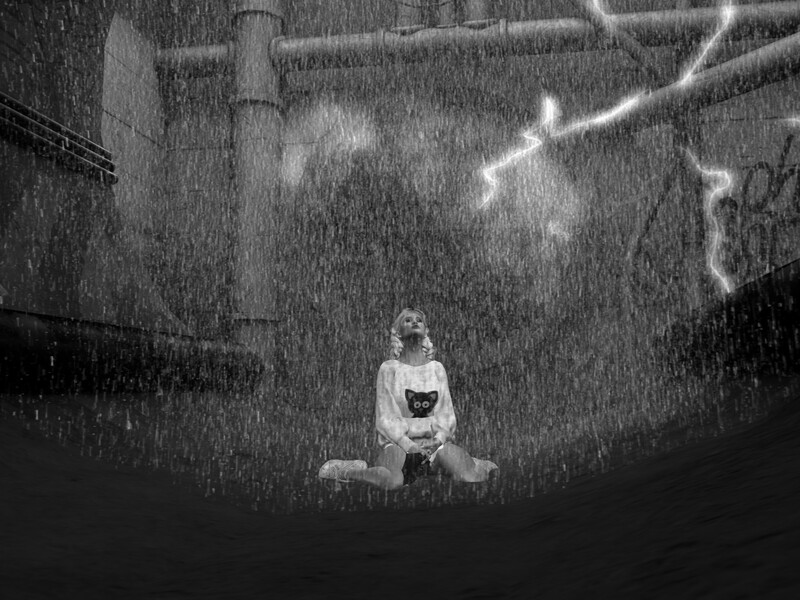

By request of Deborah Faust I made it so the textures discarded messages is off by default bottom right. It really means nothing anyway that we can do about it. I do have the viewer set to discard things farther away so nothign to miss there either.
In preparation for my mesh injection oar machine fixed a bug with materials on high density meshes where the material slots of pbr would disappear when I edit them. See them here at landmark below.
Download is at https://maze.bz/mazebzviewer.zip
hop://maze.bz:7002/Medieval%20Desert%20Fortress%20Castle/1...
In preparation for my mesh injection oar machine fixed a bug with materials on high density meshes where the material slots of pbr would disappear when I edit them. See them here at landmark below.
Download is at https://maze.bz/mazebzviewer.zip
hop://maze.bz:7002/Medieval%20Desert%20Fortress%20Castle/1...
An evening of great music in the new PalmBeach nightclub, with DJ AMOSIS on the console, who will make us experience and vibrate strong emotions with his EDM Electro mix and Electronic Dance Music.....don't miss it....we are waiting for you!!!!!!!!!

IT'S FRIDAY and it means it’s that time of the day to join DeeJay Sofee from **6AM to 8AM** (grid time) at the Alternate Metaverse Main Landing Point!
It's time to get you out of your Bed and grab your coffee mug, and teleport over to the Main Landing Point.
Let DeeJay Sofee wake your Friday morning up the Sofee Way and to start your day with a BIG Bowl full of Energy to get your day started.
Come on over and Wake up the Sofee Way and celebrate being alive this beautiful Friday morning!
hop://alternatemetaverse.com:8002/Alternate%20Metaverse/35...
It's time to get you out of your Bed and grab your coffee mug, and teleport over to the Main Landing Point.
Let DeeJay Sofee wake your Friday morning up the Sofee Way and to start your day with a BIG Bowl full of Energy to get your day started.
Come on over and Wake up the Sofee Way and celebrate being alive this beautiful Friday morning!
hop://alternatemetaverse.com:8002/Alternate%20Metaverse/35...

Closures (Temp) For the E Grid Upcoming.
March 26 - 28 Small Maintenance.
April 5th = 2 weeks ++ Annual Maintenance and Backups.
We like to try to give a heads up on any major downtime way in advance if possible.
The Grid's been doing great and we want to keep it that way, thank you for your patience!
March 26 - 28 Small Maintenance.
April 5th = 2 weeks ++ Annual Maintenance and Backups.
We like to try to give a heads up on any major downtime way in advance if possible.
The Grid's been doing great and we want to keep it that way, thank you for your patience!

Zoree Jupiter Live
2-3:00pm SL Time
Club Fire
Gentle Fire Grid
Semi Casual attire
hop://gentlefire.opensim.fun:8002/Gentle%20Fire%20Grid/21/...

CAS LIVE AMV GRID AT THE GARDEN 11AM 3-24 YOUR LIMO
hop://alternatemetaverse.com:8002/Casaenias%20Estate/133/1...
COME ROCK WITH ME IDE LOVE TO SEE YOU THERE MY FRIENDS!
CAS LIVE AMV GRID AT THE GARDEN 11AM 3-24
hop://alternatemetaverse.com:8002/Casaenias%20Estate/133/1...
COME ROCK WITH ME IDE LOVE TO SEE YOU THERE MY FRIENDS!
CAS LIVE AMV GRID AT THE GARDEN 11AM 3-24

It’s time to hit the sand!
Join us today at 12 Noon Grid Time
for a sizzling Beach Party at Bare Lilies Beach!
Music, sunshine, and good vibes await…
And don’t forget—
Bring your ducks!
That’s right, it’s going to be a quackin’ good time!
So grab your friends, your shades, and your beach spirit…
and we’ll see YOU on the sand!
hop://alternatemetaverse.com:8002/Bare%20Lilies%203/67/118...
Join us today at 12 Noon Grid Time
for a sizzling Beach Party at Bare Lilies Beach!
Music, sunshine, and good vibes await…
And don’t forget—
Bring your ducks!
That’s right, it’s going to be a quackin’ good time!
So grab your friends, your shades, and your beach spirit…
and we’ll see YOU on the sand!
hop://alternatemetaverse.com:8002/Bare%20Lilies%203/67/118...
OASI LA PISCINA

We have plans to organize a one week event in the first week of may:
THE OPEN SIM FLEET DAYS
We will open our Catronian Battle seas sims in Kitely for this event and will invite all builders of ships in Opensim ( and other water vehicles) to show their builds.
What is the idea:
- docks for all the ships,
- little cottages for selling all maritime related objects and clothing
-a fish market
-the last day of the week : dance and a parade of ships.
All who want to participate: IM me !
THE OPEN SIM FLEET DAYS
We will open our Catronian Battle seas sims in Kitely for this event and will invite all builders of ships in Opensim ( and other water vehicles) to show their builds.
What is the idea:
- docks for all the ships,
- little cottages for selling all maritime related objects and clothing
-a fish market
-the last day of the week : dance and a parade of ships.
All who want to participate: IM me !
PANGEAVILLE
ELECTRONIC MUSC FESTIVAL
SUNDAY MARCH 22
DOORS OPEN 19:00 CET / 21.00 PDT
TAXI: hop://pangeagrid.de:8002/PangeaVille/220/364/22
LINE UP
DJ MARLON
DJ ADRIANA DARKHEART
DJ TOMI
DJ CRAZY
ELECTRONIC MUSC FESTIVAL
SUNDAY MARCH 22
DOORS OPEN 19:00 CET / 21.00 PDT
TAXI: hop://pangeagrid.de:8002/PangeaVille/220/364/22
LINE UP
DJ MARLON
DJ ADRIANA DARKHEART
DJ TOMI
DJ CRAZY
The theme for the new photography competition is "Ruritania at Play'.
Treat the theme as creatively as your imagination will allow.
Send your entries to Xi or to Jaimie and do let us have a title! The entries will be judged at the end of April. All are welcome to take part. The entries will be displayed at the Brewery Gallery near the harbour. (see earlier post below)
Treat the theme as creatively as your imagination will allow.
Send your entries to Xi or to Jaimie and do let us have a title! The entries will be judged at the end of April. All are welcome to take part. The entries will be displayed at the Brewery Gallery near the harbour. (see earlier post below)

Hey Everyone! I will be performing today at
Event Plaza at 2:PM OST / 5:PM EST
♬ WHO Rogue Galaxy
♬ WHAT Live Music Performance
♬ WHEN 2:PM OST/ 5:PM EST
♬ WHERE EVENT PLAZA
♬ RIDE: hg.osgrid.org:80:Event Plaza
Event Plaza at 2:PM OST / 5:PM EST
♬ WHO Rogue Galaxy
♬ WHAT Live Music Performance
♬ WHEN 2:PM OST/ 5:PM EST
♬ WHERE EVENT PLAZA
♬ RIDE: hg.osgrid.org:80:Event Plaza

Lessons usually take about 20 minutes! Pacific timezone.
| | Ⲙⲁꞅi: This is a beautiful day to golf! Or is it just me? I have to tell you I am having a blast, and the more I play the better my score gets. The key is Arming the ball, indicating the power and making s... 2 months ago |

NEW CODE has DROPPED! Enjoy Smoother, FASTER, Roller Coasters, Trams, Trains or any other vehicles which travel along a pre-defined path! FREE as in FREEDOM.

▁ ▂ ▃ ▄ ▅ ▆ ▇ Saturday Night Party ▇ ▆ ▅ ▄ ▃ ▂ ▁
▶▷▶ Dance – Chat - Meet Party
Saturday/Samstag 21.03.2026
◕ starts 12:00 OS grid time – startet ab 20:00 Uhr EU
DJ NICK Greeklife
DJ CRAZY Onasis
DJ TOMI Balboa
▶▷▶ good mood , good tunes , ☊ Gute Laune gute Sounds
Where the night comes alive, live the rhythm of the night
Wo die Nacht lebendig wird, lebe den Rhythmus der Nacht
Taxi: hg.osgrid.org:80:CCClub
░░▒▓◙█◙█◙ CC – CLUB – ZEPHRA ◙█◙█◙▓▒░░
▶▷▶ Dance – Chat - Meet Party
Saturday/Samstag 21.03.2026
◕ starts 12:00 OS grid time – startet ab 20:00 Uhr EU
DJ NICK Greeklife
DJ CRAZY Onasis
DJ TOMI Balboa
▶▷▶ good mood , good tunes , ☊ Gute Laune gute Sounds
Where the night comes alive, live the rhythm of the night
Wo die Nacht lebendig wird, lebe den Rhythmus der Nacht
Taxi: hg.osgrid.org:80:CCClub
░░▒▓◙█◙█◙ CC – CLUB – ZEPHRA ◙█◙█◙▓▒░░

Dances, animations, scripts in the XXL shops ....
Added 3 more rentals! Thank you to the brave souls who came out to troubleshoot the course with your help the good news is all the kinks are out and the system is working nicely.
Keep in mind to golf you touch the sign then touch the ball to "arm" it each and every swing the ball has to be armed. Then make sure Golf Club is worn, face the Hole, and type speed of ball into chat 0.1-2.5 The touch swing on the Golf HUD.
Please don't be shy and ask for help I am usually around there is also a signup for golf lessons ball in the Clubhouse! Everyone please note------> you need to grab the new HUDS as this is all new as of yesterday.
Keep in mind to golf you touch the sign then touch the ball to "arm" it each and every swing the ball has to be armed. Then make sure Golf Club is worn, face the Hole, and type speed of ball into chat 0.1-2.5 The touch swing on the Golf HUD.
Please don't be shy and ask for help I am usually around there is also a signup for golf lessons ball in the Clubhouse! Everyone please note------> you need to grab the new HUDS as this is all new as of yesterday.
I am reposting my ad as I haven't received much response:
DJ Recruitment – Event Beach Club (BloodMoon Grid)
We are looking for DJs to host weekly parties at the Event Beach Club on the BloodMoon Grid.
📅 Every Tuesday
🕣 20:30 – 23:30 (Paris time)
You don’t need to be a professional DJ — motivated amateurs are welcome!
What matters most is your ability to create a great atmosphere.
Our audience comes from many different countries and cultures, so we expect DJs who:
enjoy interacting with a diverse crowd
can adapt their music to the mood of the party
want people to dance, not fall asleep 😉
play for the fun of sharing music, not only for their personal playlist
If you love music, enjoy entertaining people, and want to be part of a friendly fantasy community, we’d love to hear from you!
👉 Contact the Event Beach Club staff
Manager: Arponera Vulcano
DJ Recruitment – Event Beach Club (BloodMoon Grid)
We are looking for DJs to host weekly parties at the Event Beach Club on the BloodMoon Grid.
📅 Every Tuesday
🕣 20:30 – 23:30 (Paris time)
You don’t need to be a professional DJ — motivated amateurs are welcome!
What matters most is your ability to create a great atmosphere.
Our audience comes from many different countries and cultures, so we expect DJs who:
enjoy interacting with a diverse crowd
can adapt their music to the mood of the party
want people to dance, not fall asleep 😉
play for the fun of sharing music, not only for their personal playlist
If you love music, enjoy entertaining people, and want to be part of a friendly fantasy community, we’d love to hear from you!
👉 Contact the Event Beach Club staff
Manager: Arponera Vulcano
Live Traffic
|
4 |
Cockatiels Paradise 19 0 |
|
4 |
Gentle Fire Grid 78 7 |
|
6 |
Xenotown A 23 0 |
|
5 |
Vanaheim A 17 4 |
|
10 |
Club Exile A 8 0 |
|
5 |
HQ Herederos 99 5 |
|
5 |
Immersive 3 A 3 0 |
|
3 |
ALBA SEX CLUB A 15 3 |
|
9 |
Amazonien 12 0 |
|
13 |
Lbsa Plaza 207 42 |
|
4 |
The Mall A 39 21 |
|
15 |
Alternate Metaverse 113 4 |
|
4 |
Stark A 145 84 |
|
6 |
Holoneon Welcome 13 1 |
|
7 |
Empire Of Art A 9 0 |
|
Regions Online:
2,032
Active: 339 avatars in 201 regions | |








Upcoming Events
| view all |
| 36 minutes ago Alternate Metaverse 1 |
|
Started DJ TANYA - The Queen of Clubs!
36 minutes ago
Stark
1
|
|
Started The Dave King Experience
36 minutes ago
Tropicana Tuneage
1
|
| 36 minutes ago Club Exile 1 |
| 21 minutes ago Holoneon Welcome 1 |
|
Soon Moonstar Sparkle
in 24 minutes
Abraham Entertainment Venues
0
|
| in 24 minutes Club Exile 1 |
|
Soon D.J. Tomi
in 24 minutes
Gentle Fire Grid
0
|
|
Soon DJ Yana Classic Rock
in 24 minutes
Marluz
1
|
| in 39 minutes Holoneon Welcome 1 |
New Comments
Fiona Sweet✦ 1 hour ago
just in case you didn't know you can edit the script and enter your beacon key in the code near the top, if you use the dialog box entry method it may not "remember" after region/server restarts. but ...
context
Yana Dakota 6 hours ago
I love the petit body's and i love these clothes, they look really nice!
BUT:
It might be time for grid owners to have an open discussion about petit bodies.
Many still misunderstand them and label ...
context
Fiona Sweet✦ 11 hours ago
you can bulk update. easiest way is to create new LM and get asset id and replace all the old lm asset id's with new asset id (should be easier than editing all the lms)
SELECT p.RegionUUID, ...
context
Reviews
Free Life Country Crossroads
It really is shocking how those people who otherwise have nothing of substance to say—run their mouths and just pick fights.zero points for a sim with changed permissions
GeromeHandrick 4 hours ago
Free Life Central City
Victor has created a real city shopping experience. It is a must see. Browse the shops for the lastest fashions,hairs, home goods and lots of surprises. The city was built with "Caring is Sharing" in...
Lynne DeAngelo 12 hours ago
Free Life Country Crossroads
Whoever Dies with the most stolen stuff wins.... you don't want it shared don't put it out! Doing a great Job Vic, keep it up! <3
BonnieP 2 days ago
Free Life Country Crossroads
I find it appalling how Vic is being publicly pilloried here, practically subjected to virtual stoning. And then to disable the comment function so Vic can't even respond – shameful. Furthermore, what...
Dorena Verne✦ 4 days ago
Cockatiels Paradise
I've entered a rating before having a chance to see your region. May I ask if there is a way to join your group so I can look around? Thanks!
Breila Jenvieve 5 days ago
Seahaven
Awesome region and fun to explore with island after island filled with happy places to experience. I've always wanted to lay on a beach sipping a pina-colada so now I can do it here at Seahaven.
Victor DeAngelo✦ 5 days ago