OpenSimWorld is the directory of 3D Virtual Worlds based on OpenSimulator and connected through the HyperGrid. Learn More
New Members
PamellaSim, Prentice, Annaennett, Junction, Aranza, Yeelinda, Dinho, Viviannv, RufusRippley, MaraWindsong, KalebDonovan, Leighlah, Mryork, Katiiis, Austin, JettZax, Ashen, EmmaLewis, Monluc2259 lucmon, DaisyLikes

Terrain structures with rain and sound effects.
Everything for free OS compliant C/M/T
hop://213.200.254.17:17002/Ocean


New store in town: Terra Mater - Terrain Textures


Roadworks are finished for now, all paths lead somewhere ...





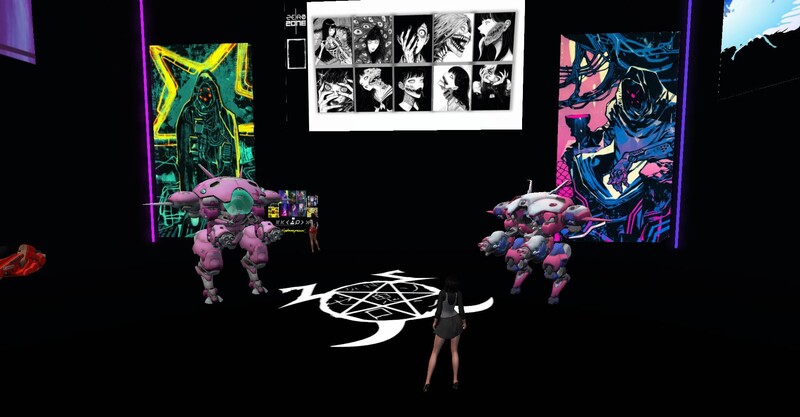
Thank you to Dorena for creating this original banner! I have taken it and made a banner for my profile. ANTIFA is NOT an organization. It is an ideology. The ideology of anti-fascism. I will be using this as a base. And I will ensure that the art festival supports my political message. Because ART is POLITICAL. It always has been. It always will be.
 | Dorena Verne: I'm really looking forward to presenting my pictures, especially the political ones, at Jimmy's; you guys are great. :-) 4 hours ago |

Live an den Decks: Tante Bea Exonar
Erwarte treibende House-Sounds, fette Remixe und pure Eskalation!
Gute Musik. Gute Leute. Unvergessliche Stimmung.
Komm vorbei und feier mit uns bis der Abend glüht!
Don’t miss it – wir sehen uns auf dem Floor!
Erwarte treibende House-Sounds, fette Remixe und pure Eskalation!
Gute Musik. Gute Leute. Unvergessliche Stimmung.
Komm vorbei und feier mit uns bis der Abend glüht!
Don’t miss it – wir sehen uns auf dem Floor!
| | SaarHarzer: huhu echte geile mucke hier...danke bea 4 hours ago |

💚Have a wonderful Wednesday everyone!💚

✨ BK‑Shopping präsentiert: Die neuen Abendkleider – Einfach. Elegant. Unvergesslich.
Manchmal braucht es kein Funkeln, um zu strahlen.
Unsere neuen schlichten Abendkleider beweisen, dass wahre Eleganz im Detail liegt: im perfekten Schnitt, im edlen Stoff, in der Art, wie ein Kleid deine Persönlichkeit hervorhebt – nicht überdeckt.
Ein reduziertes Design wirkt souverän, geschmackssicher und modern. Es zeigt Selbstbewusstsein ohne Lautstärke – und genau das macht Eindruck. Wer dich sieht, sieht Klasse. Wer dich wahrnimmt, spürt Präsenz.
Ein schlichtes Abendkleid sendet eine klare Botschaft:
„Ich weiß, wer ich bin.“
Es wirkt edel, hochwertig und geheimnisvoll – ein Look, der fasziniert, ohne sich aufzudrängen.
Ob Gala, Tanzabend oder elegantes Dinner – unsere neuen Modelle lassen sich vielseitig stylen und passen sich deinem Charakter an. Mit Accessoires kannst du den Look dezent halten oder glamourös aufwerten.
Manchmal braucht es kein Funkeln, um zu strahlen.
Unsere neuen schlichten Abendkleider beweisen, dass wahre Eleganz im Detail liegt: im perfekten Schnitt, im edlen Stoff, in der Art, wie ein Kleid deine Persönlichkeit hervorhebt – nicht überdeckt.
Ein reduziertes Design wirkt souverän, geschmackssicher und modern. Es zeigt Selbstbewusstsein ohne Lautstärke – und genau das macht Eindruck. Wer dich sieht, sieht Klasse. Wer dich wahrnimmt, spürt Präsenz.
Ein schlichtes Abendkleid sendet eine klare Botschaft:
„Ich weiß, wer ich bin.“
Es wirkt edel, hochwertig und geheimnisvoll – ein Look, der fasziniert, ohne sich aufzudrängen.
Ob Gala, Tanzabend oder elegantes Dinner – unsere neuen Modelle lassen sich vielseitig stylen und passen sich deinem Charakter an. Mit Accessoires kannst du den Look dezent halten oder glamourös aufwerten.

Just to clarify, this is not a doctor or the savior.
It is just a very naughty boy.
| | Dorena Verne: Perfect, but just be careful that the "upright, staunch, apolitical OSW guardians" don't give you a reprimand. ^^ yesterday |
On your marks, get set, go!

Hi Open Sim!
I want to tell you about COOL SCHOOL on the Curiosity Zone region! These fun classes are run by some of the greatest builders and artists in Open Sim, Koshari Mahana, Kimm Starr and Cooper Swizzle! There is a class every Saturday on Discord and there are videos for you to refer back to if you need more practice or miss a step or a class! They are teaching Blender, Sketchup, Meshy, GIF creating and more! It's all free, and these folks are not afraid to help one on one if you get stuck! The classes are for everyone for beginners on up! We all have a great time and learn so much to help keep Open Sim beautiful!! Classes are Saturday at noon. Join the server on Discord and get started today! Past classes are posted there too so you don't have to wait till Saturday to start learning, creating and having fun!! I can't wait to see your creations!!
The Curiosity Zone is a brand new fun and exciting creativity starter that's in the building stages but check it out!!
Join Cool School on Discord
https://discord.gg/9PGckGJ3
I want to tell you about COOL SCHOOL on the Curiosity Zone region! These fun classes are run by some of the greatest builders and artists in Open Sim, Koshari Mahana, Kimm Starr and Cooper Swizzle! There is a class every Saturday on Discord and there are videos for you to refer back to if you need more practice or miss a step or a class! They are teaching Blender, Sketchup, Meshy, GIF creating and more! It's all free, and these folks are not afraid to help one on one if you get stuck! The classes are for everyone for beginners on up! We all have a great time and learn so much to help keep Open Sim beautiful!! Classes are Saturday at noon. Join the server on Discord and get started today! Past classes are posted there too so you don't have to wait till Saturday to start learning, creating and having fun!! I can't wait to see your creations!!
The Curiosity Zone is a brand new fun and exciting creativity starter that's in the building stages but check it out!!
Join Cool School on Discord
https://discord.gg/9PGckGJ3
| | Kimm Starr: Thank you so much, Harmony! You are so sweet! 2 days ago |

One More Time Ladies and Gentlemen.
DJ Azraella brings us another studio set from the Edge of Reality with J.W. Cooper.
Today its the Encore set
2 hours more of re-imagined Alice Cooper lyrics performed by J.W. And the Kaos Crew.
12p.m. till 2 p.m. @ Subterranea Club Advantis.
hop://hg.neverworldgrid.com:8002/Advantis/351/276/998
DJ Azraella brings us another studio set from the Edge of Reality with J.W. Cooper.
Today its the Encore set
2 hours more of re-imagined Alice Cooper lyrics performed by J.W. And the Kaos Crew.
12p.m. till 2 p.m. @ Subterranea Club Advantis.
hop://hg.neverworldgrid.com:8002/Advantis/351/276/998
| | Not Sorry: DJ Azraella is still going strong with another 2 hour J.W set its now a replay of part 1. The party continues................If you missed it last time now is your chance to hear it again. 2 days ago |
Dude, anyone seen my ballroom?

SAVE THE DATE: April 14th 10:00 AM
🚨 WOLF TECH • THE LEARNING ZONE • VWEC 🚨
PRESENT:
THE ULTIMATE ANIMATED GIF WORKSHOP
✨ Spark Ideas. Ignite Creativity. Enhance Your Creations. ✨
Create eye-catching GIFs and discover bold, new ways to use them.
Hands-on. Creative. Fun.
Perfect for builders, artists, and creators of all levels
📍 Location: The Curiosity Zone: hop://grid.curiosityzone.us:8002/The%20Learning%20Zone/128...
📅 Date: Tuesday, April 14, 2026
⏰ Time: 10:00 – 11:30 AM Grid Time
https://youtu.be/lWvixFyaMu0?si=ommcrjFDEcwgOxY3
🚨 WOLF TECH • THE LEARNING ZONE • VWEC 🚨
PRESENT:
THE ULTIMATE ANIMATED GIF WORKSHOP
✨ Spark Ideas. Ignite Creativity. Enhance Your Creations. ✨
Create eye-catching GIFs and discover bold, new ways to use them.
Hands-on. Creative. Fun.
Perfect for builders, artists, and creators of all levels
📍 Location: The Curiosity Zone: hop://grid.curiosityzone.us:8002/The%20Learning%20Zone/128...
📅 Date: Tuesday, April 14, 2026
⏰ Time: 10:00 – 11:30 AM Grid Time
https://youtu.be/lWvixFyaMu0?si=ommcrjFDEcwgOxY3
| | Xenon Darrow: THAT VIDEO! Ok, when is the workshop where you are teaching all those apps?? 2 days ago |
!!!!SAVE THE DATE!!!
🚨VWEC PRESENTS:
THE ULTIMATE ANIMATED GIF WORKSHOP
✨ Spark Ideas. Ignite Creativity. Bring Your Creations to Life. ✨
Create eye-catching GIFs and discover bold, new ways to use them.
Hands-on. Creative. Fun.
Perfect for builders, artists, and creators of all levels
📍 Location: The Curiosity Zone
📅 Date: April 14, 2026
⏰ Time: 10:00 AM Grid Time (allow for about an hour and a half as this is a complete workshop with space for significant Q&A)
hop://grid.curiosityzone.us:8002/Siren%20Sea/128/127/21
🚨VWEC PRESENTS:
THE ULTIMATE ANIMATED GIF WORKSHOP
✨ Spark Ideas. Ignite Creativity. Bring Your Creations to Life. ✨
Create eye-catching GIFs and discover bold, new ways to use them.
Hands-on. Creative. Fun.
Perfect for builders, artists, and creators of all levels
📍 Location: The Curiosity Zone
📅 Date: April 14, 2026
⏰ Time: 10:00 AM Grid Time (allow for about an hour and a half as this is a complete workshop with space for significant Q&A)
hop://grid.curiosityzone.us:8002/Siren%20Sea/128/127/21

I JUST RELEASED ANOTHER UPDATE...I added the ability in vs 3.5 to inject the material AND Blinn Phong Textures into the glb being uploaded. I also cleared up a bug that was causing a crash after one loads around 30 items in one upload. I believe it may be infinite. PROVE ME WRONG! When one uploades the glb it comes textured, you drag the glb from contents into your inventory so that it hits the database proper! Looking for more bugs. Let me know if you find them enjoy! Items will be on display HERE though construction is underway : hop://maze.bz:7002/Mesh%20Museum/128/128/28
This program will allow you to upload any mesh, rigged mesh, or not up to around 1 gigs about 20 files or so at once using an oar file! It auto chunks large meshes automatically. The items in the picture were over 2 million verts. It makes a sane physics map for you also . So despite the high verts, well the physics load is a lot lower than what you get with the viewer. It also will let you list all your oar contents in a text file...and well import it into blender with all the textures and placement just like in world!!! :-) Below is the help menu. and below that the download link.
FILE
Open OAR File: open a packaged .oar archive.
Open OAR Folder: open an extracted OAR working folder.
Convert Data: export the loaded OAR using the format from Tools > Output Format. It reads the existing OAR object XML and companion assets, then writes converted output files to disk.
Convert Data does not create a new LLMesh object or save a replacement object XML. The XML already exists in the loaded OAR and is used as export input.
FILE MENU COMPATIBILITY
The converter is only supported for OARs produced by the actual simulator. Repacked or reverse-injected OARs created by this program are not backward-compatible with the converter and may fail if reopened through File > Open OAR File or File > Open OAR Folder and then converted again.
IMPORT
Step One: create blank.oar and prepare an extracted working folder for injection.
Inject Mesh: add one .dae, .gltf, or .glb model into an extracted OAR. Set location, scale, physics, rigging, and LODs here.
Pack Oar: repack the extracted folder into a final .oar archive.
TOOLS
Objects List: browse objects in the loaded OAR and export selected objects through the normal OAR export pipeline.
Objects List > Export: export one or more selected OAR objects into an output folder. Depending on format, the app may write the main file under Solids or Phantoms and may also create companion folders such as Textures, MTL, or BIN.
Objects List > Export does not create a standalone mesh inventory object. It converts from the object's existing OAR XML and asset data.
Output Format: choose DAE, OBJ, GLTF, GLB, FBX, or STL for export.
Settings: set ranges, shifts, terrain options, and folder prefixes.
INJECT MESH DIALOG FIELDS
Source model: the .dae, .gltf, or .glb file to insert.
Location X/Y/Z: the final placement of the inserted object in the target OAR region.
Current dimensions: read-only size of the source model after analysis.
Scale: uniform size multiplier. 1.0 keeps original size.
Physics: choose how collision data is generated. File mode uses a separate physics model.
Rigged: treat the source as a rigged or avatar-style model.
Include Joint Positions: keep joint position data when rigged import needs it.
Strip Joint Data: remove rigging data and force a static-style result.
LOD High/Medium/Low/Lowest: control each generated LOD level.
Mode: choose how each LOD is derived.
Target Tris: desired triangle count for that LOD when the selected mode uses a target.
Vertices: read-only estimate of vertex count for each generated LOD.
WORKFLOW: OAR TO BLENDER USING GLB
1. Open Tools > Output Format and select GLB.
2. Open the source OAR with File > Open OAR File or Open OAR Folder.
3. Run File > Convert Data.
4. Import the generated .glb files into Blender with File > Import > glTF 2.0.
WORKFLOW: BUILD A REPACKED OAR WITH MULTIPLE MODELS
1. Run Import > Step One once to create a blank working OAR.
2. Run Import > Inject Mesh once for each model you want to add.
3. Source files can be .glb, .gltf, or .dae. Rigged avatar-style models can use the Rigged and joint options.
4. Repeat Inject Mesh until all assets are placed.
5. Run Import > Pack Oar to write the final repacked archive.
PLEASE DO ENJOY!!!!ONLY IN OPENSIM!Feel free to report bugs and or other worthy insights. I have written the original makers of it but not gotten any replies so I do no tknow if they are around or not. It is legal opensource though. THe list of contributors is there. If anyone knows them tell them to say hello...
https://maze.bz/OARConv.html
FILE
Open OAR File: open a packaged .oar archive.
Open OAR Folder: open an extracted OAR working folder.
Convert Data: export the loaded OAR using the format from Tools > Output Format. It reads the existing OAR object XML and companion assets, then writes converted output files to disk.
Convert Data does not create a new LLMesh object or save a replacement object XML. The XML already exists in the loaded OAR and is used as export input.
FILE MENU COMPATIBILITY
The converter is only supported for OARs produced by the actual simulator. Repacked or reverse-injected OARs created by this program are not backward-compatible with the converter and may fail if reopened through File > Open OAR File or File > Open OAR Folder and then converted again.
IMPORT
Step One: create blank.oar and prepare an extracted working folder for injection.
Inject Mesh: add one .dae, .gltf, or .glb model into an extracted OAR. Set location, scale, physics, rigging, and LODs here.
Pack Oar: repack the extracted folder into a final .oar archive.
TOOLS
Objects List: browse objects in the loaded OAR and export selected objects through the normal OAR export pipeline.
Objects List > Export: export one or more selected OAR objects into an output folder. Depending on format, the app may write the main file under Solids or Phantoms and may also create companion folders such as Textures, MTL, or BIN.
Objects List > Export does not create a standalone mesh inventory object. It converts from the object's existing OAR XML and asset data.
Output Format: choose DAE, OBJ, GLTF, GLB, FBX, or STL for export.
Settings: set ranges, shifts, terrain options, and folder prefixes.
INJECT MESH DIALOG FIELDS
Source model: the .dae, .gltf, or .glb file to insert.
Location X/Y/Z: the final placement of the inserted object in the target OAR region.
Current dimensions: read-only size of the source model after analysis.
Scale: uniform size multiplier. 1.0 keeps original size.
Physics: choose how collision data is generated. File mode uses a separate physics model.
Rigged: treat the source as a rigged or avatar-style model.
Include Joint Positions: keep joint position data when rigged import needs it.
Strip Joint Data: remove rigging data and force a static-style result.
LOD High/Medium/Low/Lowest: control each generated LOD level.
Mode: choose how each LOD is derived.
Target Tris: desired triangle count for that LOD when the selected mode uses a target.
Vertices: read-only estimate of vertex count for each generated LOD.
WORKFLOW: OAR TO BLENDER USING GLB
1. Open Tools > Output Format and select GLB.
2. Open the source OAR with File > Open OAR File or Open OAR Folder.
3. Run File > Convert Data.
4. Import the generated .glb files into Blender with File > Import > glTF 2.0.
WORKFLOW: BUILD A REPACKED OAR WITH MULTIPLE MODELS
1. Run Import > Step One once to create a blank working OAR.
2. Run Import > Inject Mesh once for each model you want to add.
3. Source files can be .glb, .gltf, or .dae. Rigged avatar-style models can use the Rigged and joint options.
4. Repeat Inject Mesh until all assets are placed.
5. Run Import > Pack Oar to write the final repacked archive.
PLEASE DO ENJOY!!!!ONLY IN OPENSIM!Feel free to report bugs and or other worthy insights. I have written the original makers of it but not gotten any replies so I do no tknow if they are around or not. It is legal opensource though. THe list of contributors is there. If anyone knows them tell them to say hello...
https://maze.bz/OARConv.html
👍👍👍
Prince Amor✦ ▸ Maze Grid Home 2 days ago
...
I am proud to announce my release of OarConv Reimagined. This program will allow you to upload any mesh, rigged mesh, or not up to around 1 gigs about 20 files or so at once using an oar file! It auto chunks large meshes automatically. The items in the picture were over 2 million verts. It makes a sane physics map for you also . So despite the high verts, well the physics load is a lot lower than what you get with the viewer. It also will let you list all your oar contents in a text file...and well import it into blender with all the textures and placement just like in world!!! :-) Below is the help menu. and below that the download link.
FILE
Open OAR File: open a packaged .oar archive.
Open OAR Folder: open an extracted OAR working folder.
Convert Data: export the loaded OAR using the format from Tools > Output Format. It reads the existing OAR object XML and companion assets, then writes converted output files to disk.
Convert Data does not create a new LLMesh object or save a replacement object XML. The XML already exists in the loaded OAR and is used as export input.
FILE MENU COMPATIBILITY
The converter is only supported for OARs produced by the actual simulator. Repacked or reverse-injected OARs created by this program are not backward-compatible with the converter and may fail if reopened through File > Open OAR File or File > Open OAR Folder and then converted again.
IMPORT
Step One: create blank.oar and prepare an extracted working folder for injection.
Inject Mesh: add one .dae, .gltf, or .glb model into an extracted OAR. Set location, scale, physics, rigging, and LODs here.
Pack Oar: repack the extracted folder into a final .oar archive.
TOOLS
Objects List: browse objects in the loaded OAR and export selected objects through the normal OAR export pipeline.
Objects List > Export: export one or more selected OAR objects into an output folder. Depending on format, the app may write the main file under Solids or Phantoms and may also create companion folders such as Textures, MTL, or BIN.
Objects List > Export does not create a standalone mesh inventory object. It converts from the object's existing OAR XML and asset data.
Output Format: choose DAE, OBJ, GLTF, GLB, FBX, or STL for export.
Settings: set ranges, shifts, terrain options, and folder prefixes.
INJECT MESH DIALOG FIELDS
Source model: the .dae, .gltf, or .glb file to insert.
Location X/Y/Z: the final placement of the inserted object in the target OAR region.
Current dimensions: read-only size of the source model after analysis.
Scale: uniform size multiplier. 1.0 keeps original size.
Physics: choose how collision data is generated. File mode uses a separate physics model.
Rigged: treat the source as a rigged or avatar-style model.
Include Joint Positions: keep joint position data when rigged import needs it.
Strip Joint Data: remove rigging data and force a static-style result.
LOD High/Medium/Low/Lowest: control each generated LOD level.
Mode: choose how each LOD is derived.
Target Tris: desired triangle count for that LOD when the selected mode uses a target.
Vertices: read-only estimate of vertex count for each generated LOD.
WORKFLOW: OAR TO BLENDER USING GLB
1. Open Tools > Output Format and select GLB.
2. Open the source OAR with File > Open OAR File or Open OAR Folder.
3. Run File > Convert Data.
4. Import the generated .glb files into Blender with File > Import > glTF 2.0.
WORKFLOW: BUILD A REPACKED OAR WITH MULTIPLE MODELS
1. Run Import > Step One once to create a blank working OAR.
2. Run Import > Inject Mesh once for each model you want to add.
3. Source files can be .glb, .gltf, or .dae. Rigged avatar-style models can use the Rigged and joint options.
4. Repeat Inject Mesh until all assets are placed.
5. Run Import > Pack Oar to write the final repacked archive.
PLEASE DO ENJOY!!!!ONLY IN OPENSIM!Feel free to report bugs and or other worthy insights. I have written the original makers of it but not gotten any replies so I do no tknow if they are around or not. It is legal opensource though. THe list of contributors is there. If anyone knows them tell them to say hello...
https://maze.bz/OARConv.html
This program will allow you to upload any mesh, rigged mesh, or not up to around 1 gigs about 20 files or so at once using an oar file! It auto chunks large meshes automatically. The items in the picture were over 2 million verts. It makes a sane physics map for you also . So despite the high verts, well the physics load is a lot lower than what you get with the viewer. It also will let you list all your oar contents in a text file...and well import it into blender with all the textures and placement just like in world!!! :-) Below is the help menu. and below that the download link.
FILE
Open OAR File: open a packaged .oar archive.
Open OAR Folder: open an extracted OAR working folder.
Convert Data: export the loaded OAR using the format from Tools > Output Format. It reads the existing OAR object XML and companion assets, then writes converted output files to disk.
Convert Data does not create a new LLMesh object or save a replacement object XML. The XML already exists in the loaded OAR and is used as export input.
FILE MENU COMPATIBILITY
The converter is only supported for OARs produced by the actual simulator. Repacked or reverse-injected OARs created by this program are not backward-compatible with the converter and may fail if reopened through File > Open OAR File or File > Open OAR Folder and then converted again.
IMPORT
Step One: create blank.oar and prepare an extracted working folder for injection.
Inject Mesh: add one .dae, .gltf, or .glb model into an extracted OAR. Set location, scale, physics, rigging, and LODs here.
Pack Oar: repack the extracted folder into a final .oar archive.
TOOLS
Objects List: browse objects in the loaded OAR and export selected objects through the normal OAR export pipeline.
Objects List > Export: export one or more selected OAR objects into an output folder. Depending on format, the app may write the main file under Solids or Phantoms and may also create companion folders such as Textures, MTL, or BIN.
Objects List > Export does not create a standalone mesh inventory object. It converts from the object's existing OAR XML and asset data.
Output Format: choose DAE, OBJ, GLTF, GLB, FBX, or STL for export.
Settings: set ranges, shifts, terrain options, and folder prefixes.
INJECT MESH DIALOG FIELDS
Source model: the .dae, .gltf, or .glb file to insert.
Location X/Y/Z: the final placement of the inserted object in the target OAR region.
Current dimensions: read-only size of the source model after analysis.
Scale: uniform size multiplier. 1.0 keeps original size.
Physics: choose how collision data is generated. File mode uses a separate physics model.
Rigged: treat the source as a rigged or avatar-style model.
Include Joint Positions: keep joint position data when rigged import needs it.
Strip Joint Data: remove rigging data and force a static-style result.
LOD High/Medium/Low/Lowest: control each generated LOD level.
Mode: choose how each LOD is derived.
Target Tris: desired triangle count for that LOD when the selected mode uses a target.
Vertices: read-only estimate of vertex count for each generated LOD.
WORKFLOW: OAR TO BLENDER USING GLB
1. Open Tools > Output Format and select GLB.
2. Open the source OAR with File > Open OAR File or Open OAR Folder.
3. Run File > Convert Data.
4. Import the generated .glb files into Blender with File > Import > glTF 2.0.
WORKFLOW: BUILD A REPACKED OAR WITH MULTIPLE MODELS
1. Run Import > Step One once to create a blank working OAR.
2. Run Import > Inject Mesh once for each model you want to add.
3. Source files can be .glb, .gltf, or .dae. Rigged avatar-style models can use the Rigged and joint options.
4. Repeat Inject Mesh until all assets are placed.
5. Run Import > Pack Oar to write the final repacked archive.
PLEASE DO ENJOY!!!!ONLY IN OPENSIM!Feel free to report bugs and or other worthy insights. I have written the original makers of it but not gotten any replies so I do no tknow if they are around or not. It is legal opensource though. THe list of contributors is there. If anyone knows them tell them to say hello...
https://maze.bz/OARConv.html
FILE
Open OAR File: open a packaged .oar archive.
Open OAR Folder: open an extracted OAR working folder.
Convert Data: export the loaded OAR using the format from Tools > Output Format. It reads the existing OAR object XML and companion assets, then writes converted output files to disk.
Convert Data does not create a new LLMesh object or save a replacement object XML. The XML already exists in the loaded OAR and is used as export input.
FILE MENU COMPATIBILITY
The converter is only supported for OARs produced by the actual simulator. Repacked or reverse-injected OARs created by this program are not backward-compatible with the converter and may fail if reopened through File > Open OAR File or File > Open OAR Folder and then converted again.
IMPORT
Step One: create blank.oar and prepare an extracted working folder for injection.
Inject Mesh: add one .dae, .gltf, or .glb model into an extracted OAR. Set location, scale, physics, rigging, and LODs here.
Pack Oar: repack the extracted folder into a final .oar archive.
TOOLS
Objects List: browse objects in the loaded OAR and export selected objects through the normal OAR export pipeline.
Objects List > Export: export one or more selected OAR objects into an output folder. Depending on format, the app may write the main file under Solids or Phantoms and may also create companion folders such as Textures, MTL, or BIN.
Objects List > Export does not create a standalone mesh inventory object. It converts from the object's existing OAR XML and asset data.
Output Format: choose DAE, OBJ, GLTF, GLB, FBX, or STL for export.
Settings: set ranges, shifts, terrain options, and folder prefixes.
INJECT MESH DIALOG FIELDS
Source model: the .dae, .gltf, or .glb file to insert.
Location X/Y/Z: the final placement of the inserted object in the target OAR region.
Current dimensions: read-only size of the source model after analysis.
Scale: uniform size multiplier. 1.0 keeps original size.
Physics: choose how collision data is generated. File mode uses a separate physics model.
Rigged: treat the source as a rigged or avatar-style model.
Include Joint Positions: keep joint position data when rigged import needs it.
Strip Joint Data: remove rigging data and force a static-style result.
LOD High/Medium/Low/Lowest: control each generated LOD level.
Mode: choose how each LOD is derived.
Target Tris: desired triangle count for that LOD when the selected mode uses a target.
Vertices: read-only estimate of vertex count for each generated LOD.
WORKFLOW: OAR TO BLENDER USING GLB
1. Open Tools > Output Format and select GLB.
2. Open the source OAR with File > Open OAR File or Open OAR Folder.
3. Run File > Convert Data.
4. Import the generated .glb files into Blender with File > Import > glTF 2.0.
WORKFLOW: BUILD A REPACKED OAR WITH MULTIPLE MODELS
1. Run Import > Step One once to create a blank working OAR.
2. Run Import > Inject Mesh once for each model you want to add.
3. Source files can be .glb, .gltf, or .dae. Rigged avatar-style models can use the Rigged and joint options.
4. Repeat Inject Mesh until all assets are placed.
5. Run Import > Pack Oar to write the final repacked archive.
PLEASE DO ENJOY!!!!ONLY IN OPENSIM!Feel free to report bugs and or other worthy insights. I have written the original makers of it but not gotten any replies so I do no tknow if they are around or not. It is legal opensource though. THe list of contributors is there. If anyone knows them tell them to say hello...
https://maze.bz/OARConv.html
👍👍👍
Prince Amor✦ ▸ Maze Grid Home 2 days ago
...
I am proud to announce my release of OarConv Reimagined. This program will allow you to upload any mesh, rigged mesh, or not up to around 1 gigs about 20 files or so at once using an oar file! It auto chunks large meshes automatically. The items in the picture were over 2 million verts. It makes a sane physics map for you also . So despite the high verts, well the physics load is a lot lower than what you get with the viewer. It also will let you list all your oar contents in a text file...and well import it into blender with all the textures and placement just like in world!!! :-) Below is the help menu. and below that the download link.
FILE
Open OAR File: open a packaged .oar archive.
Open OAR Folder: open an extracted OAR working folder.
Convert Data: export the loaded OAR using the format from Tools > Output Format. It reads the existing OAR object XML and companion assets, then writes converted output files to disk.
Convert Data does not create a new LLMesh object or save a replacement object XML. The XML already exists in the loaded OAR and is used as export input.
FILE MENU COMPATIBILITY
The converter is only supported for OARs produced by the actual simulator. Repacked or reverse-injected OARs created by this program are not backward-compatible with the converter and may fail if reopened through File > Open OAR File or File > Open OAR Folder and then converted again.
IMPORT
Step One: create blank.oar and prepare an extracted working folder for injection.
Inject Mesh: add one .dae, .gltf, or .glb model into an extracted OAR. Set location, scale, physics, rigging, and LODs here.
Pack Oar: repack the extracted folder into a final .oar archive.
TOOLS
Objects List: browse objects in the loaded OAR and export selected objects through the normal OAR export pipeline.
Objects List > Export: export one or more selected OAR objects into an output folder. Depending on format, the app may write the main file under Solids or Phantoms and may also create companion folders such as Textures, MTL, or BIN.
Objects List > Export does not create a standalone mesh inventory object. It converts from the object's existing OAR XML and asset data.
Output Format: choose DAE, OBJ, GLTF, GLB, FBX, or STL for export.
Settings: set ranges, shifts, terrain options, and folder prefixes.
INJECT MESH DIALOG FIELDS
Source model: the .dae, .gltf, or .glb file to insert.
Location X/Y/Z: the final placement of the inserted object in the target OAR region.
Current dimensions: read-only size of the source model after analysis.
Scale: uniform size multiplier. 1.0 keeps original size.
Physics: choose how collision data is generated. File mode uses a separate physics model.
Rigged: treat the source as a rigged or avatar-style model.
Include Joint Positions: keep joint position data when rigged import needs it.
Strip Joint Data: remove rigging data and force a static-style result.
LOD High/Medium/Low/Lowest: control each generated LOD level.
Mode: choose how each LOD is derived.
Target Tris: desired triangle count for that LOD when the selected mode uses a target.
Vertices: read-only estimate of vertex count for each generated LOD.
WORKFLOW: OAR TO BLENDER USING GLB
1. Open Tools > Output Format and select GLB.
2. Open the source OAR with File > Open OAR File or Open OAR Folder.
3. Run File > Convert Data.
4. Import the generated .glb files into Blender with File > Import > glTF 2.0.
WORKFLOW: BUILD A REPACKED OAR WITH MULTIPLE MODELS
1. Run Import > Step One once to create a blank working OAR.
2. Run Import > Inject Mesh once for each model you want to add.
3. Source files can be .glb, .gltf, or .dae. Rigged avatar-style models can use the Rigged and joint options.
4. Repeat Inject Mesh until all assets are placed.
5. Run Import > Pack Oar to write the final repacked archive.
PLEASE DO ENJOY!!!!ONLY IN OPENSIM!Feel free to report bugs and or other worthy insights. I have written the original makers of it but not gotten any replies so I do no tknow if they are around or not. It is legal opensource though. THe list of contributors is there. If anyone knows them tell them to say hello...
https://maze.bz/OARConv.html
| | Spax Orion: For those of you who want REPLACEMENT monsters for your IMAGE GAME MACHINE... THIS IS WHERE YOU GET THEM! Thanks Prince! 2 days ago |

light show
Checkmate in four moves?
| | falene hawks: hello easy shot, to place the X83 part in W12 and that's it 3 days ago |

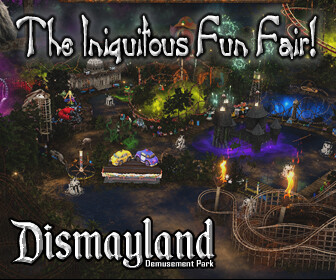
The Ultimate Scavenger Hunt is now at Dismayland.
Every fountain in the PARK thinks it is the REAL Fountain of Youth.
One of them has distinctly different behavior or a lack thereof.
The wishing well is the universal pedagogy of pain and is excluded.
This Vaunted Fountain is Hidden in Plain Sight somewhere in the
park in a very public area... CAN YOU FIND IT?
Every fountain in the PARK thinks it is the REAL Fountain of Youth.
One of them has distinctly different behavior or a lack thereof.
The wishing well is the universal pedagogy of pain and is excluded.
This Vaunted Fountain is Hidden in Plain Sight somewhere in the
park in a very public area... CAN YOU FIND IT?
| | Spax Orion: Dirty Helga kept me up overnight, she wanted to stitch in a second way to WIN. So... there are TWO possible solutions... Both can get you on the BOARD, only one SOLVE gets the *STAR* by your name! 3 days ago |

Slip your inner viking lose and shake your battle axe to the best EDM.
(free viking battle makeup available)
hop://hg.osgrid.org:80/Misty%20Isles/591/893/23
♫ where the beat goes on ♫

▁ ▂ ▃ ▄ ▅ ▆ ▇ Electro - Music Festival ▇ ▆ ▅ ▄ ▃ ▂ ▁
▶▷▶ Sunday/Sonntag 12.April 2026
at the CC-Club – Peace and Love Stage
◕ starts 10:00 OS am grid time – startet ab 19:00 Uhr EU
Electronic music festival under the motto "Peace and Love" at our new open-air stage area in the CC-CLUB.
An intense experience of techno, house, trance, and EDM with light and special effects shows.
Immerse yourself in an unforgettable experience full of passion, love, and bliss!
Atmosphere: Focus on an immersive experience, community, freedom, and self-expression. Electronic music as a means for social cohesion and peace.
It also serves as a meeting place for an international fan base that connects dance, art, and architecture.
Taxi: hg.osgrid.org:80:CCClub
░░▒▓◙█◙█◙ THE – Peace and Love Stage ◙█◙█◙▓▒░░
Elektronisches Musikfestival unter dem Motto Peace and Love auf unserem neuen Open Air Stage Gelände im CC – CLUB.
Ein intensives Erlebnis aus Techno, House, Trance, EDM mit Licht und Effektshows.
Taucht ein in ein unvergessliches Erlebnis voller Wahnsinn, Liebe und Glückseligkeit!
Atmosphäre: Fokus auf immersives Erlebnis, Gemeinschaft, Freiheit und Selbstentfaltung. Elektronische Musik als Mittel für sozialen Zusammenhalt und Frieden.
Es dient auch als Treffpunkt für eine internationale Fangemeinde, die Tanz, Kunst und Architektur verbindet.
▶▷▶ Sunday/Sonntag 12.April 2026
at the CC-Club – Peace and Love Stage
◕ starts 10:00 OS am grid time – startet ab 19:00 Uhr EU
Electronic music festival under the motto "Peace and Love" at our new open-air stage area in the CC-CLUB.
An intense experience of techno, house, trance, and EDM with light and special effects shows.
Immerse yourself in an unforgettable experience full of passion, love, and bliss!
Atmosphere: Focus on an immersive experience, community, freedom, and self-expression. Electronic music as a means for social cohesion and peace.
It also serves as a meeting place for an international fan base that connects dance, art, and architecture.
Taxi: hg.osgrid.org:80:CCClub
░░▒▓◙█◙█◙ THE – Peace and Love Stage ◙█◙█◙▓▒░░
Elektronisches Musikfestival unter dem Motto Peace and Love auf unserem neuen Open Air Stage Gelände im CC – CLUB.
Ein intensives Erlebnis aus Techno, House, Trance, EDM mit Licht und Effektshows.
Taucht ein in ein unvergessliches Erlebnis voller Wahnsinn, Liebe und Glückseligkeit!
Atmosphäre: Fokus auf immersives Erlebnis, Gemeinschaft, Freiheit und Selbstentfaltung. Elektronische Musik als Mittel für sozialen Zusammenhalt und Frieden.
Es dient auch als Treffpunkt für eine internationale Fangemeinde, die Tanz, Kunst und Architektur verbindet.
| | Smaili Me: Χριστὸς ἀνέστη ! :) 3 days ago |
|
The Oasis of Four Palms Lovers
1 members |

|
Cozy Comforts Events
1 members |

|
Boys Town
4 members |
|
|
Drama
8 members |
|
Francophones
21 members |
|
|
Virtual City RolePlay
0 members |

|
Virtual World Creations
1 members |
|
Tauron friends
1 members |
|
Capitular
1 members |