OpenSimWorld is the directory of 3D Virtual Worlds based on OpenSimulator and connected through the HyperGrid. Learn More
New Members
Lunos, DenverPrice, Jaymosely, Moushou, JohnnyBellows, Tiggytox, Lindatiger, LOLhappyDays, Aiden, FeloniousBarcelos, Lunarie, SeanDar, Austinwheeler, Viktoriya, RoxieRiot, CindyCincinnati, FabioBastos, Fenutzini, EmmyDemmie, XSvenxLikes

Live an den Decks: Tante Bea Exonar
Erwarte treibende House-Sounds, fette Remixe und pure Eskalation!
Gute Musik. Gute Leute. Unvergessliche Stimmung.
Komm vorbei und feier mit uns bis der Abend glüht!
Don’t miss it – wir sehen uns auf dem Floor!
Erwarte treibende House-Sounds, fette Remixe und pure Eskalation!
Gute Musik. Gute Leute. Unvergessliche Stimmung.
Komm vorbei und feier mit uns bis der Abend glüht!
Don’t miss it – wir sehen uns auf dem Floor!
 | SaarHarzer: huhu echte geile mucke hier...danke bea 6 days ago |

Visit This Fantastic Default Island Right In The Middle Of This 1024x1024 Region On The Kara Islands Mini Grid!
| | Spax Orion: I have a region which looks like that on the ground... everything else is in the AIR! 8 days ago |

I JUST RELEASED ANOTHER UPDATE...I added the ability in vs 3.5 to inject the material AND Blinn Phong Textures into the glb being uploaded. I also cleared up a bug that was causing a crash after one loads around 30 items in one upload. I believe it may be infinite. PROVE ME WRONG! When one uploades the glb it comes textured, you drag the glb from contents into your inventory so that it hits the database proper! Looking for more bugs. Let me know if you find them enjoy! Items will be on display HERE though construction is underway : hop://maze.bz:7002/Mesh%20Museum/128/128/28
This program will allow you to upload any mesh, rigged mesh, or not up to around 1 gigs about 20 files or so at once using an oar file! It auto chunks large meshes automatically. The items in the picture were over 2 million verts. It makes a sane physics map for you also . So despite the high verts, well the physics load is a lot lower than what you get with the viewer. It also will let you list all your oar contents in a text file...and well import it into blender with all the textures and placement just like in world!!! :-) Below is the help menu. and below that the download link.
FILE
Open OAR File: open a packaged .oar archive.
Open OAR Folder: open an extracted OAR working folder.
Convert Data: export the loaded OAR using the format from Tools > Output Format. It reads the existing OAR object XML and companion assets, then writes converted output files to disk.
Convert Data does not create a new LLMesh object or save a replacement object XML. The XML already exists in the loaded OAR and is used as export input.
FILE MENU COMPATIBILITY
The converter is only supported for OARs produced by the actual simulator. Repacked or reverse-injected OARs created by this program are not backward-compatible with the converter and may fail if reopened through File > Open OAR File or File > Open OAR Folder and then converted again.
IMPORT
Step One: create blank.oar and prepare an extracted working folder for injection.
Inject Mesh: add one .dae, .gltf, or .glb model into an extracted OAR. Set location, scale, physics, rigging, and LODs here.
Pack Oar: repack the extracted folder into a final .oar archive.
TOOLS
Objects List: browse objects in the loaded OAR and export selected objects through the normal OAR export pipeline.
Objects List > Export: export one or more selected OAR objects into an output folder. Depending on format, the app may write the main file under Solids or Phantoms and may also create companion folders such as Textures, MTL, or BIN.
Objects List > Export does not create a standalone mesh inventory object. It converts from the object's existing OAR XML and asset data.
Output Format: choose DAE, OBJ, GLTF, GLB, FBX, or STL for export.
Settings: set ranges, shifts, terrain options, and folder prefixes.
INJECT MESH DIALOG FIELDS
Source model: the .dae, .gltf, or .glb file to insert.
Location X/Y/Z: the final placement of the inserted object in the target OAR region.
Current dimensions: read-only size of the source model after analysis.
Scale: uniform size multiplier. 1.0 keeps original size.
Physics: choose how collision data is generated. File mode uses a separate physics model.
Rigged: treat the source as a rigged or avatar-style model.
Include Joint Positions: keep joint position data when rigged import needs it.
Strip Joint Data: remove rigging data and force a static-style result.
LOD High/Medium/Low/Lowest: control each generated LOD level.
Mode: choose how each LOD is derived.
Target Tris: desired triangle count for that LOD when the selected mode uses a target.
Vertices: read-only estimate of vertex count for each generated LOD.
WORKFLOW: OAR TO BLENDER USING GLB
1. Open Tools > Output Format and select GLB.
2. Open the source OAR with File > Open OAR File or Open OAR Folder.
3. Run File > Convert Data.
4. Import the generated .glb files into Blender with File > Import > glTF 2.0.
WORKFLOW: BUILD A REPACKED OAR WITH MULTIPLE MODELS
1. Run Import > Step One once to create a blank working OAR.
2. Run Import > Inject Mesh once for each model you want to add.
3. Source files can be .glb, .gltf, or .dae. Rigged avatar-style models can use the Rigged and joint options.
4. Repeat Inject Mesh until all assets are placed.
5. Run Import > Pack Oar to write the final repacked archive.
PLEASE DO ENJOY!!!!ONLY IN OPENSIM!Feel free to report bugs and or other worthy insights. I have written the original makers of it but not gotten any replies so I do no tknow if they are around or not. It is legal opensource though. THe list of contributors is there. If anyone knows them tell them to say hello...
https://maze.bz/OARConv.html
FILE
Open OAR File: open a packaged .oar archive.
Open OAR Folder: open an extracted OAR working folder.
Convert Data: export the loaded OAR using the format from Tools > Output Format. It reads the existing OAR object XML and companion assets, then writes converted output files to disk.
Convert Data does not create a new LLMesh object or save a replacement object XML. The XML already exists in the loaded OAR and is used as export input.
FILE MENU COMPATIBILITY
The converter is only supported for OARs produced by the actual simulator. Repacked or reverse-injected OARs created by this program are not backward-compatible with the converter and may fail if reopened through File > Open OAR File or File > Open OAR Folder and then converted again.
IMPORT
Step One: create blank.oar and prepare an extracted working folder for injection.
Inject Mesh: add one .dae, .gltf, or .glb model into an extracted OAR. Set location, scale, physics, rigging, and LODs here.
Pack Oar: repack the extracted folder into a final .oar archive.
TOOLS
Objects List: browse objects in the loaded OAR and export selected objects through the normal OAR export pipeline.
Objects List > Export: export one or more selected OAR objects into an output folder. Depending on format, the app may write the main file under Solids or Phantoms and may also create companion folders such as Textures, MTL, or BIN.
Objects List > Export does not create a standalone mesh inventory object. It converts from the object's existing OAR XML and asset data.
Output Format: choose DAE, OBJ, GLTF, GLB, FBX, or STL for export.
Settings: set ranges, shifts, terrain options, and folder prefixes.
INJECT MESH DIALOG FIELDS
Source model: the .dae, .gltf, or .glb file to insert.
Location X/Y/Z: the final placement of the inserted object in the target OAR region.
Current dimensions: read-only size of the source model after analysis.
Scale: uniform size multiplier. 1.0 keeps original size.
Physics: choose how collision data is generated. File mode uses a separate physics model.
Rigged: treat the source as a rigged or avatar-style model.
Include Joint Positions: keep joint position data when rigged import needs it.
Strip Joint Data: remove rigging data and force a static-style result.
LOD High/Medium/Low/Lowest: control each generated LOD level.
Mode: choose how each LOD is derived.
Target Tris: desired triangle count for that LOD when the selected mode uses a target.
Vertices: read-only estimate of vertex count for each generated LOD.
WORKFLOW: OAR TO BLENDER USING GLB
1. Open Tools > Output Format and select GLB.
2. Open the source OAR with File > Open OAR File or Open OAR Folder.
3. Run File > Convert Data.
4. Import the generated .glb files into Blender with File > Import > glTF 2.0.
WORKFLOW: BUILD A REPACKED OAR WITH MULTIPLE MODELS
1. Run Import > Step One once to create a blank working OAR.
2. Run Import > Inject Mesh once for each model you want to add.
3. Source files can be .glb, .gltf, or .dae. Rigged avatar-style models can use the Rigged and joint options.
4. Repeat Inject Mesh until all assets are placed.
5. Run Import > Pack Oar to write the final repacked archive.
PLEASE DO ENJOY!!!!ONLY IN OPENSIM!Feel free to report bugs and or other worthy insights. I have written the original makers of it but not gotten any replies so I do no tknow if they are around or not. It is legal opensource though. THe list of contributors is there. If anyone knows them tell them to say hello...
https://maze.bz/OARConv.html
👍👍👍
Prince Amor✦ ▸ Maze Grid Home 2 days ago
...
I am proud to announce my release of OarConv Reimagined. This program will allow you to upload any mesh, rigged mesh, or not up to around 1 gigs about 20 files or so at once using an oar file! It auto chunks large meshes automatically. The items in the picture were over 2 million verts. It makes a sane physics map for you also . So despite the high verts, well the physics load is a lot lower than what you get with the viewer. It also will let you list all your oar contents in a text file...and well import it into blender with all the textures and placement just like in world!!! :-) Below is the help menu. and below that the download link.
FILE
Open OAR File: open a packaged .oar archive.
Open OAR Folder: open an extracted OAR working folder.
Convert Data: export the loaded OAR using the format from Tools > Output Format. It reads the existing OAR object XML and companion assets, then writes converted output files to disk.
Convert Data does not create a new LLMesh object or save a replacement object XML. The XML already exists in the loaded OAR and is used as export input.
FILE MENU COMPATIBILITY
The converter is only supported for OARs produced by the actual simulator. Repacked or reverse-injected OARs created by this program are not backward-compatible with the converter and may fail if reopened through File > Open OAR File or File > Open OAR Folder and then converted again.
IMPORT
Step One: create blank.oar and prepare an extracted working folder for injection.
Inject Mesh: add one .dae, .gltf, or .glb model into an extracted OAR. Set location, scale, physics, rigging, and LODs here.
Pack Oar: repack the extracted folder into a final .oar archive.
TOOLS
Objects List: browse objects in the loaded OAR and export selected objects through the normal OAR export pipeline.
Objects List > Export: export one or more selected OAR objects into an output folder. Depending on format, the app may write the main file under Solids or Phantoms and may also create companion folders such as Textures, MTL, or BIN.
Objects List > Export does not create a standalone mesh inventory object. It converts from the object's existing OAR XML and asset data.
Output Format: choose DAE, OBJ, GLTF, GLB, FBX, or STL for export.
Settings: set ranges, shifts, terrain options, and folder prefixes.
INJECT MESH DIALOG FIELDS
Source model: the .dae, .gltf, or .glb file to insert.
Location X/Y/Z: the final placement of the inserted object in the target OAR region.
Current dimensions: read-only size of the source model after analysis.
Scale: uniform size multiplier. 1.0 keeps original size.
Physics: choose how collision data is generated. File mode uses a separate physics model.
Rigged: treat the source as a rigged or avatar-style model.
Include Joint Positions: keep joint position data when rigged import needs it.
Strip Joint Data: remove rigging data and force a static-style result.
LOD High/Medium/Low/Lowest: control each generated LOD level.
Mode: choose how each LOD is derived.
Target Tris: desired triangle count for that LOD when the selected mode uses a target.
Vertices: read-only estimate of vertex count for each generated LOD.
WORKFLOW: OAR TO BLENDER USING GLB
1. Open Tools > Output Format and select GLB.
2. Open the source OAR with File > Open OAR File or Open OAR Folder.
3. Run File > Convert Data.
4. Import the generated .glb files into Blender with File > Import > glTF 2.0.
WORKFLOW: BUILD A REPACKED OAR WITH MULTIPLE MODELS
1. Run Import > Step One once to create a blank working OAR.
2. Run Import > Inject Mesh once for each model you want to add.
3. Source files can be .glb, .gltf, or .dae. Rigged avatar-style models can use the Rigged and joint options.
4. Repeat Inject Mesh until all assets are placed.
5. Run Import > Pack Oar to write the final repacked archive.
PLEASE DO ENJOY!!!!ONLY IN OPENSIM!Feel free to report bugs and or other worthy insights. I have written the original makers of it but not gotten any replies so I do no tknow if they are around or not. It is legal opensource though. THe list of contributors is there. If anyone knows them tell them to say hello...
https://maze.bz/OARConv.html
This program will allow you to upload any mesh, rigged mesh, or not up to around 1 gigs about 20 files or so at once using an oar file! It auto chunks large meshes automatically. The items in the picture were over 2 million verts. It makes a sane physics map for you also . So despite the high verts, well the physics load is a lot lower than what you get with the viewer. It also will let you list all your oar contents in a text file...and well import it into blender with all the textures and placement just like in world!!! :-) Below is the help menu. and below that the download link.
FILE
Open OAR File: open a packaged .oar archive.
Open OAR Folder: open an extracted OAR working folder.
Convert Data: export the loaded OAR using the format from Tools > Output Format. It reads the existing OAR object XML and companion assets, then writes converted output files to disk.
Convert Data does not create a new LLMesh object or save a replacement object XML. The XML already exists in the loaded OAR and is used as export input.
FILE MENU COMPATIBILITY
The converter is only supported for OARs produced by the actual simulator. Repacked or reverse-injected OARs created by this program are not backward-compatible with the converter and may fail if reopened through File > Open OAR File or File > Open OAR Folder and then converted again.
IMPORT
Step One: create blank.oar and prepare an extracted working folder for injection.
Inject Mesh: add one .dae, .gltf, or .glb model into an extracted OAR. Set location, scale, physics, rigging, and LODs here.
Pack Oar: repack the extracted folder into a final .oar archive.
TOOLS
Objects List: browse objects in the loaded OAR and export selected objects through the normal OAR export pipeline.
Objects List > Export: export one or more selected OAR objects into an output folder. Depending on format, the app may write the main file under Solids or Phantoms and may also create companion folders such as Textures, MTL, or BIN.
Objects List > Export does not create a standalone mesh inventory object. It converts from the object's existing OAR XML and asset data.
Output Format: choose DAE, OBJ, GLTF, GLB, FBX, or STL for export.
Settings: set ranges, shifts, terrain options, and folder prefixes.
INJECT MESH DIALOG FIELDS
Source model: the .dae, .gltf, or .glb file to insert.
Location X/Y/Z: the final placement of the inserted object in the target OAR region.
Current dimensions: read-only size of the source model after analysis.
Scale: uniform size multiplier. 1.0 keeps original size.
Physics: choose how collision data is generated. File mode uses a separate physics model.
Rigged: treat the source as a rigged or avatar-style model.
Include Joint Positions: keep joint position data when rigged import needs it.
Strip Joint Data: remove rigging data and force a static-style result.
LOD High/Medium/Low/Lowest: control each generated LOD level.
Mode: choose how each LOD is derived.
Target Tris: desired triangle count for that LOD when the selected mode uses a target.
Vertices: read-only estimate of vertex count for each generated LOD.
WORKFLOW: OAR TO BLENDER USING GLB
1. Open Tools > Output Format and select GLB.
2. Open the source OAR with File > Open OAR File or Open OAR Folder.
3. Run File > Convert Data.
4. Import the generated .glb files into Blender with File > Import > glTF 2.0.
WORKFLOW: BUILD A REPACKED OAR WITH MULTIPLE MODELS
1. Run Import > Step One once to create a blank working OAR.
2. Run Import > Inject Mesh once for each model you want to add.
3. Source files can be .glb, .gltf, or .dae. Rigged avatar-style models can use the Rigged and joint options.
4. Repeat Inject Mesh until all assets are placed.
5. Run Import > Pack Oar to write the final repacked archive.
PLEASE DO ENJOY!!!!ONLY IN OPENSIM!Feel free to report bugs and or other worthy insights. I have written the original makers of it but not gotten any replies so I do no tknow if they are around or not. It is legal opensource though. THe list of contributors is there. If anyone knows them tell them to say hello...
https://maze.bz/OARConv.html
FILE
Open OAR File: open a packaged .oar archive.
Open OAR Folder: open an extracted OAR working folder.
Convert Data: export the loaded OAR using the format from Tools > Output Format. It reads the existing OAR object XML and companion assets, then writes converted output files to disk.
Convert Data does not create a new LLMesh object or save a replacement object XML. The XML already exists in the loaded OAR and is used as export input.
FILE MENU COMPATIBILITY
The converter is only supported for OARs produced by the actual simulator. Repacked or reverse-injected OARs created by this program are not backward-compatible with the converter and may fail if reopened through File > Open OAR File or File > Open OAR Folder and then converted again.
IMPORT
Step One: create blank.oar and prepare an extracted working folder for injection.
Inject Mesh: add one .dae, .gltf, or .glb model into an extracted OAR. Set location, scale, physics, rigging, and LODs here.
Pack Oar: repack the extracted folder into a final .oar archive.
TOOLS
Objects List: browse objects in the loaded OAR and export selected objects through the normal OAR export pipeline.
Objects List > Export: export one or more selected OAR objects into an output folder. Depending on format, the app may write the main file under Solids or Phantoms and may also create companion folders such as Textures, MTL, or BIN.
Objects List > Export does not create a standalone mesh inventory object. It converts from the object's existing OAR XML and asset data.
Output Format: choose DAE, OBJ, GLTF, GLB, FBX, or STL for export.
Settings: set ranges, shifts, terrain options, and folder prefixes.
INJECT MESH DIALOG FIELDS
Source model: the .dae, .gltf, or .glb file to insert.
Location X/Y/Z: the final placement of the inserted object in the target OAR region.
Current dimensions: read-only size of the source model after analysis.
Scale: uniform size multiplier. 1.0 keeps original size.
Physics: choose how collision data is generated. File mode uses a separate physics model.
Rigged: treat the source as a rigged or avatar-style model.
Include Joint Positions: keep joint position data when rigged import needs it.
Strip Joint Data: remove rigging data and force a static-style result.
LOD High/Medium/Low/Lowest: control each generated LOD level.
Mode: choose how each LOD is derived.
Target Tris: desired triangle count for that LOD when the selected mode uses a target.
Vertices: read-only estimate of vertex count for each generated LOD.
WORKFLOW: OAR TO BLENDER USING GLB
1. Open Tools > Output Format and select GLB.
2. Open the source OAR with File > Open OAR File or Open OAR Folder.
3. Run File > Convert Data.
4. Import the generated .glb files into Blender with File > Import > glTF 2.0.
WORKFLOW: BUILD A REPACKED OAR WITH MULTIPLE MODELS
1. Run Import > Step One once to create a blank working OAR.
2. Run Import > Inject Mesh once for each model you want to add.
3. Source files can be .glb, .gltf, or .dae. Rigged avatar-style models can use the Rigged and joint options.
4. Repeat Inject Mesh until all assets are placed.
5. Run Import > Pack Oar to write the final repacked archive.
PLEASE DO ENJOY!!!!ONLY IN OPENSIM!Feel free to report bugs and or other worthy insights. I have written the original makers of it but not gotten any replies so I do no tknow if they are around or not. It is legal opensource though. THe list of contributors is there. If anyone knows them tell them to say hello...
https://maze.bz/OARConv.html
👍👍👍
Prince Amor✦ ▸ Maze Grid Home 2 days ago
...
I am proud to announce my release of OarConv Reimagined. This program will allow you to upload any mesh, rigged mesh, or not up to around 1 gigs about 20 files or so at once using an oar file! It auto chunks large meshes automatically. The items in the picture were over 2 million verts. It makes a sane physics map for you also . So despite the high verts, well the physics load is a lot lower than what you get with the viewer. It also will let you list all your oar contents in a text file...and well import it into blender with all the textures and placement just like in world!!! :-) Below is the help menu. and below that the download link.
FILE
Open OAR File: open a packaged .oar archive.
Open OAR Folder: open an extracted OAR working folder.
Convert Data: export the loaded OAR using the format from Tools > Output Format. It reads the existing OAR object XML and companion assets, then writes converted output files to disk.
Convert Data does not create a new LLMesh object or save a replacement object XML. The XML already exists in the loaded OAR and is used as export input.
FILE MENU COMPATIBILITY
The converter is only supported for OARs produced by the actual simulator. Repacked or reverse-injected OARs created by this program are not backward-compatible with the converter and may fail if reopened through File > Open OAR File or File > Open OAR Folder and then converted again.
IMPORT
Step One: create blank.oar and prepare an extracted working folder for injection.
Inject Mesh: add one .dae, .gltf, or .glb model into an extracted OAR. Set location, scale, physics, rigging, and LODs here.
Pack Oar: repack the extracted folder into a final .oar archive.
TOOLS
Objects List: browse objects in the loaded OAR and export selected objects through the normal OAR export pipeline.
Objects List > Export: export one or more selected OAR objects into an output folder. Depending on format, the app may write the main file under Solids or Phantoms and may also create companion folders such as Textures, MTL, or BIN.
Objects List > Export does not create a standalone mesh inventory object. It converts from the object's existing OAR XML and asset data.
Output Format: choose DAE, OBJ, GLTF, GLB, FBX, or STL for export.
Settings: set ranges, shifts, terrain options, and folder prefixes.
INJECT MESH DIALOG FIELDS
Source model: the .dae, .gltf, or .glb file to insert.
Location X/Y/Z: the final placement of the inserted object in the target OAR region.
Current dimensions: read-only size of the source model after analysis.
Scale: uniform size multiplier. 1.0 keeps original size.
Physics: choose how collision data is generated. File mode uses a separate physics model.
Rigged: treat the source as a rigged or avatar-style model.
Include Joint Positions: keep joint position data when rigged import needs it.
Strip Joint Data: remove rigging data and force a static-style result.
LOD High/Medium/Low/Lowest: control each generated LOD level.
Mode: choose how each LOD is derived.
Target Tris: desired triangle count for that LOD when the selected mode uses a target.
Vertices: read-only estimate of vertex count for each generated LOD.
WORKFLOW: OAR TO BLENDER USING GLB
1. Open Tools > Output Format and select GLB.
2. Open the source OAR with File > Open OAR File or Open OAR Folder.
3. Run File > Convert Data.
4. Import the generated .glb files into Blender with File > Import > glTF 2.0.
WORKFLOW: BUILD A REPACKED OAR WITH MULTIPLE MODELS
1. Run Import > Step One once to create a blank working OAR.
2. Run Import > Inject Mesh once for each model you want to add.
3. Source files can be .glb, .gltf, or .dae. Rigged avatar-style models can use the Rigged and joint options.
4. Repeat Inject Mesh until all assets are placed.
5. Run Import > Pack Oar to write the final repacked archive.
PLEASE DO ENJOY!!!!ONLY IN OPENSIM!Feel free to report bugs and or other worthy insights. I have written the original makers of it but not gotten any replies so I do no tknow if they are around or not. It is legal opensource though. THe list of contributors is there. If anyone knows them tell them to say hello...
https://maze.bz/OARConv.html
| | Spax Orion: For those of you who want REPLACEMENT monsters for your IMAGE GAME MACHINE... THIS IS WHERE YOU GET THEM! Thanks Prince! 8 days ago |

Hello! Kíl 'láa!
totem pole,
gyáa'aang.

Okay, so maybe you WON’T see Titanic here... or E.T., or Top Gun: Maverick. In fact, you won’t see ANYTHING the Motion Picture Academy has ever even HEARD of!
But we’ve got a selection of HOT videos at the Bare Essentials Theater that are guaranteed to "float your boat".
Come for the movies, stay for the atmosphere!
Showtimes & Location: hg.osgrid.org:80:Bare Essentials
But we’ve got a selection of HOT videos at the Bare Essentials Theater that are guaranteed to "float your boat".
Come for the movies, stay for the atmosphere!
Showtimes & Location: hg.osgrid.org:80:Bare Essentials
| | HarperHeld: can confirm! Kinda impressive, really. Make sure you're up for it, though. The Sound Of Music it ain't! 9 days ago |
new shopp

Hey Guys!!! Go to the Flowers in Blender tab in our Discord Channel - to download all of the flower texture maps. Join our Discord Channel https://discord.gg/uUcFz5cVH6

| | Govani13: Danke für eure Zeit und freu mich auf nächste Jahr 11 days ago |

Did you know:
BLOCKING someone does not HIDE your footprint... As soon as that person logs out and views the site, they can see EVERYTHING you post on the wall and then COME BACK and PURCHASE Cold Coins; most useful to ensure the ADS I paid for are displaying! Blocking does not BUY invisibility.
When unfriendly AUTO-KICK/BAN grids post here, that in contravention of this sites rules (it is in the FAQ -- READ IT) and SINCE THERE is no ADMINISTRATION on this website anymore, people WILL call you out for it and I encourage the community to do the same. You break the rules by not marking your regions as RESTRICTED or GROUP - you ASK FOR condemnation when someone enters your region for the first time and gets kicked offline with NO clear reason why nor a link to visit.
I did not start this Mathilda... VS Fester did, but you make yourself a part of his WICKEDNESS by lacking the estrogen to stand up to that mule and make some DEMANDS as one of his paying customers! Instead you chose to bend the knee to that imbecile. Shame on you!
Time to prepare a "Wall of Contempt" for grids who automatically do that.
BLOCKING someone does not HIDE your footprint... As soon as that person logs out and views the site, they can see EVERYTHING you post on the wall and then COME BACK and PURCHASE Cold Coins; most useful to ensure the ADS I paid for are displaying! Blocking does not BUY invisibility.
When unfriendly AUTO-KICK/BAN grids post here, that in contravention of this sites rules (it is in the FAQ -- READ IT) and SINCE THERE is no ADMINISTRATION on this website anymore, people WILL call you out for it and I encourage the community to do the same. You break the rules by not marking your regions as RESTRICTED or GROUP - you ASK FOR condemnation when someone enters your region for the first time and gets kicked offline with NO clear reason why nor a link to visit.
I did not start this Mathilda... VS Fester did, but you make yourself a part of his WICKEDNESS by lacking the estrogen to stand up to that mule and make some DEMANDS as one of his paying customers! Instead you chose to bend the knee to that imbecile. Shame on you!
Time to prepare a "Wall of Contempt" for grids who automatically do that.
| | Breila Jenvieve: Just a reminder that grids that auto-ban because you have the audacity to come from a grid with a marketplace (cough Kitely cough cough) are also breaking this site's rules and should be prominent on ... 10 days ago |

✨ Der Ball steht vor der Tür!
✨Am Donnerstag, den 09.04. ist es soweit – der große Ballabend findet statt! 🎉
Du suchst noch das perfekte Outfit?
Bei uns findest du elegante Abendkleider und stilvolle Anzüge, die deinen Auftritt unvergesslich machen.
👗 Traumhafte Ballkleider
🤵 Elegante Anzüge
✨ Perfekt für einen glamourösen
Abend
Komm vorbei und finde dein perfektes Outfit für den Ball!
📍 Jetzt entdecken und rechtzeitig dein Lieblingsstück sichern.
Der Ball wartet – glänze mit deinem perfekten Look! 💫
3-world.de:8002:Verdantia
✨Am Donnerstag, den 09.04. ist es soweit – der große Ballabend findet statt! 🎉
Du suchst noch das perfekte Outfit?
Bei uns findest du elegante Abendkleider und stilvolle Anzüge, die deinen Auftritt unvergesslich machen.
👗 Traumhafte Ballkleider
🤵 Elegante Anzüge
✨ Perfekt für einen glamourösen
Abend
Komm vorbei und finde dein perfektes Outfit für den Ball!
📍 Jetzt entdecken und rechtzeitig dein Lieblingsstück sichern.
Der Ball wartet – glänze mit deinem perfekten Look! 💫
3-world.de:8002:Verdantia
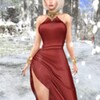
New arrivals at the Euphoria store
Welcome, friends!
hop://spacegrid.online:6002/Polinar/161/116/22

That is the question here...
| | falene hawks: Hello As long as there are humans on earth, peace will be impossible 13 days ago |
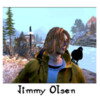
SIM beacon is offline but still have acess for public. just dont mind the pixel dust. Redoing the region entirely . bringing stuffs from the time on GCG - Tromsø RL city replica - it will be a long and complex job - will take time, specially when I`ve been more playing ESO than being online on opensim but I will get there :)

Tonight as an Easter treat, DJ Azraella brings us:
J.W. Cooper and the Kaos Crew Part 2.
Another awesome 2 hours plus of Alice Cooper lyrics reimagined by DJ Azraella
with her punchy glitch synth rock blues creations.
If you liked part one, you are gonna love this!
Direct from the Edge of Reality Studios to Subterranea Club Advantis @Neverworld Grid taxi below.
From start to finish this is an incredible set. Don't miss it.
hop://hg.neverworldgrid.com:8002/Advantis/351/276/998
J.W. Cooper and the Kaos Crew Part 2.
Another awesome 2 hours plus of Alice Cooper lyrics reimagined by DJ Azraella
with her punchy glitch synth rock blues creations.
If you liked part one, you are gonna love this!
Direct from the Edge of Reality Studios to Subterranea Club Advantis @Neverworld Grid taxi below.
From start to finish this is an incredible set. Don't miss it.
hop://hg.neverworldgrid.com:8002/Advantis/351/276/998
| | Quint.Ardent: About 30 min to go, so if you still want to enjoy before it's to late. Don't think too long ;) 15 days ago |
Achtung, Achtung!
Heute ab 19 Uhr verwandelt sich unsere Location in den verrücktesten Bau der Gegend!
Hier hoppeln keine braven Häschen herum…
Nein, hier kommen die Bad Rabbits – frech, wild und garantiert nicht stubenrein!
Was euch erwartet:
Jede Menge kleine, überraschende Geschenke (weil brave Gäste belohnt werden… oder auch nicht)
Tolle Leute, gute Musik, die euch garantiert zum Zappeln bringt
Eine Atmosphäre irgendwo zwischen Osterzauber
Heute ab 19 Uhr verwandelt sich unsere Location in den verrücktesten Bau der Gegend!
Hier hoppeln keine braven Häschen herum…
Nein, hier kommen die Bad Rabbits – frech, wild und garantiert nicht stubenrein!
Was euch erwartet:
Jede Menge kleine, überraschende Geschenke (weil brave Gäste belohnt werden… oder auch nicht)
Tolle Leute, gute Musik, die euch garantiert zum Zappeln bringt
Eine Atmosphäre irgendwo zwischen Osterzauber
| | Cosa: Noch gibt es coole Mucke :-) und Geschenke, ran hier ihr Leutz .... 15 days ago |

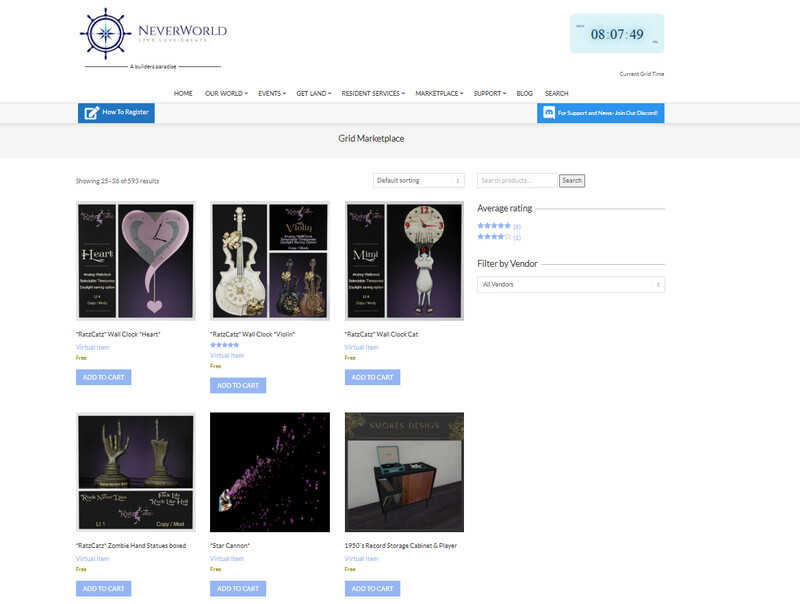

Don't worry we all arrived safe

NEW Release SN Hava Leather Dress
Legacy & Perky Single
Alltime Moneygiver inside Mainstore
~NO RESELL~

▶▷▶Happy Easter!
The CC-CLUB and the entire team wish you all a happy Easter and relaxing holidays.
▶▷▶Frohe Ostern!
Der CC – CLUB, das gesamte Team wünscht euch allen ein schönes Osterfest und erholsame Feiertage.
The CC-CLUB and the entire team wish you all a happy Easter and relaxing holidays.
▶▷▶Frohe Ostern!
Der CC – CLUB, das gesamte Team wünscht euch allen ein schönes Osterfest und erholsame Feiertage.
| | CleaPerido: frohe ostern 16 days ago |
Even more fun for the weekend. Pardon my mess as I am taking everything off 'Full Bright at night" and doing some PROPER lighting for a change. Who knew Opensim is capable of interesting texture effects without PBR!?
| | OpenSimUser: Yes graphics cards have come a long ways. 18 days ago |

Richi's Music Call
-the ultimate cult show-
English below
Am 02.04.2026, , um 19 Uhr, starten wir auf der TimeBandit im Moonrose Grid zu Richi's MusicCall durch.
Lasst uns gemeinsam einen kleinen musikalischen Urlaub für unsere Herzen und unsere Seelen genießen.
Dazu sind alle immer herzlich willkommen.
Es beschallt Euch : Richi Rizzoli
Streaming URL: https://stream.laut.fm/radiorockt
Taxi: hop://moonrose-grid.de:8002/MusicCallBay/88/120/29
-----------
Richi's Music Call
-the ultimate cult show-
On 02.04, 2026, , at 10 p.m. inworld, we'll be kicking off Richi's Music Call at the TimeBandit in the Moonrose Grid.
Let's enjoy a little musical vacation for our hearts and souls together.
Everyone is always welcome.
Providing sound: Richi Rizzoli
Stream: https://stream.laut.fm/radiorockt
Streaming URL: https://stream.laut.fm/radiorockt
Taxi: hop://moonrose-grid.de:8002/MusicCallBay/88/120/29
-the ultimate cult show-
English below
Am 02.04.2026, , um 19 Uhr, starten wir auf der TimeBandit im Moonrose Grid zu Richi's MusicCall durch.
Lasst uns gemeinsam einen kleinen musikalischen Urlaub für unsere Herzen und unsere Seelen genießen.
Dazu sind alle immer herzlich willkommen.
Es beschallt Euch : Richi Rizzoli
Streaming URL: https://stream.laut.fm/radiorockt
Taxi: hop://moonrose-grid.de:8002/MusicCallBay/88/120/29
-----------
Richi's Music Call
-the ultimate cult show-
On 02.04, 2026, , at 10 p.m. inworld, we'll be kicking off Richi's Music Call at the TimeBandit in the Moonrose Grid.
Let's enjoy a little musical vacation for our hearts and souls together.
Everyone is always welcome.
Providing sound: Richi Rizzoli
Stream: https://stream.laut.fm/radiorockt
Streaming URL: https://stream.laut.fm/radiorockt
Taxi: hop://moonrose-grid.de:8002/MusicCallBay/88/120/29

Club Tosca die ultimative Party des Frühlings!
Erlebt die Mix Explosion – die besten Beats, heiße Sounds und ein unvergesslicher Abend voller Spaß, Stimmung und großartiger Leute!
Kommt vorbei, tanzt mit uns durch die Nacht und lasst den Alltag einfach hinter euch!
Sei dabei – wir sehen uns auf der Tanzfläche!
Erlebt die Mix Explosion – die besten Beats, heiße Sounds und ein unvergesslicher Abend voller Spaß, Stimmung und großartiger Leute!
Kommt vorbei, tanzt mit uns durch die Nacht und lasst den Alltag einfach hinter euch!
Sei dabei – wir sehen uns auf der Tanzfläche!
The Wrong Biennale comes to an end.
https://www.hypergridbusiness.com/2026/03/it-wasnt-about-a...
😅Selbstbeweihräucherung.😅
😅Self-promotion.😅
| | Spax Orion: All that is missing are the proper vestments which go with that thurible. 22 days ago |
| | HarperHeld: I noticed that yesterday! I'm in no shape to do rigorous testing, but I'll definitely grab a copy and give a shout if I run into anything obvious. :) 23 days ago |

Ich verzichte mal auf die großspurigen, KI-generierten Texte. Das sollen Personen machen, die nichts Eigenes können.
Another Live Concert written and produced by DJ Azraella.
This time DJ Azra brings us The Connor Twins & The Electric Cattle Prods.
providing two hours of new Progressive Rock Country BlueGrass music to stomp the night away to.
This is not Country as you know it. This is Country Rock from the Edge of Reality!
Come on down and join the crowd.
hop://hg.neverworldgrid.com:8002/Tatooine/480/587/55
2p.m. till 4 p.m. Grid Time
This time DJ Azra brings us The Connor Twins & The Electric Cattle Prods.
providing two hours of new Progressive Rock Country BlueGrass music to stomp the night away to.
This is not Country as you know it. This is Country Rock from the Edge of Reality!
Come on down and join the crowd.
hop://hg.neverworldgrid.com:8002/Tatooine/480/587/55
2p.m. till 4 p.m. Grid Time
| | Quint.Ardent: We about passed the half time mark, still plenty of time to enjoy! 25 days ago |
Daylight Saving Time this weekend?
Not mandatory!
| | Speck: I just want to know where they keep all the daylight, surely we could use this at night time? :D 24 days ago |

THE PIER RAVE CLUB – PARTY TONIGHT!🎧
DJ Crazy and DJ Nickolas are taking over the decks with a full-power, non-stop rave set that’ll shake the grid.
🎤 Hosted by the iconic duo Carmen & Marja, bringing the energy, the attitude, and the neon vibes.
🕛 Starts at 12 AM GRID TIME
📍 Location: THE PIER — where the beats meet the sea
🔊 Expect lasers, bass, crowd madness, and pure dancefloor heat
💥 Don’t miss it — the rave explodes at midnight
TAXI : LOCAL : hop://hg.gbg-world.com:80/The%20Pier/128/128/12
TAXI HG : hg.gbg-world.com:80:The Pier
DJ Crazy and DJ Nickolas are taking over the decks with a full-power, non-stop rave set that’ll shake the grid.
🎤 Hosted by the iconic duo Carmen & Marja, bringing the energy, the attitude, and the neon vibes.
🕛 Starts at 12 AM GRID TIME
📍 Location: THE PIER — where the beats meet the sea
🔊 Expect lasers, bass, crowd madness, and pure dancefloor heat
💥 Don’t miss it — the rave explodes at midnight
TAXI : LOCAL : hop://hg.gbg-world.com:80/The%20Pier/128/128/12
TAXI HG : hg.gbg-world.com:80:The Pier
| | Carmen Jewel Ever: great Rave tunes here . hg.gbg-world.com:80:The Pier 25 days ago |

beta testing kubo/IPFS - backed asset server. if your regions are spread out in different continents like an octopus and the head is the robust server 'brain' you can run IPFS nodes on each region. Working on the brain node next, hopefully replace fsassets. I'm using content hashing to reduce dups, for example 500 blank notecards is only 1 blank notecard. code at https://codeberg.org/fionasweet/assetd it works as a cache for fsassets at the moment but still WIP
| | Aphra Hendrix: schönes Kunstwerk! 28 days ago |
Time really does fly, here we are, six months later, and The Wrong Biennale is coming to a close on March 31, 2026.
What an incredible experience it’s been, blending the real world with the virtual. We want to thank all the artists who participated, they all brought so much creativity and originality to the table. Even though we joined a bit late, everyone pulled together and met the deadlines beautifully. Each artist was given just one parameter, to create their exhibit using AI, and the results are wildly diverse, thought-provoking, and completely unique.
The response has been amazing. The website received well over 2,000 views, the in-world exhibit welcomed hundreds of visitors with over a thousand visits, and we were featured on The Wrong’s Instagram as well as their official press page. We also had the pleasure of hosting visits from the VWEC, Thirza’s Hypergrid Safari, and many attendees from OSCC during the conference weekend.
We couldn’t be more proud of what’s been created here.
While The Wrong officially wraps up at the end of March, Ilan Tochner, owner of Kitely, has generously extended the exhibit for an additional three months.
So if you haven’t experienced it yet…this is your chance.
Visit The Wrong Here - TheWrongBiennale
Visit in-world - grid.kitely.com:8002:Kitely Expo Center
Visit online - Synthetic Dreams | wrong biennale
What an incredible experience it’s been, blending the real world with the virtual. We want to thank all the artists who participated, they all brought so much creativity and originality to the table. Even though we joined a bit late, everyone pulled together and met the deadlines beautifully. Each artist was given just one parameter, to create their exhibit using AI, and the results are wildly diverse, thought-provoking, and completely unique.
The response has been amazing. The website received well over 2,000 views, the in-world exhibit welcomed hundreds of visitors with over a thousand visits, and we were featured on The Wrong’s Instagram as well as their official press page. We also had the pleasure of hosting visits from the VWEC, Thirza’s Hypergrid Safari, and many attendees from OSCC during the conference weekend.
We couldn’t be more proud of what’s been created here.
While The Wrong officially wraps up at the end of March, Ilan Tochner, owner of Kitely, has generously extended the exhibit for an additional three months.
So if you haven’t experienced it yet…this is your chance.
Visit The Wrong Here - TheWrongBiennale
Visit in-world - grid.kitely.com:8002:Kitely Expo Center
Visit online - Synthetic Dreams | wrong biennale
Have a nice Sunday, everyone.

Reflecting ...

Cool little Stump Chair! three.hills.grid.outworldz.net:8002:Gracie and Dexter's Community Dump

Something Wicked This Way Comes
` William Shakespeare

A new Game Kit is now on Who Know and this one is pretty cool. I call it moving platforms because I'm lazy tonight...:) put the script in your objects and you got a Instant Game. Comes with Starting line, Checkpoints,A floor that teleports you to your last checkpoint, a jump boost( very cool), a finish Line and a Leader Board For the Game. https://www.youtube.com/watch?v=cZ7B7Xy32kw. Invite me to see your creations.
| | Kylie Brimmer: oh that cool :) 1 month ago |
Sweet Spot Golf Club is now officially reopened!
The golf system has been fully updated and is now running smoothly with improved gameplay and scoring.
If you’re coming out to play, please take a moment to do it right:
• Read the instructions in the golf bag before starting
• Always wear BOTH HUDs (Golf HUD + Scorecard HUD)
• Touch the ball to arm it before swinging
• Set your power in local chat before your shot
We love seeing people explore and test, but just hitting balls without the HUDs or instructions will not give you the proper game experience.
This system is designed to be interactive and accurate — and it works beautifully when used as intended.
Come enjoy the course, the scenery, and a proper round of golf.
Sweet Spot Golf Club now has 3 rentals available!
Enjoy peaceful living in a beautiful ---->G-rated sim
The golf system has been fully updated and is now running smoothly with improved gameplay and scoring.
If you’re coming out to play, please take a moment to do it right:
• Read the instructions in the golf bag before starting
• Always wear BOTH HUDs (Golf HUD + Scorecard HUD)
• Touch the ball to arm it before swinging
• Set your power in local chat before your shot
We love seeing people explore and test, but just hitting balls without the HUDs or instructions will not give you the proper game experience.
This system is designed to be interactive and accurate — and it works beautifully when used as intended.
Come enjoy the course, the scenery, and a proper round of golf.
Sweet Spot Golf Club now has 3 rentals available!
Enjoy peaceful living in a beautiful ---->G-rated sim


|
Blender Group
35 members |

|
That Place Amusements
2 members |

|
Adultalicous Fantasies
1 members |

|
Virtual Life Info Group
2 members |

|
OS GOODIES
10 members |

|
Ruth and Roth
15 members |

|
Rev World
6 members |

|
OARs
1 members |
|
|
Open access
3 members |