OpenSimWorld is the directory of 3D Virtual Worlds based on OpenSimulator and connected through the HyperGrid. Learn More
New Members
JulietteSurrealDreaming, Aranza1957, PamellaSim, Prentice, Annaennett, Junction, Aranza, Yeelinda, Dinho, Viviannv, RufusRippley, MaraWindsong, KalebDonovan, Leighlah, Mryork, Katiiis, Austin, JettZax, Ashen, EmmaLewisLikes






The new OSW beacon is now in the OSW package in our region. The new beacon includes some bug fixes and a new Like / comment button that allows people who visit your region to give likes and comments to your region. Get it from our region along with the new HUD!

hop://vela-dream.ddnss.de:8002/Vela%20Disco/177/211/22 Einladung zu Kims Geburtstag am 18.04.2026 um 19:UHR mit *DJ-Cleopata ,jeder ist Willkommen bei gute Musik !!
Der Blumenstrauß steht auf dem Tisch, und auch Kuchen und Kaffee sind ganz frisch.
********************************************************************
IInvitation to Kim's birthday party on April 18, 2026 at 7 PM with DJ Cleopata, everyone is welcome for great music!!
The bouquet of flowers is on the table,and the cake and coffee are also very fresh.
Der Blumenstrauß steht auf dem Tisch, und auch Kuchen und Kaffee sind ganz frisch.
********************************************************************
IInvitation to Kim's birthday party on April 18, 2026 at 7 PM with DJ Cleopata, everyone is welcome for great music!!
The bouquet of flowers is on the table,and the cake and coffee are also very fresh.

We've put RCBot's OSFest 2026 Dates poll in the polling channel on the OSFest Discord server. If you are not on Discord and want to vote we can vote as your proxy. The choices are Aug 17-31, 2026 or Oct 12-26, 2026 - here to help if needed! Most OSFest Events will be on different grids scheduled via the updated OSFest Calendar application. The poll will be up for the remainder of April 2026 so everyone has a chance to vote.
 | LaviaLavine: Choice 1 - October is wedding month here. 17 hours ago |

Retirement options.
I wonder when the tide comes.
| | Govani13: This really pisses me off... if you want to live and spread your shitty views. There are plenty of social media platforms where you can spread your political opinions... it's annoying here... and if t... 23 hours ago |

DJ Ted Today at The Morning Breakfast Show at 6 am grid time, come join me for a 2 hours set of Forgotten Songs dedications and requests at the Alternate Metaverse Landing point
| | ZelleMist: Great Tunes for Breakfast Ted.. Wooooooooo Yeahhhhhhhhhh yesterday |

Let me reiterate for everyone: If I belonged to a radical terrorist wing of the autonomous movement, would I be posting here? They keep to themselves and would kick my ass if I posted so openly. Besides, they also have the hacking capabilities to track down fascists online. Okay, I'm somewhat skilled at that last part, but what good would it do me? I abhor violence, and what I can't achieve verbally here wouldn't change anything if I were face to face. My language is sometimes very harsh and comes across as violent, which is also due to my despair at how brutalized and right-wing society has become, not just in Germany, but worldwide. And when I then see such incredibly stupid comments on my posts, it doesn't exactly reassure me. And yes, I am Antifa in the truest sense of the word. Anti-fascism. To those confused minds who think left is the new right, all I can say is, the earth is flat. *lol* The fact that I was even kicked out of an art event on a well-known German network yesterday because of who I am doesn't bother me. I already have a more lucrative offer that promises significantly more reach. Have a good life, everyone.
..........................................................................................................................................................................................................................
Nochmals für alle Leute: Würde ich einem radikalen terroristischen Flügel der Autonomen angehören, würde ich hier posten? Die halten sich im Verborgenen und würden mir den Arsch versohlen, wenn ich hier so offen poste. Zudem verfügen die auch über Hackermöglichkeiten Faschisten im Netz ausfindig zu machen. Gut letzteres beherrsche ich ein wenig, aber was hätte ich denn davon?? Ich verabscheue Gewalt und was ich verbal hier nicht erreiche, das würde auch nichts beim Gegenüberstehen ändern. Meine Wortwahl ist mitunter sehr barsch und kommt gewalttätig rüber, was auch an der Verzweiflung liegt, wie verroht und rechtsorientiert die Gesellschaft geworden ist, nicht nur in Deutschland, nein weltweit. Und wenn ich dann noch so unsagbar dumme Kommentare zu meinen Beiträgen sehe, beruhigt mich das auch nicht wirklich. Und ja, ich bin AntiFa im eigentlichen Sinne des Wortes. Gegen-Faschismus. Zu den verwirrten Geistern die meinen, Links ist das neue rechts, kann ich, nur sagen, und die Erde ist eine Scheibe.*lol Das weil ich bin, wie ich bin, gestern sogar als Teilnehmerin bei einem Kunstevent eines bekannteren deutschen Grids herausgeflogen bin, stört mich nicht weiter. Ich habe bereits ein Angebot, welches lukrativer ist und bedeutend mehr Reichweite verspricht. Habt alle ein schönes Leben.
..........................................................................................................................................................................................................................
Nochmals für alle Leute: Würde ich einem radikalen terroristischen Flügel der Autonomen angehören, würde ich hier posten? Die halten sich im Verborgenen und würden mir den Arsch versohlen, wenn ich hier so offen poste. Zudem verfügen die auch über Hackermöglichkeiten Faschisten im Netz ausfindig zu machen. Gut letzteres beherrsche ich ein wenig, aber was hätte ich denn davon?? Ich verabscheue Gewalt und was ich verbal hier nicht erreiche, das würde auch nichts beim Gegenüberstehen ändern. Meine Wortwahl ist mitunter sehr barsch und kommt gewalttätig rüber, was auch an der Verzweiflung liegt, wie verroht und rechtsorientiert die Gesellschaft geworden ist, nicht nur in Deutschland, nein weltweit. Und wenn ich dann noch so unsagbar dumme Kommentare zu meinen Beiträgen sehe, beruhigt mich das auch nicht wirklich. Und ja, ich bin AntiFa im eigentlichen Sinne des Wortes. Gegen-Faschismus. Zu den verwirrten Geistern die meinen, Links ist das neue rechts, kann ich, nur sagen, und die Erde ist eine Scheibe.*lol Das weil ich bin, wie ich bin, gestern sogar als Teilnehmerin bei einem Kunstevent eines bekannteren deutschen Grids herausgeflogen bin, stört mich nicht weiter. Ich habe bereits ein Angebot, welches lukrativer ist und bedeutend mehr Reichweite verspricht. Habt alle ein schönes Leben.
| | JamieWright: Don't give your energy to people committed to misunderstanding you. Focus on the folks that see you and find some joy in that. yesterday |
When a virus attacks the body, the white cells rush in to crush and devour it.
| | Govani13: This really pisses me off... if you want to live and spread your shitty views. There are plenty of social media platforms where you can spread your political opinions... it's annoying here... and if t... 23 hours ago |

📝 Double Header at GroovyVerse!
Join us tonight! at 5PM! hop://groovyverse.com:8002/sfBay/1018/682/24

Thanks to everyone who joined us today at The Learning Zone for the GIF Workshop! Here is a link to part 1 of the video series. https://youtu.be/g4oD2OlBLW0?si=gNv8hEs-dHft2rCl
Don't forget to join our You Tube Channel for updates.
Join our Discord Channel, The Curiosity Zone. https://discord.gg/X6sq4j7arM
Don't forget to join our You Tube Channel for updates.
Join our Discord Channel, The Curiosity Zone. https://discord.gg/X6sq4j7arM
Mr Mikie live at the Mainstage at the amv landing point
Every second Tuesday He comes to sing for us
From Willy Nelson till Josh and requests
Everybody is welcome to join us
✨ Grand Opening: OtherLife Fashion! ✨
Looking for a style that breaks away from the conventional? The wait is over. We are excited to announce the grand opening of OtherLife Fashion, your new style benchmark in the metaverse.
🌟 100% Exclusive Content
At OtherLife Fashion, we don't believe in the generic. Every garment, accessory, and texture has been designed from scratch with exceptional attention to detail. Our entire catalog is exclusive content, created by and for residents seeking a unique identity in their virtual life.
📍 Where to find us?
We are located in one of the most vibrant spots on the grid:
Grid: Virtual Life Grid
Region: Welcome
Destination: Click here to teleport hop://grid.virtualife-grid.it:8002/Welcome/99/173/22
👗 What will you find?
Seasonal collections with original designs.
High-definition textures optimized for grid performance.
Fashion that adapts to your personality, from urban to high couture.
Don't settle for the usual. Come visit the store that is redefining aesthetics in Virtual Life Grid.
We look forward to seeing you in the Welcome region to discover your other life with the best style!
OtherLife Fashion: Be Different, Be You.
Looking for a style that breaks away from the conventional? The wait is over. We are excited to announce the grand opening of OtherLife Fashion, your new style benchmark in the metaverse.
🌟 100% Exclusive Content
At OtherLife Fashion, we don't believe in the generic. Every garment, accessory, and texture has been designed from scratch with exceptional attention to detail. Our entire catalog is exclusive content, created by and for residents seeking a unique identity in their virtual life.
📍 Where to find us?
We are located in one of the most vibrant spots on the grid:
Grid: Virtual Life Grid
Region: Welcome
Destination: Click here to teleport hop://grid.virtualife-grid.it:8002/Welcome/99/173/22
👗 What will you find?
Seasonal collections with original designs.
High-definition textures optimized for grid performance.
Fashion that adapts to your personality, from urban to high couture.
Don't settle for the usual. Come visit the store that is redefining aesthetics in Virtual Life Grid.
We look forward to seeing you in the Welcome region to discover your other life with the best style!
OtherLife Fashion: Be Different, Be You.

Corazón del Mar is calling… and she doesn’t whisper—she dances.
Inspired by the soul of Havana and my Cuban friends, I created a vibrant little escape where life slows down just enough to enjoy it. This is your oasis—color, rhythm, and warmth wrapped into one unforgettable place.
Dance in the streets.
Watch the fire dancer light up the night.
Wander through the pottery shop and silversmith’s corner.
Indulge in chocolates.
Take a swing at a piñata… because why not?
This isn’t just a destination—it’s a feeling.
Come explore, unwind, and let the Cuban vibe move you.
Corazón del Mar — where the spirit of Havana comes alive.
three.hills.grid.outworldz.net:8002:Corazon del Mar
Thank you @FerdFrederix for the magic you bring, I love it here :)
Inspired by the soul of Havana and my Cuban friends, I created a vibrant little escape where life slows down just enough to enjoy it. This is your oasis—color, rhythm, and warmth wrapped into one unforgettable place.
Dance in the streets.
Watch the fire dancer light up the night.
Wander through the pottery shop and silversmith’s corner.
Indulge in chocolates.
Take a swing at a piñata… because why not?
This isn’t just a destination—it’s a feeling.
Come explore, unwind, and let the Cuban vibe move you.
Corazón del Mar — where the spirit of Havana comes alive.
three.hills.grid.outworldz.net:8002:Corazon del Mar
Thank you @FerdFrederix for the magic you bring, I love it here :)

I just found a JUICY FAT BED-BUG on this site. When someone Blocks you, posting on the blocker's events is STILL Allowed! The person who posted the event will probably not see your comment, EVERYONE ELSE WILL!
So, if you blocked someone for 'calling out your non-compliance with the rules in the OSW FAQ', justice can and probably WILL come to you in your individual event listings. Mark ALL of your regions as GROUP (or RESTRICTED) if your host (zetaworlds) is kicking foreigners offline over privacy concerns, it is that SIMPLE.
This is one bug I hope Opensimworld NEVER fixes!
So, if you blocked someone for 'calling out your non-compliance with the rules in the OSW FAQ', justice can and probably WILL come to you in your individual event listings. Mark ALL of your regions as GROUP (or RESTRICTED) if your host (zetaworlds) is kicking foreigners offline over privacy concerns, it is that SIMPLE.
This is one bug I hope Opensimworld NEVER fixes!
Dj Dave King for your Early Morning Breakfast show
It's MANIC MONDAYYYYYYYYYY!! Come join Our cowboy dave from 6am - 8am today at the morning breakfast show and show him how Manic Mondays are !!
Dave gives his best , come join him for a rodeo rideeee!!!
It's MANIC MONDAYYYYYYYYYY!! Come join Our cowboy dave from 6am - 8am today at the morning breakfast show and show him how Manic Mondays are !!
Dave gives his best , come join him for a rodeo rideeee!!!
💚One less.💚
| | Xenon Darrow: I have hope for all my friends everywhere else. I have little hope for us anymore. 3 days ago |


Sincere apologies to anyone who is trying to get to Dwell at this moment. Dwell is currently closed, and we are working on the situation. Thank you for your patience and understanding.

https://youtu.be/IrnzLFltYJk?si=5lEkhGlyn1WxEGYI
Tuesday, April 14th 10:00 AM join
WOLF TECH • THE LEARNING ZONE • VWEC
AS WE PRESENT:
THE ULTIMATE ANIMATED GIF Workshop
Spark Ideas. Ignite Creativity. Bring Your Creations to Life.
Create eye-catching GIFs and discover bold, new ways to use them.
Hands-on. Creative. Fun.
Perfect for builders, artists, and creators of all levels
Location: The Curiosity Zone: hop://grid.curiosityzone.us:8002/Siren%20Sea/128/127/21
Date: April 14, 2026
Time: 10:00 – 11:30 AM Grid Time (this of course depends on questions)
Tuesday, April 14th 10:00 AM join
WOLF TECH • THE LEARNING ZONE • VWEC
AS WE PRESENT:
THE ULTIMATE ANIMATED GIF Workshop
Spark Ideas. Ignite Creativity. Bring Your Creations to Life.
Create eye-catching GIFs and discover bold, new ways to use them.
Hands-on. Creative. Fun.
Perfect for builders, artists, and creators of all levels
Location: The Curiosity Zone: hop://grid.curiosityzone.us:8002/Siren%20Sea/128/127/21
Date: April 14, 2026
Time: 10:00 – 11:30 AM Grid Time (this of course depends on questions)

more Stuff
✨ Grand Opening: OtherLife Fashion! ✨
Looking for a style that breaks away from the conventional? The wait is over. We are excited to announce the grand opening of OtherLife Fashion, your new style benchmark in the metaverse.
🌟 100% Exclusive Content
At OtherLife Fashion, we don't believe in the generic. Every garment, accessory, and texture has been designed from scratch with exceptional attention to detail. Our entire catalog is exclusive content, created by and for residents seeking a unique identity in their virtual life.
📍 Where to find us?
We are located in one of the most vibrant spots on the grid:
Grid: Virtual Life Grid
Region: Welcome
Destination: Click here to teleport hop://grid.virtualife-grid.it:8002/Welcome/99/173/22
👗 What will you find?
Seasonal collections with original designs.
High-definition textures optimized for grid performance.
Fashion that adapts to your personality, from urban to high couture.
Don't settle for the usual. Come visit the store that is redefining aesthetics in Virtual Life Grid.
We look forward to seeing you in the Welcome region to discover your other life with the best style!
OtherLife Fashion: Be Different, Be You.
Looking for a style that breaks away from the conventional? The wait is over. We are excited to announce the grand opening of OtherLife Fashion, your new style benchmark in the metaverse.
🌟 100% Exclusive Content
At OtherLife Fashion, we don't believe in the generic. Every garment, accessory, and texture has been designed from scratch with exceptional attention to detail. Our entire catalog is exclusive content, created by and for residents seeking a unique identity in their virtual life.
📍 Where to find us?
We are located in one of the most vibrant spots on the grid:
Grid: Virtual Life Grid
Region: Welcome
Destination: Click here to teleport hop://grid.virtualife-grid.it:8002/Welcome/99/173/22
👗 What will you find?
Seasonal collections with original designs.
High-definition textures optimized for grid performance.
Fashion that adapts to your personality, from urban to high couture.
Don't settle for the usual. Come visit the store that is redefining aesthetics in Virtual Life Grid.
We look forward to seeing you in the Welcome region to discover your other life with the best style!
OtherLife Fashion: Be Different, Be You.

♪ Live at ARV Club ♪
Enter a world of desert winds, golden sands, and ancient rhythms.
♫ Hypnotic beats and sensual movement
♫ Oriental fusion, tribal energy, and dark elegance
♫ Music of mystery, fire, and feminine power
♪ 1 Hour Live Set
♪ Bellydance & oriental vibes
♪ Exotic, seductive, and immersive
✿ Where : hg.neverworldgrid.com:8002:ARV Music Club
✿ When: 8 AM
♪ Attire: Mystical and bright
✿ ARVI LIVE ✿
Enter a world of desert winds, golden sands, and ancient rhythms.
♫ Hypnotic beats and sensual movement
♫ Oriental fusion, tribal energy, and dark elegance
♫ Music of mystery, fire, and feminine power
♪ 1 Hour Live Set
♪ Bellydance & oriental vibes
♪ Exotic, seductive, and immersive
✿ Where : hg.neverworldgrid.com:8002:ARV Music Club
✿ When: 8 AM
♪ Attire: Mystical and bright
✿ ARVI LIVE ✿

I just released an update...I added the ability in vs 3.3 to inject the material into the glb being uploaded. When one uploades the glb it comes textured, you drag the glb from contents into your inventory so that it hits the database proper! Looking for more bugs. Let me know if you find them enjoy!
This program will allow you to upload any mesh, rigged mesh, or not up to around 1 gigs about 20 files or so at once using an oar file! It auto chunks large meshes automatically. The items in the picture were over 2 million verts. It makes a sane physics map for you also . So despite the high verts, well the physics load is a lot lower than what you get with the viewer. It also will let you list all your oar contents in a text file...and well import it into blender with all the textures and placement just like in world!!! :-) Below is the help menu. and below that the download link.
FILE
Open OAR File: open a packaged .oar archive.
Open OAR Folder: open an extracted OAR working folder.
Convert Data: export the loaded OAR using the format from Tools > Output Format. It reads the existing OAR object XML and companion assets, then writes converted output files to disk.
Convert Data does not create a new LLMesh object or save a replacement object XML. The XML already exists in the loaded OAR and is used as export input.
FILE MENU COMPATIBILITY
The converter is only supported for OARs produced by the actual simulator. Repacked or reverse-injected OARs created by this program are not backward-compatible with the converter and may fail if reopened through File > Open OAR File or File > Open OAR Folder and then converted again.
IMPORT
Step One: create blank.oar and prepare an extracted working folder for injection.
Inject Mesh: add one .dae, .gltf, or .glb model into an extracted OAR. Set location, scale, physics, rigging, and LODs here.
Pack Oar: repack the extracted folder into a final .oar archive.
TOOLS
Objects List: browse objects in the loaded OAR and export selected objects through the normal OAR export pipeline.
Objects List > Export: export one or more selected OAR objects into an output folder. Depending on format, the app may write the main file under Solids or Phantoms and may also create companion folders such as Textures, MTL, or BIN.
Objects List > Export does not create a standalone mesh inventory object. It converts from the object's existing OAR XML and asset data.
Output Format: choose DAE, OBJ, GLTF, GLB, FBX, or STL for export.
Settings: set ranges, shifts, terrain options, and folder prefixes.
INJECT MESH DIALOG FIELDS
Source model: the .dae, .gltf, or .glb file to insert.
Location X/Y/Z: the final placement of the inserted object in the target OAR region.
Current dimensions: read-only size of the source model after analysis.
Scale: uniform size multiplier. 1.0 keeps original size.
Physics: choose how collision data is generated. File mode uses a separate physics model.
Rigged: treat the source as a rigged or avatar-style model.
Include Joint Positions: keep joint position data when rigged import needs it.
Strip Joint Data: remove rigging data and force a static-style result.
LOD High/Medium/Low/Lowest: control each generated LOD level.
Mode: choose how each LOD is derived.
Target Tris: desired triangle count for that LOD when the selected mode uses a target.
Vertices: read-only estimate of vertex count for each generated LOD.
WORKFLOW: OAR TO BLENDER USING GLB
1. Open Tools > Output Format and select GLB.
2. Open the source OAR with File > Open OAR File or Open OAR Folder.
3. Run File > Convert Data.
4. Import the generated .glb files into Blender with File > Import > glTF 2.0.
WORKFLOW: BUILD A REPACKED OAR WITH MULTIPLE MODELS
1. Run Import > Step One once to create a blank working OAR.
2. Run Import > Inject Mesh once for each model you want to add.
3. Source files can be .glb, .gltf, or .dae. Rigged avatar-style models can use the Rigged and joint options.
4. Repeat Inject Mesh until all assets are placed.
5. Run Import > Pack Oar to write the final repacked archive.
PLEASE DO ENJOY!!!!ONLY IN OPENSIM!Feel free to report bugs and or other worthy insights. I have written the original makers of it but not gotten any replies so I do no tknow if they are around or not. It is legal opensource though. THe list of contributors is there. If anyone knows them tell them to say hello...
https://maze.bz/OARConv.html
FILE
Open OAR File: open a packaged .oar archive.
Open OAR Folder: open an extracted OAR working folder.
Convert Data: export the loaded OAR using the format from Tools > Output Format. It reads the existing OAR object XML and companion assets, then writes converted output files to disk.
Convert Data does not create a new LLMesh object or save a replacement object XML. The XML already exists in the loaded OAR and is used as export input.
FILE MENU COMPATIBILITY
The converter is only supported for OARs produced by the actual simulator. Repacked or reverse-injected OARs created by this program are not backward-compatible with the converter and may fail if reopened through File > Open OAR File or File > Open OAR Folder and then converted again.
IMPORT
Step One: create blank.oar and prepare an extracted working folder for injection.
Inject Mesh: add one .dae, .gltf, or .glb model into an extracted OAR. Set location, scale, physics, rigging, and LODs here.
Pack Oar: repack the extracted folder into a final .oar archive.
TOOLS
Objects List: browse objects in the loaded OAR and export selected objects through the normal OAR export pipeline.
Objects List > Export: export one or more selected OAR objects into an output folder. Depending on format, the app may write the main file under Solids or Phantoms and may also create companion folders such as Textures, MTL, or BIN.
Objects List > Export does not create a standalone mesh inventory object. It converts from the object's existing OAR XML and asset data.
Output Format: choose DAE, OBJ, GLTF, GLB, FBX, or STL for export.
Settings: set ranges, shifts, terrain options, and folder prefixes.
INJECT MESH DIALOG FIELDS
Source model: the .dae, .gltf, or .glb file to insert.
Location X/Y/Z: the final placement of the inserted object in the target OAR region.
Current dimensions: read-only size of the source model after analysis.
Scale: uniform size multiplier. 1.0 keeps original size.
Physics: choose how collision data is generated. File mode uses a separate physics model.
Rigged: treat the source as a rigged or avatar-style model.
Include Joint Positions: keep joint position data when rigged import needs it.
Strip Joint Data: remove rigging data and force a static-style result.
LOD High/Medium/Low/Lowest: control each generated LOD level.
Mode: choose how each LOD is derived.
Target Tris: desired triangle count for that LOD when the selected mode uses a target.
Vertices: read-only estimate of vertex count for each generated LOD.
WORKFLOW: OAR TO BLENDER USING GLB
1. Open Tools > Output Format and select GLB.
2. Open the source OAR with File > Open OAR File or Open OAR Folder.
3. Run File > Convert Data.
4. Import the generated .glb files into Blender with File > Import > glTF 2.0.
WORKFLOW: BUILD A REPACKED OAR WITH MULTIPLE MODELS
1. Run Import > Step One once to create a blank working OAR.
2. Run Import > Inject Mesh once for each model you want to add.
3. Source files can be .glb, .gltf, or .dae. Rigged avatar-style models can use the Rigged and joint options.
4. Repeat Inject Mesh until all assets are placed.
5. Run Import > Pack Oar to write the final repacked archive.
PLEASE DO ENJOY!!!!ONLY IN OPENSIM!Feel free to report bugs and or other worthy insights. I have written the original makers of it but not gotten any replies so I do no tknow if they are around or not. It is legal opensource though. THe list of contributors is there. If anyone knows them tell them to say hello...
https://maze.bz/OARConv.html
👍👍👍
Prince Amor✦ ▸ Maze Grid Home 2 days ago
...
I am proud to announce my release of OarConv Reimagined. This program will allow you to upload any mesh, rigged mesh, or not up to around 1 gigs about 20 files or so at once using an oar file! It auto chunks large meshes automatically. The items in the picture were over 2 million verts. It makes a sane physics map for you also . So despite the high verts, well the physics load is a lot lower than what you get with the viewer. It also will let you list all your oar contents in a text file...and well import it into blender with all the textures and placement just like in world!!! :-) Below is the help menu. and below that the download link.
FILE
Open OAR File: open a packaged .oar archive.
Open OAR Folder: open an extracted OAR working folder.
Convert Data: export the loaded OAR using the format from Tools > Output Format. It reads the existing OAR object XML and companion assets, then writes converted output files to disk.
Convert Data does not create a new LLMesh object or save a replacement object XML. The XML already exists in the loaded OAR and is used as export input.
FILE MENU COMPATIBILITY
The converter is only supported for OARs produced by the actual simulator. Repacked or reverse-injected OARs created by this program are not backward-compatible with the converter and may fail if reopened through File > Open OAR File or File > Open OAR Folder and then converted again.
IMPORT
Step One: create blank.oar and prepare an extracted working folder for injection.
Inject Mesh: add one .dae, .gltf, or .glb model into an extracted OAR. Set location, scale, physics, rigging, and LODs here.
Pack Oar: repack the extracted folder into a final .oar archive.
TOOLS
Objects List: browse objects in the loaded OAR and export selected objects through the normal OAR export pipeline.
Objects List > Export: export one or more selected OAR objects into an output folder. Depending on format, the app may write the main file under Solids or Phantoms and may also create companion folders such as Textures, MTL, or BIN.
Objects List > Export does not create a standalone mesh inventory object. It converts from the object's existing OAR XML and asset data.
Output Format: choose DAE, OBJ, GLTF, GLB, FBX, or STL for export.
Settings: set ranges, shifts, terrain options, and folder prefixes.
INJECT MESH DIALOG FIELDS
Source model: the .dae, .gltf, or .glb file to insert.
Location X/Y/Z: the final placement of the inserted object in the target OAR region.
Current dimensions: read-only size of the source model after analysis.
Scale: uniform size multiplier. 1.0 keeps original size.
Physics: choose how collision data is generated. File mode uses a separate physics model.
Rigged: treat the source as a rigged or avatar-style model.
Include Joint Positions: keep joint position data when rigged import needs it.
Strip Joint Data: remove rigging data and force a static-style result.
LOD High/Medium/Low/Lowest: control each generated LOD level.
Mode: choose how each LOD is derived.
Target Tris: desired triangle count for that LOD when the selected mode uses a target.
Vertices: read-only estimate of vertex count for each generated LOD.
WORKFLOW: OAR TO BLENDER USING GLB
1. Open Tools > Output Format and select GLB.
2. Open the source OAR with File > Open OAR File or Open OAR Folder.
3. Run File > Convert Data.
4. Import the generated .glb files into Blender with File > Import > glTF 2.0.
WORKFLOW: BUILD A REPACKED OAR WITH MULTIPLE MODELS
1. Run Import > Step One once to create a blank working OAR.
2. Run Import > Inject Mesh once for each model you want to add.
3. Source files can be .glb, .gltf, or .dae. Rigged avatar-style models can use the Rigged and joint options.
4. Repeat Inject Mesh until all assets are placed.
5. Run Import > Pack Oar to write the final repacked archive.
PLEASE DO ENJOY!!!!ONLY IN OPENSIM!Feel free to report bugs and or other worthy insights. I have written the original makers of it but not gotten any replies so I do no tknow if they are around or not. It is legal opensource though. THe list of contributors is there. If anyone knows them tell them to say hello...
https://maze.bz/OARConv.html
This program will allow you to upload any mesh, rigged mesh, or not up to around 1 gigs about 20 files or so at once using an oar file! It auto chunks large meshes automatically. The items in the picture were over 2 million verts. It makes a sane physics map for you also . So despite the high verts, well the physics load is a lot lower than what you get with the viewer. It also will let you list all your oar contents in a text file...and well import it into blender with all the textures and placement just like in world!!! :-) Below is the help menu. and below that the download link.
FILE
Open OAR File: open a packaged .oar archive.
Open OAR Folder: open an extracted OAR working folder.
Convert Data: export the loaded OAR using the format from Tools > Output Format. It reads the existing OAR object XML and companion assets, then writes converted output files to disk.
Convert Data does not create a new LLMesh object or save a replacement object XML. The XML already exists in the loaded OAR and is used as export input.
FILE MENU COMPATIBILITY
The converter is only supported for OARs produced by the actual simulator. Repacked or reverse-injected OARs created by this program are not backward-compatible with the converter and may fail if reopened through File > Open OAR File or File > Open OAR Folder and then converted again.
IMPORT
Step One: create blank.oar and prepare an extracted working folder for injection.
Inject Mesh: add one .dae, .gltf, or .glb model into an extracted OAR. Set location, scale, physics, rigging, and LODs here.
Pack Oar: repack the extracted folder into a final .oar archive.
TOOLS
Objects List: browse objects in the loaded OAR and export selected objects through the normal OAR export pipeline.
Objects List > Export: export one or more selected OAR objects into an output folder. Depending on format, the app may write the main file under Solids or Phantoms and may also create companion folders such as Textures, MTL, or BIN.
Objects List > Export does not create a standalone mesh inventory object. It converts from the object's existing OAR XML and asset data.
Output Format: choose DAE, OBJ, GLTF, GLB, FBX, or STL for export.
Settings: set ranges, shifts, terrain options, and folder prefixes.
INJECT MESH DIALOG FIELDS
Source model: the .dae, .gltf, or .glb file to insert.
Location X/Y/Z: the final placement of the inserted object in the target OAR region.
Current dimensions: read-only size of the source model after analysis.
Scale: uniform size multiplier. 1.0 keeps original size.
Physics: choose how collision data is generated. File mode uses a separate physics model.
Rigged: treat the source as a rigged or avatar-style model.
Include Joint Positions: keep joint position data when rigged import needs it.
Strip Joint Data: remove rigging data and force a static-style result.
LOD High/Medium/Low/Lowest: control each generated LOD level.
Mode: choose how each LOD is derived.
Target Tris: desired triangle count for that LOD when the selected mode uses a target.
Vertices: read-only estimate of vertex count for each generated LOD.
WORKFLOW: OAR TO BLENDER USING GLB
1. Open Tools > Output Format and select GLB.
2. Open the source OAR with File > Open OAR File or Open OAR Folder.
3. Run File > Convert Data.
4. Import the generated .glb files into Blender with File > Import > glTF 2.0.
WORKFLOW: BUILD A REPACKED OAR WITH MULTIPLE MODELS
1. Run Import > Step One once to create a blank working OAR.
2. Run Import > Inject Mesh once for each model you want to add.
3. Source files can be .glb, .gltf, or .dae. Rigged avatar-style models can use the Rigged and joint options.
4. Repeat Inject Mesh until all assets are placed.
5. Run Import > Pack Oar to write the final repacked archive.
PLEASE DO ENJOY!!!!ONLY IN OPENSIM!Feel free to report bugs and or other worthy insights. I have written the original makers of it but not gotten any replies so I do no tknow if they are around or not. It is legal opensource though. THe list of contributors is there. If anyone knows them tell them to say hello...
https://maze.bz/OARConv.html
FILE
Open OAR File: open a packaged .oar archive.
Open OAR Folder: open an extracted OAR working folder.
Convert Data: export the loaded OAR using the format from Tools > Output Format. It reads the existing OAR object XML and companion assets, then writes converted output files to disk.
Convert Data does not create a new LLMesh object or save a replacement object XML. The XML already exists in the loaded OAR and is used as export input.
FILE MENU COMPATIBILITY
The converter is only supported for OARs produced by the actual simulator. Repacked or reverse-injected OARs created by this program are not backward-compatible with the converter and may fail if reopened through File > Open OAR File or File > Open OAR Folder and then converted again.
IMPORT
Step One: create blank.oar and prepare an extracted working folder for injection.
Inject Mesh: add one .dae, .gltf, or .glb model into an extracted OAR. Set location, scale, physics, rigging, and LODs here.
Pack Oar: repack the extracted folder into a final .oar archive.
TOOLS
Objects List: browse objects in the loaded OAR and export selected objects through the normal OAR export pipeline.
Objects List > Export: export one or more selected OAR objects into an output folder. Depending on format, the app may write the main file under Solids or Phantoms and may also create companion folders such as Textures, MTL, or BIN.
Objects List > Export does not create a standalone mesh inventory object. It converts from the object's existing OAR XML and asset data.
Output Format: choose DAE, OBJ, GLTF, GLB, FBX, or STL for export.
Settings: set ranges, shifts, terrain options, and folder prefixes.
INJECT MESH DIALOG FIELDS
Source model: the .dae, .gltf, or .glb file to insert.
Location X/Y/Z: the final placement of the inserted object in the target OAR region.
Current dimensions: read-only size of the source model after analysis.
Scale: uniform size multiplier. 1.0 keeps original size.
Physics: choose how collision data is generated. File mode uses a separate physics model.
Rigged: treat the source as a rigged or avatar-style model.
Include Joint Positions: keep joint position data when rigged import needs it.
Strip Joint Data: remove rigging data and force a static-style result.
LOD High/Medium/Low/Lowest: control each generated LOD level.
Mode: choose how each LOD is derived.
Target Tris: desired triangle count for that LOD when the selected mode uses a target.
Vertices: read-only estimate of vertex count for each generated LOD.
WORKFLOW: OAR TO BLENDER USING GLB
1. Open Tools > Output Format and select GLB.
2. Open the source OAR with File > Open OAR File or Open OAR Folder.
3. Run File > Convert Data.
4. Import the generated .glb files into Blender with File > Import > glTF 2.0.
WORKFLOW: BUILD A REPACKED OAR WITH MULTIPLE MODELS
1. Run Import > Step One once to create a blank working OAR.
2. Run Import > Inject Mesh once for each model you want to add.
3. Source files can be .glb, .gltf, or .dae. Rigged avatar-style models can use the Rigged and joint options.
4. Repeat Inject Mesh until all assets are placed.
5. Run Import > Pack Oar to write the final repacked archive.
PLEASE DO ENJOY!!!!ONLY IN OPENSIM!Feel free to report bugs and or other worthy insights. I have written the original makers of it but not gotten any replies so I do no tknow if they are around or not. It is legal opensource though. THe list of contributors is there. If anyone knows them tell them to say hello...
https://maze.bz/OARConv.html
👍👍👍
Prince Amor✦ ▸ Maze Grid Home 2 days ago
...
I am proud to announce my release of OarConv Reimagined. This program will allow you to upload any mesh, rigged mesh, or not up to around 1 gigs about 20 files or so at once using an oar file! It auto chunks large meshes automatically. The items in the picture were over 2 million verts. It makes a sane physics map for you also . So despite the high verts, well the physics load is a lot lower than what you get with the viewer. It also will let you list all your oar contents in a text file...and well import it into blender with all the textures and placement just like in world!!! :-) Below is the help menu. and below that the download link.
FILE
Open OAR File: open a packaged .oar archive.
Open OAR Folder: open an extracted OAR working folder.
Convert Data: export the loaded OAR using the format from Tools > Output Format. It reads the existing OAR object XML and companion assets, then writes converted output files to disk.
Convert Data does not create a new LLMesh object or save a replacement object XML. The XML already exists in the loaded OAR and is used as export input.
FILE MENU COMPATIBILITY
The converter is only supported for OARs produced by the actual simulator. Repacked or reverse-injected OARs created by this program are not backward-compatible with the converter and may fail if reopened through File > Open OAR File or File > Open OAR Folder and then converted again.
IMPORT
Step One: create blank.oar and prepare an extracted working folder for injection.
Inject Mesh: add one .dae, .gltf, or .glb model into an extracted OAR. Set location, scale, physics, rigging, and LODs here.
Pack Oar: repack the extracted folder into a final .oar archive.
TOOLS
Objects List: browse objects in the loaded OAR and export selected objects through the normal OAR export pipeline.
Objects List > Export: export one or more selected OAR objects into an output folder. Depending on format, the app may write the main file under Solids or Phantoms and may also create companion folders such as Textures, MTL, or BIN.
Objects List > Export does not create a standalone mesh inventory object. It converts from the object's existing OAR XML and asset data.
Output Format: choose DAE, OBJ, GLTF, GLB, FBX, or STL for export.
Settings: set ranges, shifts, terrain options, and folder prefixes.
INJECT MESH DIALOG FIELDS
Source model: the .dae, .gltf, or .glb file to insert.
Location X/Y/Z: the final placement of the inserted object in the target OAR region.
Current dimensions: read-only size of the source model after analysis.
Scale: uniform size multiplier. 1.0 keeps original size.
Physics: choose how collision data is generated. File mode uses a separate physics model.
Rigged: treat the source as a rigged or avatar-style model.
Include Joint Positions: keep joint position data when rigged import needs it.
Strip Joint Data: remove rigging data and force a static-style result.
LOD High/Medium/Low/Lowest: control each generated LOD level.
Mode: choose how each LOD is derived.
Target Tris: desired triangle count for that LOD when the selected mode uses a target.
Vertices: read-only estimate of vertex count for each generated LOD.
WORKFLOW: OAR TO BLENDER USING GLB
1. Open Tools > Output Format and select GLB.
2. Open the source OAR with File > Open OAR File or Open OAR Folder.
3. Run File > Convert Data.
4. Import the generated .glb files into Blender with File > Import > glTF 2.0.
WORKFLOW: BUILD A REPACKED OAR WITH MULTIPLE MODELS
1. Run Import > Step One once to create a blank working OAR.
2. Run Import > Inject Mesh once for each model you want to add.
3. Source files can be .glb, .gltf, or .dae. Rigged avatar-style models can use the Rigged and joint options.
4. Repeat Inject Mesh until all assets are placed.
5. Run Import > Pack Oar to write the final repacked archive.
PLEASE DO ENJOY!!!!ONLY IN OPENSIM!Feel free to report bugs and or other worthy insights. I have written the original makers of it but not gotten any replies so I do no tknow if they are around or not. It is legal opensource though. THe list of contributors is there. If anyone knows them tell them to say hello...
https://maze.bz/OARConv.html

Neverworld builders!! Our shops at Never Village are open!
Ready to grow your creativity?
Join us this Saturday, April 10 at 12 PM Grid Time for Cool School, where we’re turning pixels into petals! Learn how to create your very own flowers in Blender. No green thumb required.
Teleport in and let’s make something beautiful:
hop://grid.curiosityzone.us:8002/Cool%20School/154/30/23
Come for the skills and stay for the bloom!
Join us this Saturday, April 10 at 12 PM Grid Time for Cool School, where we’re turning pixels into petals! Learn how to create your very own flowers in Blender. No green thumb required.
Teleport in and let’s make something beautiful:
hop://grid.curiosityzone.us:8002/Cool%20School/154/30/23
Come for the skills and stay for the bloom!

I just released an update...I added the ability in vs 3.3 to inject the material into the glb being uploaded. When one uploades the glb it comes textured, you drag the glb from contents into your inventory so that it hits the database proper! Looking for more bugs. Let me know if you find them enjoy!
I am proud to announce my release of OarConv Reimagined. This program will allow you to upload any mesh, rigged mesh, or not up to around 1 gigs about 20 files or so at once using an oar file! It auto chunks large meshes automatically. The items in the picture were over 2 million verts. It makes a sane physics map for you also . So despite the high verts, well the physics load is a lot lower than what you get with the viewer. It also will let you list all your oar contents in a text file...and well import it into blender with all the textures and placement just like in world!!! :-) Below is the help menu. and below that the download link.
FILE
Open OAR File: open a packaged .oar archive.
Open OAR Folder: open an extracted OAR working folder.
Convert Data: export the loaded OAR using the format from Tools > Output Format. It reads the existing OAR object XML and companion assets, then writes converted output files to disk.
Convert Data does not create a new LLMesh object or save a replacement object XML. The XML already exists in the loaded OAR and is used as export input.
FILE MENU COMPATIBILITY
The converter is only supported for OARs produced by the actual simulator. Repacked or reverse-injected OARs created by this program are not backward-compatible with the converter and may fail if reopened through File > Open OAR File or File > Open OAR Folder and then converted again.
IMPORT
Step One: create blank.oar and prepare an extracted working folder for injection.
Inject Mesh: add one .dae, .gltf, or .glb model into an extracted OAR. Set location, scale, physics, rigging, and LODs here.
Pack Oar: repack the extracted folder into a final .oar archive.
TOOLS
Objects List: browse objects in the loaded OAR and export selected objects through the normal OAR export pipeline.
Objects List > Export: export one or more selected OAR objects into an output folder. Depending on format, the app may write the main file under Solids or Phantoms and may also create companion folders such as Textures, MTL, or BIN.
Objects List > Export does not create a standalone mesh inventory object. It converts from the object's existing OAR XML and asset data.
Output Format: choose DAE, OBJ, GLTF, GLB, FBX, or STL for export.
Settings: set ranges, shifts, terrain options, and folder prefixes.
INJECT MESH DIALOG FIELDS
Source model: the .dae, .gltf, or .glb file to insert.
Location X/Y/Z: the final placement of the inserted object in the target OAR region.
Current dimensions: read-only size of the source model after analysis.
Scale: uniform size multiplier. 1.0 keeps original size.
Physics: choose how collision data is generated. File mode uses a separate physics model.
Rigged: treat the source as a rigged or avatar-style model.
Include Joint Positions: keep joint position data when rigged import needs it.
Strip Joint Data: remove rigging data and force a static-style result.
LOD High/Medium/Low/Lowest: control each generated LOD level.
Mode: choose how each LOD is derived.
Target Tris: desired triangle count for that LOD when the selected mode uses a target.
Vertices: read-only estimate of vertex count for each generated LOD.
WORKFLOW: OAR TO BLENDER USING GLB
1. Open Tools > Output Format and select GLB.
2. Open the source OAR with File > Open OAR File or Open OAR Folder.
3. Run File > Convert Data.
4. Import the generated .glb files into Blender with File > Import > glTF 2.0.
WORKFLOW: BUILD A REPACKED OAR WITH MULTIPLE MODELS
1. Run Import > Step One once to create a blank working OAR.
2. Run Import > Inject Mesh once for each model you want to add.
3. Source files can be .glb, .gltf, or .dae. Rigged avatar-style models can use the Rigged and joint options.
4. Repeat Inject Mesh until all assets are placed.
5. Run Import > Pack Oar to write the final repacked archive.
PLEASE DO ENJOY!!!!ONLY IN OPENSIM!Feel free to report bugs and or other worthy insights. I have written the original makers of it but not gotten any replies so I do no tknow if they are around or not. It is legal opensource though. THe list of contributors is there. If anyone knows them tell them to say hello...
https://maze.bz/OARConv.html
I am proud to announce my release of OarConv Reimagined. This program will allow you to upload any mesh, rigged mesh, or not up to around 1 gigs about 20 files or so at once using an oar file! It auto chunks large meshes automatically. The items in the picture were over 2 million verts. It makes a sane physics map for you also . So despite the high verts, well the physics load is a lot lower than what you get with the viewer. It also will let you list all your oar contents in a text file...and well import it into blender with all the textures and placement just like in world!!! :-) Below is the help menu. and below that the download link.
FILE
Open OAR File: open a packaged .oar archive.
Open OAR Folder: open an extracted OAR working folder.
Convert Data: export the loaded OAR using the format from Tools > Output Format. It reads the existing OAR object XML and companion assets, then writes converted output files to disk.
Convert Data does not create a new LLMesh object or save a replacement object XML. The XML already exists in the loaded OAR and is used as export input.
FILE MENU COMPATIBILITY
The converter is only supported for OARs produced by the actual simulator. Repacked or reverse-injected OARs created by this program are not backward-compatible with the converter and may fail if reopened through File > Open OAR File or File > Open OAR Folder and then converted again.
IMPORT
Step One: create blank.oar and prepare an extracted working folder for injection.
Inject Mesh: add one .dae, .gltf, or .glb model into an extracted OAR. Set location, scale, physics, rigging, and LODs here.
Pack Oar: repack the extracted folder into a final .oar archive.
TOOLS
Objects List: browse objects in the loaded OAR and export selected objects through the normal OAR export pipeline.
Objects List > Export: export one or more selected OAR objects into an output folder. Depending on format, the app may write the main file under Solids or Phantoms and may also create companion folders such as Textures, MTL, or BIN.
Objects List > Export does not create a standalone mesh inventory object. It converts from the object's existing OAR XML and asset data.
Output Format: choose DAE, OBJ, GLTF, GLB, FBX, or STL for export.
Settings: set ranges, shifts, terrain options, and folder prefixes.
INJECT MESH DIALOG FIELDS
Source model: the .dae, .gltf, or .glb file to insert.
Location X/Y/Z: the final placement of the inserted object in the target OAR region.
Current dimensions: read-only size of the source model after analysis.
Scale: uniform size multiplier. 1.0 keeps original size.
Physics: choose how collision data is generated. File mode uses a separate physics model.
Rigged: treat the source as a rigged or avatar-style model.
Include Joint Positions: keep joint position data when rigged import needs it.
Strip Joint Data: remove rigging data and force a static-style result.
LOD High/Medium/Low/Lowest: control each generated LOD level.
Mode: choose how each LOD is derived.
Target Tris: desired triangle count for that LOD when the selected mode uses a target.
Vertices: read-only estimate of vertex count for each generated LOD.
WORKFLOW: OAR TO BLENDER USING GLB
1. Open Tools > Output Format and select GLB.
2. Open the source OAR with File > Open OAR File or Open OAR Folder.
3. Run File > Convert Data.
4. Import the generated .glb files into Blender with File > Import > glTF 2.0.
WORKFLOW: BUILD A REPACKED OAR WITH MULTIPLE MODELS
1. Run Import > Step One once to create a blank working OAR.
2. Run Import > Inject Mesh once for each model you want to add.
3. Source files can be .glb, .gltf, or .dae. Rigged avatar-style models can use the Rigged and joint options.
4. Repeat Inject Mesh until all assets are placed.
5. Run Import > Pack Oar to write the final repacked archive.
PLEASE DO ENJOY!!!!ONLY IN OPENSIM!Feel free to report bugs and or other worthy insights. I have written the original makers of it but not gotten any replies so I do no tknow if they are around or not. It is legal opensource though. THe list of contributors is there. If anyone knows them tell them to say hello...
https://maze.bz/OARConv.html

Thursday Nights at Harmony Isle:
Dj KrisTina: Country Music and Classic Rock night!
Come Join Us!
Starting Now!!
Taxi: hop://hg.osgrid.org:80/Harmony%20Isle/250/258/24
Message Me for TP
https://youtu.be/IrnzLFltYJk?si=5lEkhGlyn1WxEGYI
Tuesday, April 14th 10:00 AM join
WOLF TECH • THE LEARNING ZONE • VWEC
AS WE PRESENT:
THE ULTIMATE ANIMATED GIF Workshop
Spark Ideas. Ignite Creativity. Bring Your Creations to Life.
Create eye-catching GIFs and discover bold, new ways to use them.
Hands-on. Creative. Fun.
Perfect for builders, artists, and creators of all levels
Location: The Curiosity Zone: hop://grid.curiosityzone.us:8002/Siren%20Sea/128/127/21
Date: April 14, 2026
Time: 10:00 – 11:30 AM Grid Time (this of course depends on questions)
Tuesday, April 14th 10:00 AM join
WOLF TECH • THE LEARNING ZONE • VWEC
AS WE PRESENT:
THE ULTIMATE ANIMATED GIF Workshop
Spark Ideas. Ignite Creativity. Bring Your Creations to Life.
Create eye-catching GIFs and discover bold, new ways to use them.
Hands-on. Creative. Fun.
Perfect for builders, artists, and creators of all levels
Location: The Curiosity Zone: hop://grid.curiosityzone.us:8002/Siren%20Sea/128/127/21
Date: April 14, 2026
Time: 10:00 – 11:30 AM Grid Time (this of course depends on questions)

Singularity running **bare metal** on my laptop, no hax needed.
just tar xvpf,cd and go!
My point is it runs -however, it's not without problems and unless you're willing to roll up your sleeves I would **not** recommend it as a daily driver.
just tar xvpf,cd and go!
My point is it runs -however, it's not without problems and unless you're willing to roll up your sleeves I would **not** recommend it as a daily driver.
| | Spax Orion: Crashes on Arch Linux when trying to upload. I had to compile pixbuf and then edit the .sh to load that library... Same anomaly on all Linux viewers I have tried. 7 days ago |

Anyone Dislike The Ways Regions Are Ranked On Here?
Well I Am Someone Who Hated To See My Region So Low So I Removed It But It's Still Online Most Days! Anyway 1,890 is The Last On The List At The Moment!
Well I Am Someone Who Hated To See My Region So Low So I Removed It But It's Still Online Most Days! Anyway 1,890 is The Last On The List At The Moment!
| | Safinemahoe2: Tonia, you definitely will not find Justice in the OSW rankings. However....I would love to visit your place if you will put your beacon back out. 7 days ago |

|
Hypergrid Roleplay Consortium
1 members |

|
OS GOODIES
10 members |

|
Funfair-Island
3 members |

|
Baby Mania
5 members |

|
Music Lovers
2 members |

|
Club Equinox
2 members |

|
Friends Of Middle Earth
5 members |

|
Boys Town
4 members |
|
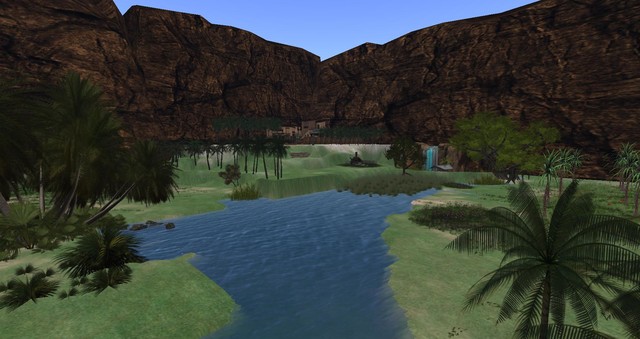
The Oasis of Four Palms Lovers
1 members |