OpenSimWorld is the directory of 3D Virtual Worlds based on OpenSimulator and connected through the HyperGrid. Learn More
New Members
Viviannv, RufusRippley, MaraWindsong, KalebDonovan, Leighlah, Mryork, Katiiis, Austin, JettZax, Ashen, EmmaLewis, Monluc2259 lucmon, Daisy, Daisys, Tinostl, Scorpyo, Uwe Furse, Corillastris, Alex3, LunaVirelliaLikes



New store in town: Terra Mater - Terrain Textures


Roadworks are finished for now, all paths lead somewhere ...






I JUST RELEASED ANOTHER UPDATE...I added the ability in vs 3.5 to inject the material AND Blinn Phong Textures into the glb being uploaded. I also cleared up a bug that was causing a crash after one loads around 30 items in one upload. I believe it may be infinite. PROVE ME WRONG! When one uploades the glb it comes textured, you drag the glb from contents into your inventory so that it hits the database proper! Looking for more bugs. Let me know if you find them enjoy! Items will be on display HERE though construction is underway : hop://maze.bz:7002/Mesh%20Museum/128/128/28
This program will allow you to upload any mesh, rigged mesh, or not up to around 1 gigs about 20 files or so at once using an oar file! It auto chunks large meshes automatically. The items in the picture were over 2 million verts. It makes a sane physics map for you also . So despite the high verts, well the physics load is a lot lower than what you get with the viewer. It also will let you list all your oar contents in a text file...and well import it into blender with all the textures and placement just like in world!!! :-) Below is the help menu. and below that the download link.
FILE
Open OAR File: open a packaged .oar archive.
Open OAR Folder: open an extracted OAR working folder.
Convert Data: export the loaded OAR using the format from Tools > Output Format. It reads the existing OAR object XML and companion assets, then writes converted output files to disk.
Convert Data does not create a new LLMesh object or save a replacement object XML. The XML already exists in the loaded OAR and is used as export input.
FILE MENU COMPATIBILITY
The converter is only supported for OARs produced by the actual simulator. Repacked or reverse-injected OARs created by this program are not backward-compatible with the converter and may fail if reopened through File > Open OAR File or File > Open OAR Folder and then converted again.
IMPORT
Step One: create blank.oar and prepare an extracted working folder for injection.
Inject Mesh: add one .dae, .gltf, or .glb model into an extracted OAR. Set location, scale, physics, rigging, and LODs here.
Pack Oar: repack the extracted folder into a final .oar archive.
TOOLS
Objects List: browse objects in the loaded OAR and export selected objects through the normal OAR export pipeline.
Objects List > Export: export one or more selected OAR objects into an output folder. Depending on format, the app may write the main file under Solids or Phantoms and may also create companion folders such as Textures, MTL, or BIN.
Objects List > Export does not create a standalone mesh inventory object. It converts from the object's existing OAR XML and asset data.
Output Format: choose DAE, OBJ, GLTF, GLB, FBX, or STL for export.
Settings: set ranges, shifts, terrain options, and folder prefixes.
INJECT MESH DIALOG FIELDS
Source model: the .dae, .gltf, or .glb file to insert.
Location X/Y/Z: the final placement of the inserted object in the target OAR region.
Current dimensions: read-only size of the source model after analysis.
Scale: uniform size multiplier. 1.0 keeps original size.
Physics: choose how collision data is generated. File mode uses a separate physics model.
Rigged: treat the source as a rigged or avatar-style model.
Include Joint Positions: keep joint position data when rigged import needs it.
Strip Joint Data: remove rigging data and force a static-style result.
LOD High/Medium/Low/Lowest: control each generated LOD level.
Mode: choose how each LOD is derived.
Target Tris: desired triangle count for that LOD when the selected mode uses a target.
Vertices: read-only estimate of vertex count for each generated LOD.
WORKFLOW: OAR TO BLENDER USING GLB
1. Open Tools > Output Format and select GLB.
2. Open the source OAR with File > Open OAR File or Open OAR Folder.
3. Run File > Convert Data.
4. Import the generated .glb files into Blender with File > Import > glTF 2.0.
WORKFLOW: BUILD A REPACKED OAR WITH MULTIPLE MODELS
1. Run Import > Step One once to create a blank working OAR.
2. Run Import > Inject Mesh once for each model you want to add.
3. Source files can be .glb, .gltf, or .dae. Rigged avatar-style models can use the Rigged and joint options.
4. Repeat Inject Mesh until all assets are placed.
5. Run Import > Pack Oar to write the final repacked archive.
PLEASE DO ENJOY!!!!ONLY IN OPENSIM!Feel free to report bugs and or other worthy insights. I have written the original makers of it but not gotten any replies so I do no tknow if they are around or not. It is legal opensource though. THe list of contributors is there. If anyone knows them tell them to say hello...
https://maze.bz/OARConv.html
FILE
Open OAR File: open a packaged .oar archive.
Open OAR Folder: open an extracted OAR working folder.
Convert Data: export the loaded OAR using the format from Tools > Output Format. It reads the existing OAR object XML and companion assets, then writes converted output files to disk.
Convert Data does not create a new LLMesh object or save a replacement object XML. The XML already exists in the loaded OAR and is used as export input.
FILE MENU COMPATIBILITY
The converter is only supported for OARs produced by the actual simulator. Repacked or reverse-injected OARs created by this program are not backward-compatible with the converter and may fail if reopened through File > Open OAR File or File > Open OAR Folder and then converted again.
IMPORT
Step One: create blank.oar and prepare an extracted working folder for injection.
Inject Mesh: add one .dae, .gltf, or .glb model into an extracted OAR. Set location, scale, physics, rigging, and LODs here.
Pack Oar: repack the extracted folder into a final .oar archive.
TOOLS
Objects List: browse objects in the loaded OAR and export selected objects through the normal OAR export pipeline.
Objects List > Export: export one or more selected OAR objects into an output folder. Depending on format, the app may write the main file under Solids or Phantoms and may also create companion folders such as Textures, MTL, or BIN.
Objects List > Export does not create a standalone mesh inventory object. It converts from the object's existing OAR XML and asset data.
Output Format: choose DAE, OBJ, GLTF, GLB, FBX, or STL for export.
Settings: set ranges, shifts, terrain options, and folder prefixes.
INJECT MESH DIALOG FIELDS
Source model: the .dae, .gltf, or .glb file to insert.
Location X/Y/Z: the final placement of the inserted object in the target OAR region.
Current dimensions: read-only size of the source model after analysis.
Scale: uniform size multiplier. 1.0 keeps original size.
Physics: choose how collision data is generated. File mode uses a separate physics model.
Rigged: treat the source as a rigged or avatar-style model.
Include Joint Positions: keep joint position data when rigged import needs it.
Strip Joint Data: remove rigging data and force a static-style result.
LOD High/Medium/Low/Lowest: control each generated LOD level.
Mode: choose how each LOD is derived.
Target Tris: desired triangle count for that LOD when the selected mode uses a target.
Vertices: read-only estimate of vertex count for each generated LOD.
WORKFLOW: OAR TO BLENDER USING GLB
1. Open Tools > Output Format and select GLB.
2. Open the source OAR with File > Open OAR File or Open OAR Folder.
3. Run File > Convert Data.
4. Import the generated .glb files into Blender with File > Import > glTF 2.0.
WORKFLOW: BUILD A REPACKED OAR WITH MULTIPLE MODELS
1. Run Import > Step One once to create a blank working OAR.
2. Run Import > Inject Mesh once for each model you want to add.
3. Source files can be .glb, .gltf, or .dae. Rigged avatar-style models can use the Rigged and joint options.
4. Repeat Inject Mesh until all assets are placed.
5. Run Import > Pack Oar to write the final repacked archive.
PLEASE DO ENJOY!!!!ONLY IN OPENSIM!Feel free to report bugs and or other worthy insights. I have written the original makers of it but not gotten any replies so I do no tknow if they are around or not. It is legal opensource though. THe list of contributors is there. If anyone knows them tell them to say hello...
https://maze.bz/OARConv.html
👍👍👍
Prince Amor✦ ▸ Maze Grid Home 2 days ago
...
I am proud to announce my release of OarConv Reimagined. This program will allow you to upload any mesh, rigged mesh, or not up to around 1 gigs about 20 files or so at once using an oar file! It auto chunks large meshes automatically. The items in the picture were over 2 million verts. It makes a sane physics map for you also . So despite the high verts, well the physics load is a lot lower than what you get with the viewer. It also will let you list all your oar contents in a text file...and well import it into blender with all the textures and placement just like in world!!! :-) Below is the help menu. and below that the download link.
FILE
Open OAR File: open a packaged .oar archive.
Open OAR Folder: open an extracted OAR working folder.
Convert Data: export the loaded OAR using the format from Tools > Output Format. It reads the existing OAR object XML and companion assets, then writes converted output files to disk.
Convert Data does not create a new LLMesh object or save a replacement object XML. The XML already exists in the loaded OAR and is used as export input.
FILE MENU COMPATIBILITY
The converter is only supported for OARs produced by the actual simulator. Repacked or reverse-injected OARs created by this program are not backward-compatible with the converter and may fail if reopened through File > Open OAR File or File > Open OAR Folder and then converted again.
IMPORT
Step One: create blank.oar and prepare an extracted working folder for injection.
Inject Mesh: add one .dae, .gltf, or .glb model into an extracted OAR. Set location, scale, physics, rigging, and LODs here.
Pack Oar: repack the extracted folder into a final .oar archive.
TOOLS
Objects List: browse objects in the loaded OAR and export selected objects through the normal OAR export pipeline.
Objects List > Export: export one or more selected OAR objects into an output folder. Depending on format, the app may write the main file under Solids or Phantoms and may also create companion folders such as Textures, MTL, or BIN.
Objects List > Export does not create a standalone mesh inventory object. It converts from the object's existing OAR XML and asset data.
Output Format: choose DAE, OBJ, GLTF, GLB, FBX, or STL for export.
Settings: set ranges, shifts, terrain options, and folder prefixes.
INJECT MESH DIALOG FIELDS
Source model: the .dae, .gltf, or .glb file to insert.
Location X/Y/Z: the final placement of the inserted object in the target OAR region.
Current dimensions: read-only size of the source model after analysis.
Scale: uniform size multiplier. 1.0 keeps original size.
Physics: choose how collision data is generated. File mode uses a separate physics model.
Rigged: treat the source as a rigged or avatar-style model.
Include Joint Positions: keep joint position data when rigged import needs it.
Strip Joint Data: remove rigging data and force a static-style result.
LOD High/Medium/Low/Lowest: control each generated LOD level.
Mode: choose how each LOD is derived.
Target Tris: desired triangle count for that LOD when the selected mode uses a target.
Vertices: read-only estimate of vertex count for each generated LOD.
WORKFLOW: OAR TO BLENDER USING GLB
1. Open Tools > Output Format and select GLB.
2. Open the source OAR with File > Open OAR File or Open OAR Folder.
3. Run File > Convert Data.
4. Import the generated .glb files into Blender with File > Import > glTF 2.0.
WORKFLOW: BUILD A REPACKED OAR WITH MULTIPLE MODELS
1. Run Import > Step One once to create a blank working OAR.
2. Run Import > Inject Mesh once for each model you want to add.
3. Source files can be .glb, .gltf, or .dae. Rigged avatar-style models can use the Rigged and joint options.
4. Repeat Inject Mesh until all assets are placed.
5. Run Import > Pack Oar to write the final repacked archive.
PLEASE DO ENJOY!!!!ONLY IN OPENSIM!Feel free to report bugs and or other worthy insights. I have written the original makers of it but not gotten any replies so I do no tknow if they are around or not. It is legal opensource though. THe list of contributors is there. If anyone knows them tell them to say hello...
https://maze.bz/OARConv.html
This program will allow you to upload any mesh, rigged mesh, or not up to around 1 gigs about 20 files or so at once using an oar file! It auto chunks large meshes automatically. The items in the picture were over 2 million verts. It makes a sane physics map for you also . So despite the high verts, well the physics load is a lot lower than what you get with the viewer. It also will let you list all your oar contents in a text file...and well import it into blender with all the textures and placement just like in world!!! :-) Below is the help menu. and below that the download link.
FILE
Open OAR File: open a packaged .oar archive.
Open OAR Folder: open an extracted OAR working folder.
Convert Data: export the loaded OAR using the format from Tools > Output Format. It reads the existing OAR object XML and companion assets, then writes converted output files to disk.
Convert Data does not create a new LLMesh object or save a replacement object XML. The XML already exists in the loaded OAR and is used as export input.
FILE MENU COMPATIBILITY
The converter is only supported for OARs produced by the actual simulator. Repacked or reverse-injected OARs created by this program are not backward-compatible with the converter and may fail if reopened through File > Open OAR File or File > Open OAR Folder and then converted again.
IMPORT
Step One: create blank.oar and prepare an extracted working folder for injection.
Inject Mesh: add one .dae, .gltf, or .glb model into an extracted OAR. Set location, scale, physics, rigging, and LODs here.
Pack Oar: repack the extracted folder into a final .oar archive.
TOOLS
Objects List: browse objects in the loaded OAR and export selected objects through the normal OAR export pipeline.
Objects List > Export: export one or more selected OAR objects into an output folder. Depending on format, the app may write the main file under Solids or Phantoms and may also create companion folders such as Textures, MTL, or BIN.
Objects List > Export does not create a standalone mesh inventory object. It converts from the object's existing OAR XML and asset data.
Output Format: choose DAE, OBJ, GLTF, GLB, FBX, or STL for export.
Settings: set ranges, shifts, terrain options, and folder prefixes.
INJECT MESH DIALOG FIELDS
Source model: the .dae, .gltf, or .glb file to insert.
Location X/Y/Z: the final placement of the inserted object in the target OAR region.
Current dimensions: read-only size of the source model after analysis.
Scale: uniform size multiplier. 1.0 keeps original size.
Physics: choose how collision data is generated. File mode uses a separate physics model.
Rigged: treat the source as a rigged or avatar-style model.
Include Joint Positions: keep joint position data when rigged import needs it.
Strip Joint Data: remove rigging data and force a static-style result.
LOD High/Medium/Low/Lowest: control each generated LOD level.
Mode: choose how each LOD is derived.
Target Tris: desired triangle count for that LOD when the selected mode uses a target.
Vertices: read-only estimate of vertex count for each generated LOD.
WORKFLOW: OAR TO BLENDER USING GLB
1. Open Tools > Output Format and select GLB.
2. Open the source OAR with File > Open OAR File or Open OAR Folder.
3. Run File > Convert Data.
4. Import the generated .glb files into Blender with File > Import > glTF 2.0.
WORKFLOW: BUILD A REPACKED OAR WITH MULTIPLE MODELS
1. Run Import > Step One once to create a blank working OAR.
2. Run Import > Inject Mesh once for each model you want to add.
3. Source files can be .glb, .gltf, or .dae. Rigged avatar-style models can use the Rigged and joint options.
4. Repeat Inject Mesh until all assets are placed.
5. Run Import > Pack Oar to write the final repacked archive.
PLEASE DO ENJOY!!!!ONLY IN OPENSIM!Feel free to report bugs and or other worthy insights. I have written the original makers of it but not gotten any replies so I do no tknow if they are around or not. It is legal opensource though. THe list of contributors is there. If anyone knows them tell them to say hello...
https://maze.bz/OARConv.html
FILE
Open OAR File: open a packaged .oar archive.
Open OAR Folder: open an extracted OAR working folder.
Convert Data: export the loaded OAR using the format from Tools > Output Format. It reads the existing OAR object XML and companion assets, then writes converted output files to disk.
Convert Data does not create a new LLMesh object or save a replacement object XML. The XML already exists in the loaded OAR and is used as export input.
FILE MENU COMPATIBILITY
The converter is only supported for OARs produced by the actual simulator. Repacked or reverse-injected OARs created by this program are not backward-compatible with the converter and may fail if reopened through File > Open OAR File or File > Open OAR Folder and then converted again.
IMPORT
Step One: create blank.oar and prepare an extracted working folder for injection.
Inject Mesh: add one .dae, .gltf, or .glb model into an extracted OAR. Set location, scale, physics, rigging, and LODs here.
Pack Oar: repack the extracted folder into a final .oar archive.
TOOLS
Objects List: browse objects in the loaded OAR and export selected objects through the normal OAR export pipeline.
Objects List > Export: export one or more selected OAR objects into an output folder. Depending on format, the app may write the main file under Solids or Phantoms and may also create companion folders such as Textures, MTL, or BIN.
Objects List > Export does not create a standalone mesh inventory object. It converts from the object's existing OAR XML and asset data.
Output Format: choose DAE, OBJ, GLTF, GLB, FBX, or STL for export.
Settings: set ranges, shifts, terrain options, and folder prefixes.
INJECT MESH DIALOG FIELDS
Source model: the .dae, .gltf, or .glb file to insert.
Location X/Y/Z: the final placement of the inserted object in the target OAR region.
Current dimensions: read-only size of the source model after analysis.
Scale: uniform size multiplier. 1.0 keeps original size.
Physics: choose how collision data is generated. File mode uses a separate physics model.
Rigged: treat the source as a rigged or avatar-style model.
Include Joint Positions: keep joint position data when rigged import needs it.
Strip Joint Data: remove rigging data and force a static-style result.
LOD High/Medium/Low/Lowest: control each generated LOD level.
Mode: choose how each LOD is derived.
Target Tris: desired triangle count for that LOD when the selected mode uses a target.
Vertices: read-only estimate of vertex count for each generated LOD.
WORKFLOW: OAR TO BLENDER USING GLB
1. Open Tools > Output Format and select GLB.
2. Open the source OAR with File > Open OAR File or Open OAR Folder.
3. Run File > Convert Data.
4. Import the generated .glb files into Blender with File > Import > glTF 2.0.
WORKFLOW: BUILD A REPACKED OAR WITH MULTIPLE MODELS
1. Run Import > Step One once to create a blank working OAR.
2. Run Import > Inject Mesh once for each model you want to add.
3. Source files can be .glb, .gltf, or .dae. Rigged avatar-style models can use the Rigged and joint options.
4. Repeat Inject Mesh until all assets are placed.
5. Run Import > Pack Oar to write the final repacked archive.
PLEASE DO ENJOY!!!!ONLY IN OPENSIM!Feel free to report bugs and or other worthy insights. I have written the original makers of it but not gotten any replies so I do no tknow if they are around or not. It is legal opensource though. THe list of contributors is there. If anyone knows them tell them to say hello...
https://maze.bz/OARConv.html
👍👍👍
Prince Amor✦ ▸ Maze Grid Home 2 days ago
...
I am proud to announce my release of OarConv Reimagined. This program will allow you to upload any mesh, rigged mesh, or not up to around 1 gigs about 20 files or so at once using an oar file! It auto chunks large meshes automatically. The items in the picture were over 2 million verts. It makes a sane physics map for you also . So despite the high verts, well the physics load is a lot lower than what you get with the viewer. It also will let you list all your oar contents in a text file...and well import it into blender with all the textures and placement just like in world!!! :-) Below is the help menu. and below that the download link.
FILE
Open OAR File: open a packaged .oar archive.
Open OAR Folder: open an extracted OAR working folder.
Convert Data: export the loaded OAR using the format from Tools > Output Format. It reads the existing OAR object XML and companion assets, then writes converted output files to disk.
Convert Data does not create a new LLMesh object or save a replacement object XML. The XML already exists in the loaded OAR and is used as export input.
FILE MENU COMPATIBILITY
The converter is only supported for OARs produced by the actual simulator. Repacked or reverse-injected OARs created by this program are not backward-compatible with the converter and may fail if reopened through File > Open OAR File or File > Open OAR Folder and then converted again.
IMPORT
Step One: create blank.oar and prepare an extracted working folder for injection.
Inject Mesh: add one .dae, .gltf, or .glb model into an extracted OAR. Set location, scale, physics, rigging, and LODs here.
Pack Oar: repack the extracted folder into a final .oar archive.
TOOLS
Objects List: browse objects in the loaded OAR and export selected objects through the normal OAR export pipeline.
Objects List > Export: export one or more selected OAR objects into an output folder. Depending on format, the app may write the main file under Solids or Phantoms and may also create companion folders such as Textures, MTL, or BIN.
Objects List > Export does not create a standalone mesh inventory object. It converts from the object's existing OAR XML and asset data.
Output Format: choose DAE, OBJ, GLTF, GLB, FBX, or STL for export.
Settings: set ranges, shifts, terrain options, and folder prefixes.
INJECT MESH DIALOG FIELDS
Source model: the .dae, .gltf, or .glb file to insert.
Location X/Y/Z: the final placement of the inserted object in the target OAR region.
Current dimensions: read-only size of the source model after analysis.
Scale: uniform size multiplier. 1.0 keeps original size.
Physics: choose how collision data is generated. File mode uses a separate physics model.
Rigged: treat the source as a rigged or avatar-style model.
Include Joint Positions: keep joint position data when rigged import needs it.
Strip Joint Data: remove rigging data and force a static-style result.
LOD High/Medium/Low/Lowest: control each generated LOD level.
Mode: choose how each LOD is derived.
Target Tris: desired triangle count for that LOD when the selected mode uses a target.
Vertices: read-only estimate of vertex count for each generated LOD.
WORKFLOW: OAR TO BLENDER USING GLB
1. Open Tools > Output Format and select GLB.
2. Open the source OAR with File > Open OAR File or Open OAR Folder.
3. Run File > Convert Data.
4. Import the generated .glb files into Blender with File > Import > glTF 2.0.
WORKFLOW: BUILD A REPACKED OAR WITH MULTIPLE MODELS
1. Run Import > Step One once to create a blank working OAR.
2. Run Import > Inject Mesh once for each model you want to add.
3. Source files can be .glb, .gltf, or .dae. Rigged avatar-style models can use the Rigged and joint options.
4. Repeat Inject Mesh until all assets are placed.
5. Run Import > Pack Oar to write the final repacked archive.
PLEASE DO ENJOY!!!!ONLY IN OPENSIM!Feel free to report bugs and or other worthy insights. I have written the original makers of it but not gotten any replies so I do no tknow if they are around or not. It is legal opensource though. THe list of contributors is there. If anyone knows them tell them to say hello...
https://maze.bz/OARConv.html
 | Spax Orion: For those of you who want REPLACEMENT monsters for your IMAGE GAME MACHINE... THIS IS WHERE YOU GET THEM! Thanks Prince! 8 hours ago |

Okay, so maybe you WON’T see Titanic here... or E.T., or Top Gun: Maverick. In fact, you won’t see ANYTHING the Motion Picture Academy has ever even HEARD of!
But we’ve got a selection of HOT videos at the Bare Essentials Theater that are guaranteed to "float your boat".
Come for the movies, stay for the atmosphere!
Showtimes & Location: hg.osgrid.org:80:Bare Essentials
But we’ve got a selection of HOT videos at the Bare Essentials Theater that are guaranteed to "float your boat".
Come for the movies, stay for the atmosphere!
Showtimes & Location: hg.osgrid.org:80:Bare Essentials
| | HarperHeld: can confirm! Kinda impressive, really. Make sure you're up for it, though. The Sound Of Music it ain't! 18 hours ago |

JOIN US FOR BI-WEEKLY LIVE WORKSHOPS, WORK ALONG WITH US, ASK QUESTIONS, AND MEET NEW PEOPLE. WE ALSO PROVIDE VIDEO TUTORIALS, LEARN AT YOUR OWN PACE.
DOING BOTH IS BETTER! REPETITION STRENGTHENS YOUR MEMORY.
Join our discord channel https://discord.gg/VastzPswvF
Check out the first part of our Making Flowers in Blender Class.
Part 1
https://youtu.be/4m24gtYEeJ4?si=acwcXldeoiaKtpvU
Part 2
https://youtu.be/s0ov56Shjgk?si=xGJnRsV8XroaM3d2
DOING BOTH IS BETTER! REPETITION STRENGTHENS YOUR MEMORY.
Join our discord channel https://discord.gg/VastzPswvF
Check out the first part of our Making Flowers in Blender Class.
Part 1
https://youtu.be/4m24gtYEeJ4?si=acwcXldeoiaKtpvU
Part 2
https://youtu.be/s0ov56Shjgk?si=xGJnRsV8XroaM3d2
| | NightshadeCeres: this was a really nice workshop, i liked it so much! you can ask questions at any time and, that is different to any blender-tutorials you do on your own: its specifically for osgrid use (so, no fanc... 20 hours ago |

#event #banhamregion 1pm SLT on April 29/2026 Arkham Grid


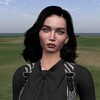
ZERO ZONE STORE CYBERPUNK TRIBUTE
use vendor
hop://stellar-grid.ddns.net:8002/zero/177/180/23

Kali Anastasi This is a gift created especially for all of you.

Neverworld builders!! Our shops at Never Village are open!
🩸🎧 CURSO PARA DJ NO OPENSIM – THE ORIGINALS 🎧🩸
💻 Torne-se um DJ e domine as pistas no OpenSim!
Se você sonha em animar pistas, comandar multidões e criar experiências únicas dentro das grades…
✨ Essa é a sua chance!
🦇 Apresentação
Sou DJ Rebekah Mikaelson, do Grid The Originals, responsável pelas inscrições.
A administração do curso termina com DJ Camile Mikaelson.
O The Originals Grid traz uma temática inspirada no universo vampírico, onde cada participante pode explorar sua identidade em um ambiente imersivo, sombrio e poderoso.
🎶 O que você vai aprender
✔ Técnicas de apresentação para DJ
✔ Voz e dicção (fundamentos essenciais)
✔ Preparação e organização de sets
✔ Como animar faixas no OpenSim
✔ Comunicação com o público
✔ Transmissão via Rádio Web (Radio Boss)
✔ Ética e postura profissional
✔ Configuração completa da Radio Boss via Discord
💿 BÔNUS: Você recebe o Radio Boss para iniciantes!
🌍 Curso Multilíngue
O conteúdo estará disponível em:
🇧🇷 Português
🇺🇸 Inglês
🇪🇸 Espanhol
🇫🇷 Francês
🇮🇹 Italiano
🇩🇪 Alemão
⏰ Duração e Horários
🕒 Total: 6 horas
📅 Dias: Segunda, Quarta e Quinta
⏱ 2 horas por aula
🧪 Últimas aulas: avaliação prática no grid
🕛 Horário Brasil: 12:00
🌎 Outros países: 08:00 SLT
⚠️ Início: definido após o primeiro inscrito
💰 Investimento
🔥 TOTALMENTE GRATUITO
🧾 Como participar
Faça seu cadastro no Grid:
👉 http://the3originals.com.br:8002
Entre em contato no Discord:
🎧 djcamile_49610
🩸 The Originals
🧛 Klaus Mikaelson
🧛♀️ Rebekah Mikaelson
🖤 “A noite pertence aos que dominam o som.”
🔥 Seja o DJ que todos vão lembrar.
===================================================
🩸🎧 CURSO DE DJ PARA OPENSIM – OS ORIGINAIS 🎧🩸
💻 Torne-se um DJ e domine a pista de dança no OpenSim!
Se você sonha em energizar pistas de dança, comandar multidões e criar experiências únicas dentro das grades…
✨ Essa é a sua chance!
🦇 Apresentação:
Sou a DJ Rebekah Mikaelson da Grid The Originals, responsável pelas inscrições.
A administração do curso ficará a cargo da DJ Camile Mikaelson.
A Grid The Originals apresenta um tema inspirado no universo vampírico, onde cada participante pode explorar sua identidade em um ambiente imersivo, sombrio e impactante.
🎶 O que você aprenderá
✔ Técnicas de apresentação de DJ
✔ Voz e dicção (fundamentos essenciais)
✔ Preparação e organização do set
✔ Como energizar as pistas de dança no OpenSim
✔ Comunicação com o público
✔ Transmissão de rádio online (Radio Boss)
✔ Ética e conduta profissional
✔ Configuração completa do Radio Boss via Discord
💿 BÔNUS: Você receberá o Radio Boss para iniciantes!
🌍 Conteúdo do Curso Multilíngue
disponível em:
🇧🇷 Português
🇺🇸 Inglês
🇪🇸 Espanhol
🇫🇷 Francês
🇮🇹 Italiano
🇩🇪 Alemão
⏰ Duração e Horário
🕒 Total: 6 horas
📅 Dias: Segunda, Quarta e Quinta
⏱ 2 horas por aula
🧪 Última aula: avaliação prática na plataforma
🕛 Horário do Brasil: 12:00
🌎 Outros países: 8:00 SLT
⚠️ Horário de início: definido após a primeira inscrição
💰 Investimento
🔥 TOTALMENTE GRATUITO
🧾 Como participar
Inscreva-se na plataforma:
👉 http://the3originals.com.br:8002
Contate-nos no Discord:
🎧 djcamile_49610
🩸 The Originals
🧛 Klaus Mikaelson
🧛♀️ Rebekah Mikaelson
🖤 “A noite pertence a quem domina o som.”
🔥 Seja o DJ que todos vão se lembrar.
Inglês:
Neste curso você aprenderá o seguinte conteúdo:
1. Técnicas de apresentação de DJ;
2. Voz e dicção: princípios básicos;
3. Preparação, seleção e organização de conteúdo para animações na pista de dança no OpenSim;
4. Comunicação e relacionamento com o público;
5. Preparação para transmissão online na Rádio Boss;
6. Ética e responsabilidade profissional;
7. Configuração passo a passo da Rádio Boss via Discord (link abaixo);
8. Você receberá a Rádio Boss para iniciantes.
Espanhol:
Neste curso você aprenderá o seguinte conteúdo:
1. Técnicas de apresentação de DJ;
2. Voz e dicção: princípios básicos;
3. Preparação, seleção e organização de conteúdo para animações na pista de baile do Open Sim;
4. Comunicação e participação do público;
5. Preparação para transmissões web na Rádio Boss;
6. Ética e responsabilidade profissional;
7. Configuração passo a passo do Radio Boss através do Discord (link abaixo);
8. Recibirás Radio Boss para iniciantes.
Francês
Neste curso, você aprenderá os seguintes pontos:
1. Técnicas de apresentação DJ;
2. Voix et diction: princípios de base;
3. Preparação, seleção e organização do conteúdo para as animações na pista de dança do Open Sim;
4. Comunicação e interação com o público;
5. Preparação para difusão web na Rádio Boss;
6. Éthique et responsabilité professionnelle;
7. Configuração passo a passo do Radio Boss via Discord (lien ci-dessous);
8. Vou receber Radio Boss para estreantes.
Italiano
Neste corso, apresentamos os seguintes conteúdos:
1. Técnica de apresentação para DJ;
2. Voce e dizione: princípios de base;
3. Preparação, seleção e organização do conteúdo para animações em pista no OpenSim;
4. Comunicação e relacionamento com o público;
5. Preparação para transmissão web na Rádio Boss;
6. Ética e responsabilidade profissional;
7. Configuração passo a passo do Radio Boss via Discord (link abaixo);
8. Riceverai Radio Boss para principiante
💻 Torne-se um DJ e domine as pistas no OpenSim!
Se você sonha em animar pistas, comandar multidões e criar experiências únicas dentro das grades…
✨ Essa é a sua chance!
🦇 Apresentação
Sou DJ Rebekah Mikaelson, do Grid The Originals, responsável pelas inscrições.
A administração do curso termina com DJ Camile Mikaelson.
O The Originals Grid traz uma temática inspirada no universo vampírico, onde cada participante pode explorar sua identidade em um ambiente imersivo, sombrio e poderoso.
🎶 O que você vai aprender
✔ Técnicas de apresentação para DJ
✔ Voz e dicção (fundamentos essenciais)
✔ Preparação e organização de sets
✔ Como animar faixas no OpenSim
✔ Comunicação com o público
✔ Transmissão via Rádio Web (Radio Boss)
✔ Ética e postura profissional
✔ Configuração completa da Radio Boss via Discord
💿 BÔNUS: Você recebe o Radio Boss para iniciantes!
🌍 Curso Multilíngue
O conteúdo estará disponível em:
🇧🇷 Português
🇺🇸 Inglês
🇪🇸 Espanhol
🇫🇷 Francês
🇮🇹 Italiano
🇩🇪 Alemão
⏰ Duração e Horários
🕒 Total: 6 horas
📅 Dias: Segunda, Quarta e Quinta
⏱ 2 horas por aula
🧪 Últimas aulas: avaliação prática no grid
🕛 Horário Brasil: 12:00
🌎 Outros países: 08:00 SLT
⚠️ Início: definido após o primeiro inscrito
💰 Investimento
🔥 TOTALMENTE GRATUITO
🧾 Como participar
Faça seu cadastro no Grid:
👉 http://the3originals.com.br:8002
Entre em contato no Discord:
🎧 djcamile_49610
🩸 The Originals
🧛 Klaus Mikaelson
🧛♀️ Rebekah Mikaelson
🖤 “A noite pertence aos que dominam o som.”
🔥 Seja o DJ que todos vão lembrar.
===================================================
🩸🎧 CURSO DE DJ PARA OPENSIM – OS ORIGINAIS 🎧🩸
💻 Torne-se um DJ e domine a pista de dança no OpenSim!
Se você sonha em energizar pistas de dança, comandar multidões e criar experiências únicas dentro das grades…
✨ Essa é a sua chance!
🦇 Apresentação:
Sou a DJ Rebekah Mikaelson da Grid The Originals, responsável pelas inscrições.
A administração do curso ficará a cargo da DJ Camile Mikaelson.
A Grid The Originals apresenta um tema inspirado no universo vampírico, onde cada participante pode explorar sua identidade em um ambiente imersivo, sombrio e impactante.
🎶 O que você aprenderá
✔ Técnicas de apresentação de DJ
✔ Voz e dicção (fundamentos essenciais)
✔ Preparação e organização do set
✔ Como energizar as pistas de dança no OpenSim
✔ Comunicação com o público
✔ Transmissão de rádio online (Radio Boss)
✔ Ética e conduta profissional
✔ Configuração completa do Radio Boss via Discord
💿 BÔNUS: Você receberá o Radio Boss para iniciantes!
🌍 Conteúdo do Curso Multilíngue
disponível em:
🇧🇷 Português
🇺🇸 Inglês
🇪🇸 Espanhol
🇫🇷 Francês
🇮🇹 Italiano
🇩🇪 Alemão
⏰ Duração e Horário
🕒 Total: 6 horas
📅 Dias: Segunda, Quarta e Quinta
⏱ 2 horas por aula
🧪 Última aula: avaliação prática na plataforma
🕛 Horário do Brasil: 12:00
🌎 Outros países: 8:00 SLT
⚠️ Horário de início: definido após a primeira inscrição
💰 Investimento
🔥 TOTALMENTE GRATUITO
🧾 Como participar
Inscreva-se na plataforma:
👉 http://the3originals.com.br:8002
Contate-nos no Discord:
🎧 djcamile_49610
🩸 The Originals
🧛 Klaus Mikaelson
🧛♀️ Rebekah Mikaelson
🖤 “A noite pertence a quem domina o som.”
🔥 Seja o DJ que todos vão se lembrar.
Inglês:
Neste curso você aprenderá o seguinte conteúdo:
1. Técnicas de apresentação de DJ;
2. Voz e dicção: princípios básicos;
3. Preparação, seleção e organização de conteúdo para animações na pista de dança no OpenSim;
4. Comunicação e relacionamento com o público;
5. Preparação para transmissão online na Rádio Boss;
6. Ética e responsabilidade profissional;
7. Configuração passo a passo da Rádio Boss via Discord (link abaixo);
8. Você receberá a Rádio Boss para iniciantes.
Espanhol:
Neste curso você aprenderá o seguinte conteúdo:
1. Técnicas de apresentação de DJ;
2. Voz e dicção: princípios básicos;
3. Preparação, seleção e organização de conteúdo para animações na pista de baile do Open Sim;
4. Comunicação e participação do público;
5. Preparação para transmissões web na Rádio Boss;
6. Ética e responsabilidade profissional;
7. Configuração passo a passo do Radio Boss através do Discord (link abaixo);
8. Recibirás Radio Boss para iniciantes.
Francês
Neste curso, você aprenderá os seguintes pontos:
1. Técnicas de apresentação DJ;
2. Voix et diction: princípios de base;
3. Preparação, seleção e organização do conteúdo para as animações na pista de dança do Open Sim;
4. Comunicação e interação com o público;
5. Preparação para difusão web na Rádio Boss;
6. Éthique et responsabilité professionnelle;
7. Configuração passo a passo do Radio Boss via Discord (lien ci-dessous);
8. Vou receber Radio Boss para estreantes.
Italiano
Neste corso, apresentamos os seguintes conteúdos:
1. Técnica de apresentação para DJ;
2. Voce e dizione: princípios de base;
3. Preparação, seleção e organização do conteúdo para animações em pista no OpenSim;
4. Comunicação e relacionamento com o público;
5. Preparação para transmissão web na Rádio Boss;
6. Ética e responsabilidade profissional;
7. Configuração passo a passo do Radio Boss via Discord (link abaixo);
8. Riceverai Radio Boss para principiante

〓〓〓〓█• Spontaneous Party •█〓〓〓〓
█◄♫►█ ⇨ ᴡʜᴏ : DJ BoomBoomBoom ChiChi
█◄♫►█ ⇨ sᴛʏʟᴇ : Psy Trance Mix
█◄♫►█ ⇨ ᴡʜᴇɴ : 12:00pm Grid Time
█◄♫►█ ⇨ ᴡʜᴇʀᴇ: The Cube
█◄♫►█ ⇨ ʜᴏsᴛ : Lia
█◄♫►█ ⇨ GRAB YOUR FRIENDS and come :))))
█◄♫►█ ⇨ ᴡʜᴏ : DJ BoomBoomBoom ChiChi
█◄♫►█ ⇨ sᴛʏʟᴇ : Psy Trance Mix
█◄♫►█ ⇨ ᴡʜᴇɴ : 12:00pm Grid Time
█◄♫►█ ⇨ ᴡʜᴇʀᴇ: The Cube
█◄♫►█ ⇨ ʜᴏsᴛ : Lia
█◄♫►█ ⇨ GRAB YOUR FRIENDS and come :))))

“Rise and shine, rebels!
DJ TYLER @ Alternate Metaverse Breakfast Show is firing up the engines from 6 to 8 AM with a full‑throttle blast of 1950s rock ’n’ roll.
Leather jackets, loud guitars, and the kind of rhythm that’ll kickstart your morning like a chrome‑plated V8.
If you’re ready to roll, we’ve got the soundtrack to your sunrise. Let’s burn rubber and rock the dawn!”
hop://alternatemetaverse.com:8002/Alternate%20Metaverse/36...
DJ TYLER @ Alternate Metaverse Breakfast Show is firing up the engines from 6 to 8 AM with a full‑throttle blast of 1950s rock ’n’ roll.
Leather jackets, loud guitars, and the kind of rhythm that’ll kickstart your morning like a chrome‑plated V8.
If you’re ready to roll, we’ve got the soundtrack to your sunrise. Let’s burn rubber and rock the dawn!”
hop://alternatemetaverse.com:8002/Alternate%20Metaverse/36...
| | Spax Orion: Lets do the "One eyed one horned flying purple people eater...." wearing an "itsy bitsy teenie weenie yellow polka dot bikini" 4 days ago |
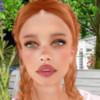

New arrivals at the Euphoria store
Welcome, friends!
hop://spacegrid.online:6002/Polinar/161/116/22
That is the question here...
| | falene hawks: Hello As long as there are humans on earth, peace will be impossible 5 days ago |

Eternal Spring & Masculine Freedom: Your Asian Sanctuary
Discover a vast SIM created as a total work of art in traditional Asian design. Here, architecture and nature merge into a harmonious unity – a place specifically designed as a retreat and meeting point for the gay community in OpenSIM.
Exclusive Men's Fashion: Perfection for the Belleza Body
Set against a picturesque backdrop, you will find our dedicated fashion areas. We offer clothing exclusively for men using the Belleza Mesh Body. Our collection is uncompromising and versatile:
From Casual to Kinky: Whether you seek elegant outfits for a stroll through the Zen gardens or bold styles for the "Adult" areas – every man will find his look here.
Encounter & Freedom Without Barriers
The SIM is organically designed, offering atmospheric meeting points spread across the entire area:
Open Communication: Hidden pavilions and seating areas by the water invite you to deep one-on-one conversations or social group rounds.
Temple of Games: In the heart of the complex, a magnificent temple serves as the social hub, featuring various parlor games.
Nature & Nudity: Clothing is not a requirement for decency here. We accept and welcome unclothed avatars across the entire SIM.
Diversity of Forms: We welcome Furry avatars just as much as humanoids. However, please note that our furniture animations are primarily designed for humanoid avatars.
A Safe Haven: Our Community Guidelines
To ensure the quality and peaceful atmosphere of our world, strict rules apply:
Strictly Adult: We do not tolerate child or twink-style avatars. If an avatar's appearance suggests either of these groups, an immediate ban without prior warning will occur.
Respect & Consent: We expect respectful behavior. Harassment, insults, or disturbing other users during their activities will lead to expulsion. Across the entire SIM: NO means NO.
Female Visitors: Women are always welcome as guests; however, we kindly ask that they remain fully clothed while on the SIM.
Private Parcels: We offer anyone looking for a permanent place in this tolerant environment the opportunity to rent their own parcel.
⚠️ Important Note on Access (Region: Germany)
We place great value on a harmonious and undisturbed atmosphere. Due to negative experiences in the past, access for the German community is currently strictly regulated.
Players from Germany do not have automatic access.
Access is granted only after personal consultation and manual approval by the administration. We reserve the right to decide on admission on a case-by-case basis to ensure peace and respectful interaction on this SIM for all other visitors.
Experience the harmony of the Far East and the freedom to be yourself.
Discover a vast SIM created as a total work of art in traditional Asian design. Here, architecture and nature merge into a harmonious unity – a place specifically designed as a retreat and meeting point for the gay community in OpenSIM.
Exclusive Men's Fashion: Perfection for the Belleza Body
Set against a picturesque backdrop, you will find our dedicated fashion areas. We offer clothing exclusively for men using the Belleza Mesh Body. Our collection is uncompromising and versatile:
From Casual to Kinky: Whether you seek elegant outfits for a stroll through the Zen gardens or bold styles for the "Adult" areas – every man will find his look here.
Encounter & Freedom Without Barriers
The SIM is organically designed, offering atmospheric meeting points spread across the entire area:
Open Communication: Hidden pavilions and seating areas by the water invite you to deep one-on-one conversations or social group rounds.
Temple of Games: In the heart of the complex, a magnificent temple serves as the social hub, featuring various parlor games.
Nature & Nudity: Clothing is not a requirement for decency here. We accept and welcome unclothed avatars across the entire SIM.
Diversity of Forms: We welcome Furry avatars just as much as humanoids. However, please note that our furniture animations are primarily designed for humanoid avatars.
A Safe Haven: Our Community Guidelines
To ensure the quality and peaceful atmosphere of our world, strict rules apply:
Strictly Adult: We do not tolerate child or twink-style avatars. If an avatar's appearance suggests either of these groups, an immediate ban without prior warning will occur.
Respect & Consent: We expect respectful behavior. Harassment, insults, or disturbing other users during their activities will lead to expulsion. Across the entire SIM: NO means NO.
Female Visitors: Women are always welcome as guests; however, we kindly ask that they remain fully clothed while on the SIM.
Private Parcels: We offer anyone looking for a permanent place in this tolerant environment the opportunity to rent their own parcel.
⚠️ Important Note on Access (Region: Germany)
We place great value on a harmonious and undisturbed atmosphere. Due to negative experiences in the past, access for the German community is currently strictly regulated.
Players from Germany do not have automatic access.
Access is granted only after personal consultation and manual approval by the administration. We reserve the right to decide on admission on a case-by-case basis to ensure peace and respectful interaction on this SIM for all other visitors.
Experience the harmony of the Far East and the freedom to be yourself.
!!!!SAVE THE DATE!!!
🚨VWEC PRESENTS:
THE ULTIMATE ANIMATED GIF WORKSHOP
✨ Spark Ideas. Ignite Creativity. Bring Your Creations to Life. ✨
Create eye-catching GIFs and discover bold, new ways to use them.
Hands-on. Creative. Fun.
Perfect for builders, artists, and creators of all levels
📍 Location: The Curiosity Zone
📅 Date: April 14, 2026
⏰ Time: 10:00 AM Grid Time (allow for about an hour and a half as this is a complete workshop with space for significant Q&A)
hop://grid.curiosityzone.us:8002/Siren%20Sea/128/127/21
🚨VWEC PRESENTS:
THE ULTIMATE ANIMATED GIF WORKSHOP
✨ Spark Ideas. Ignite Creativity. Bring Your Creations to Life. ✨
Create eye-catching GIFs and discover bold, new ways to use them.
Hands-on. Creative. Fun.
Perfect for builders, artists, and creators of all levels
📍 Location: The Curiosity Zone
📅 Date: April 14, 2026
⏰ Time: 10:00 AM Grid Time (allow for about an hour and a half as this is a complete workshop with space for significant Q&A)
hop://grid.curiosityzone.us:8002/Siren%20Sea/128/127/21

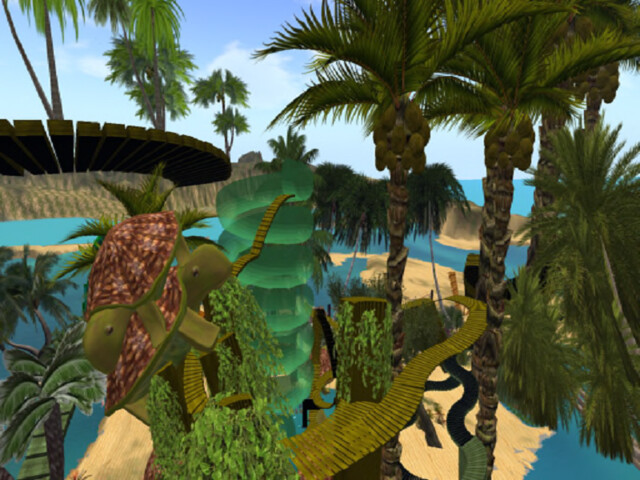
select "turtles" on the region teleport, walk in the water and ... ride a turtle, they are very friendly..... If you decide to rest on a Tiki Beach Lounger ..... watch up the falling coconuts ..... We don't have any hospital on the grid yet ahahahhaah ;-)
Due to current circumstances.^^
| | Pueppi: Victory pose????? What did you win? Oh yeah, right, even more unlikeability points 7 days ago |

Sorry I was too busy that I forgot to feed them ;-(

Entdecke deinen eigenen Style mit den neuen Cargo-Hosen im Camouflage-Look! Perfekt für alle, die auffallen und Komfort schätzen. In Kombination mit einem stylischen Lederjacken-Look und bequemen weißen Sneakern, ist dies der ultimative Streetwear-Outfit für den Herbst. Verpasse nicht die Gelegenheit und shoppe jetzt deine neue Lieblings-Cargo-Hose!

Last Day to grab your Bunny Outfit for Easter, beside Seasons hg.trianon-world.com:18002:Vesti
Honey, I Shrunk the EASTER BUNNY - HALF TIME, but still enough time to have fun down the secret Rabbit Hole,,,, put this in your map to get there...
hop://alternatemetaverse.com:8002/Alternate%20Metaverse/56...
hop://alternatemetaverse.com:8002/Alternate%20Metaverse/56...

|
Little Breath grid group
4 members |

|
The Institute of Space Exploration
2 members |

|
The Factory Community
3 members |

|
Event Plaza Osgrid
3 members |

|
Club Equinox
2 members |

|
OS GREEDY PLAYERS
14 members |

|
OSGrid Furry Continent
2 members |
|
Electronic Club Music
2 members |
|
Dream & Laugh group
1 members |